Connecting a mass storage device 55
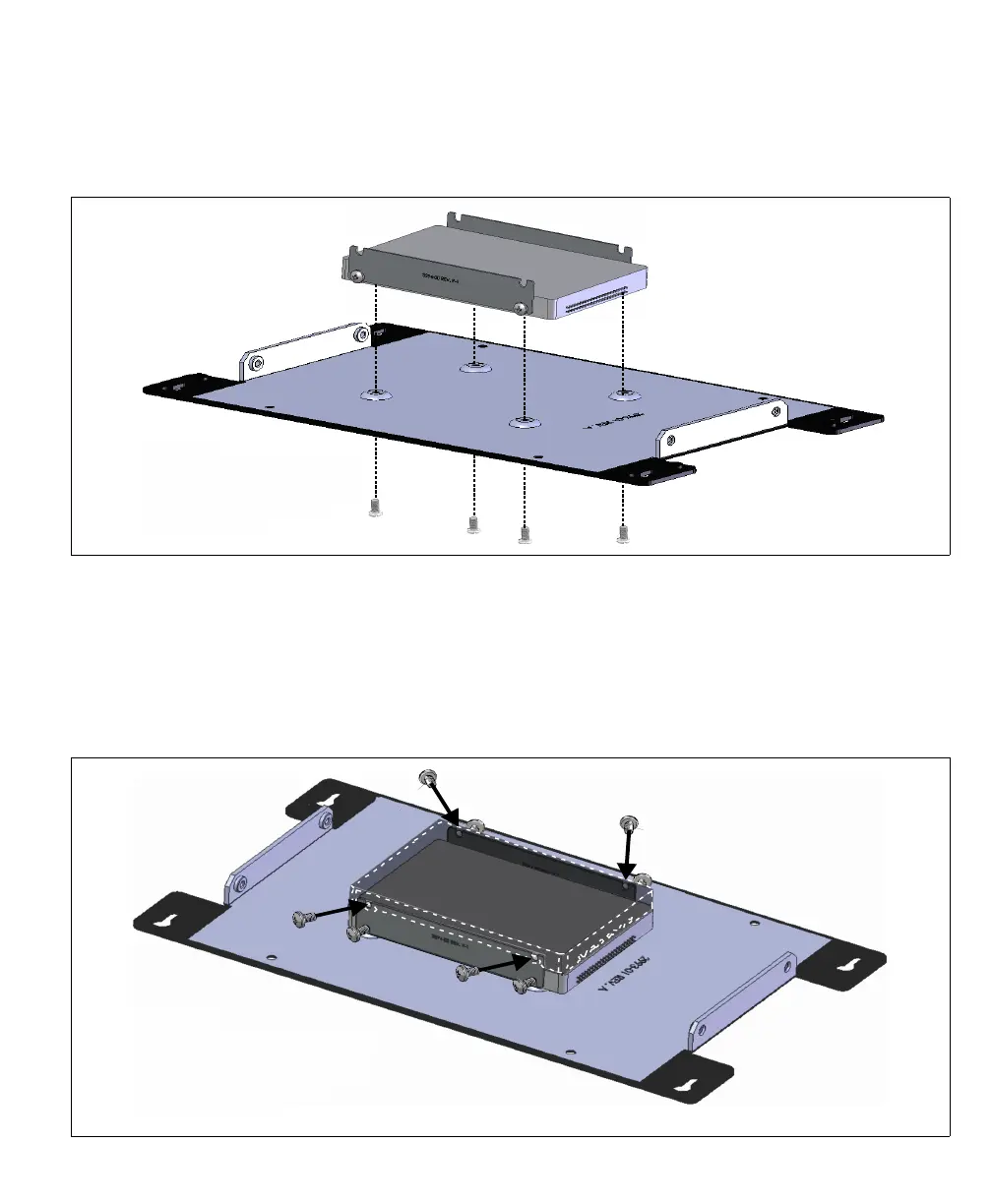
4. Place the SATA mass storage device against the chassis cover, so that the drive’s
connector is closest to the serial number on the base plate (as depicted below).
5. Use a slotted screwdriver to screw in the 4 slot-head metal screws, included in your
Matrox 4Sight EV6 package, to connect the base plate and the mass storage device.
6. If you are also attaching a second mass storage device, place this device on top of
the first mass storage device, in between the brackets, and install the screws that
connect the mass storage device to the brackets halfway.
Caution
Be sure to turn off the power to
the unit and all peripherals as,
well as unplug the power from
the unit before adding or,
removing devices.
Caution
Be sure to turn off the power to
the unit and all peripherals as,
well as unplug the power from
the unit before adding or,
removing devices.



 To Next Page