P/N 03521015 Rev K Page 45
10. Instructions For Use: Helmet
The 2070-03 Helmet is a component of the MAXAIR CAPR Line of Powered Air Purifying Respirators.
This procedure is applicable for Helmets received as O.N. 2070-03, in which case the Helmet ships with the Helmet Protector as
described below.
CAUTION
Always have a Filter Cartridge or a Helmet Protector mounted on the Helmet when it is not in use.
Prepping the Helmet for use
Prepping the Helmet for Storage
1. Clean all dirty surfaces per
Section 10.
2. Assemble a Filter Cartridge, Section 23, or the
Helmet Protector, reverse of steps 1-3 in Section 21.
3. Follow storage instructions
per Section 11.
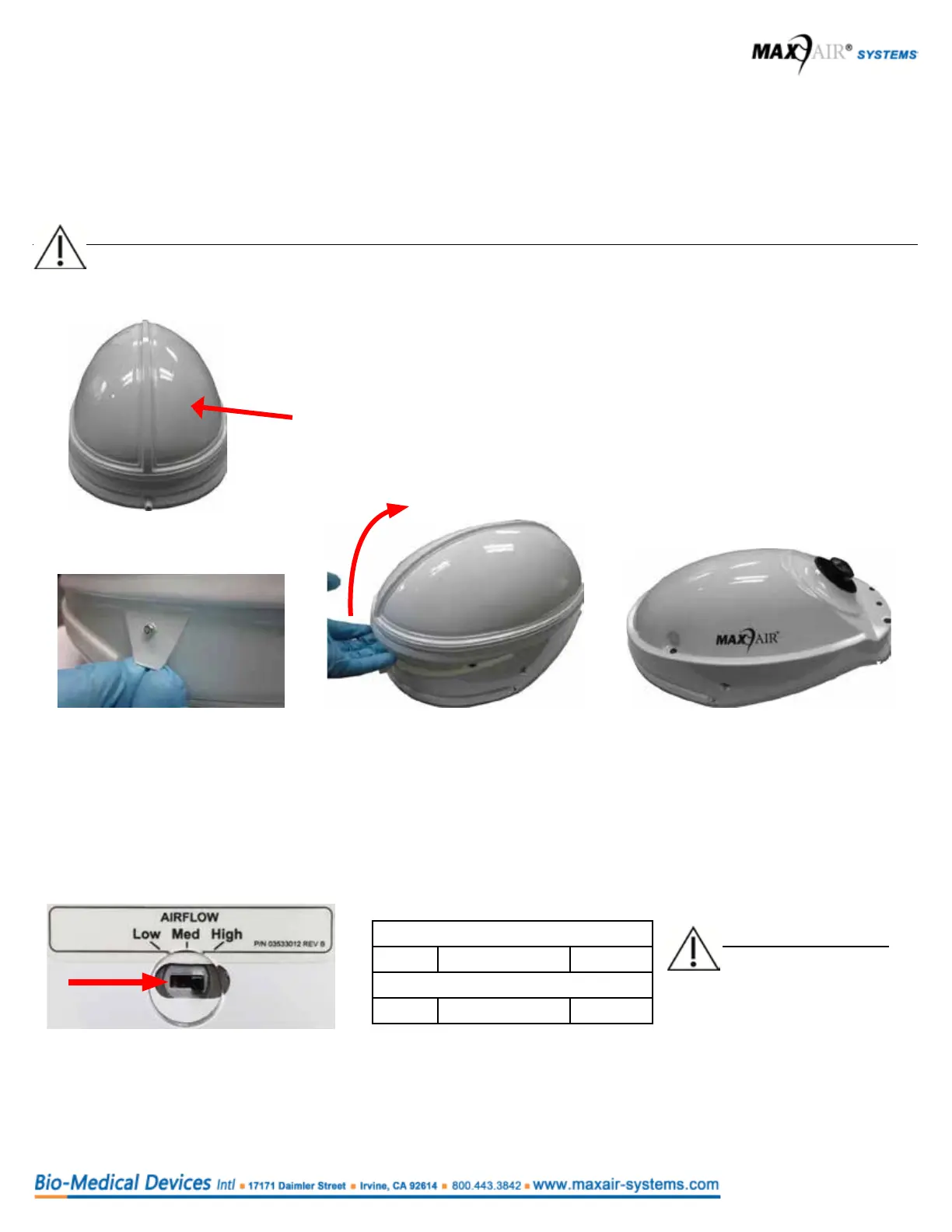
Helmet Protector
(O.N. 03531135)
1. Unsnap the left and right side
tab of the Helmet Protector.
2. Unhook and remove the Helmet
Protector lifting from the front
and moving upward and off,
towards the rear.
3. The helmet is now exposed and
ready for mounting the Filter Car-
tridge (see Instructions For Use,
Section 12.)
Helmet -CH Universal: O.N. 2070-03; PN 03531001
Air Flow Switch Position
Low Med High
Air Flow in Liters Per Minute
190 215 240
NOTE
The ow levels, in liters
per minute, are only
approximate.
Setting Air Flow
When the Helmet is initially connected to the Battery, all LED Safety Status Indicators light briey, then the red and yellow LEDs
turn off, and airow increases to the appropriate operating level based on the Air Flow Switch position. The green LEDs will be
on as appropriate to the battery charge level.
Adjust the Air Flow Switch relative to the expected activity level and desired comfort level.



 To Next Page