Need help?
Do you have a question about the Maxcess FIFE D-MAXE 1 and is the answer not in the manual?
Details the purpose and audience of these operating instructions.
Describes the intended applications and functions of the D-MAXE system.
Outlines operations that are not permitted and potential hazards.
Explains the fundamental working concept of the D-MAXE system.
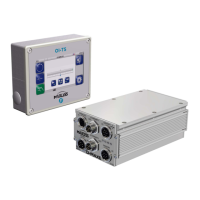
Describes the different D-MAXE Controller and Operator Interface modules.
Highlights crucial points for safe and reliable D-MAXE system operation.
Explains the purpose and usage of safety instructions and symbols.
Defines safety symbols used throughout the manual and their meanings.
Lists precautions for installation and commissioning to avoid dangers.
Details safety precautions related to the operation phase of the system.
Outlines safety measures required during maintenance activities.
Provides guidelines for safely transporting and storing D-MAXE modules.
Lists the model designation, serial number, and firmware/software numbers.
Mentions optional fastening materials and interface details.
Covers safety warnings and general mounting advice for the D-MAXE system.
Specifies conditions like protection class, temperature, and altitude for installation.
Shows dimensions and mounting options for the D-MAXE controller.
Details environmental and placement conditions for the OI-TS interface.
Emphasizes safety precautions for making and disconnecting electrical connections.
References supplementary instructions for safe shutoff of actuators.
Explains how to connect and power the D-MAXE Controller.
Describes how the OI-TS receives its power supply.
Outlines guidelines for connecting approved sensors and actuators.
Details the connections and their designations for the D-MAXE 1 Controller.
Lists the connections and their designations for the D-MAXE 2 Controller.
Shows the connections and their designations for the D-MAXE 3 Controller.
Explains LED status for error indication and operational information.
Introduces the OI-TS interface and its touch screen functionality.
Describes the meaning of various buttons and display elements on the interface.
Explains the components of the header area providing system information.
Guides on how to navigate and select options on the operator interface.
Describes the functions available for normal operation at the user level.
Guides on selecting devices or actuators to operate via the OI-TS.
Explains the Automatic, Servo-center, and Manual operating modes.
Details how to select controller types (jobs) for specific applications.
Explains how to adjust the guide point in different operating modes.
Describes how to move the actuator in "Manual" operation mode.
Explains how to access and set system parameters through menu groups.
Covers setting parameters for a selected job in Manual or Automatic mode.
Details setting parameters for the servo-center transducer.
Provides access to system setup, hardware, control, network, and service configurations.
Lists the necessary assembly and connection tasks before initial operation.
Outlines the procedure for placing the D-MAXE system into operation.
Provides an overview of menus for commissioning and settings.
Explains the system for identifying menus and their structure.
Describes the conventions used in menu descriptions.
Explains how to block control signals during initial operation or error search.
Details setting parameters for a specific job and its availability.
Guides on automatic calibration of Gain and Polarity parameters.
Describes the optional oscillator parameter.
Details the controller for web course control without direct feedback.
Covers activating/deactivating ASC and setting thresholds.
Defines a range for reduced or inactive guiding in Automatic mode.
Explains setting the guiding direction for the selected drive in Automatic mode.
Determines if web speed affects guiding performance.
Covers setting the maximum speed of the motor on the selected drive.
Describes setting up properties for the Servo-Center operating mode.
Details viewing and setting properties of connected input/output devices.
Guides on adapting sensors to web material properties.
Specifies the connected sensor type and its analogue entries.
Shows the sensor input range configured on the controller.
Used to calibrate the analog line speed signal.
Corrects the calibrated travel path of the encoder.
Recovers lost thresholds without re-calibration.
Deletes limits present for the selected encoder.
Shows the motor connected to the selected drive.
Displays the status of the 6 digital inputs.
Covers configuration of digital outputs A and B.
Provides information on menus for operating the D-MAXE Controller.
Sets the adjusting speed for the buttons.
Sets the time to reach adjusting speed.
Allows applying or restricting local operation.
Sets the desired length unit.
Maintains actuator position in Manual mode.
Lists menus for controller information needed for service.
Contains details from the controller housing label.
Covers saving and restoring user settings.
Restores settings from a customer-saved backup.
Restores the system to factory default settings.
Allows changing the device and drive names.
Allows viewing and changing network settings.
Displays and changes network settings for TCP/IP.
Groups devices in a network for selective display on the operator interface.
Shows information important for customer service.
Displays values of the D-MAXE system.
Used to test components connected to digital outputs.
Details cleaning procedures for the operator interface display.
Provides steps for safely powering down and disassembling the system.
Outlines the system's error detection and information capabilities.
Lists available displays for error diagnosis on controllers and interfaces.
Steps to check LEDs, icons, and possible causes for faulty behavior.
Explains LED status for error indication and operational information.
Troubleshoots issues with the touch screen calibration.
Explains icons indicating system states and potential errors.
Discusses how incorrect settings cause system behavior issues.
Lists common causes for faulty behavior and remedies.
Provides key specifications for the D-MAXE Controller.
Lists specifications for the OI-TS operator interface.
Details communication, drive, sensor, and line speed interfaces.
Shows input logic for various operating modes.
Defines output states for automatic and servo-centered modes.
Lists available jobs, their connections, and guiding types.
Details various actuators with their specifications and typical modules.
Specifies maximum cable lengths for different connections.
Lists compliance with European Union standards and guidelines.
Lists optional input devices and mounting accessories.
Shows how to select Automatic, Servo Center, or Manual modes.
Indicates the availability of functions at the user level.
Shows the navigation structure for menus.
Provides an overview of Job and Servo Center menus.
Summarizes access to various setup configurations.
Lists and describes various symbols used in the system.
Defines ASC and its behavior when the web is outside sensor range.
Defines the Automatic operating mode.
Describes automatic calibration of Gain and Polarity.
Explains the customer-specific system menu.
Defines a range for reduced or inactive guiding.
Refers to D-MAXE controllers, network devices, and CM system menus.
Defines the motor of an actuator for correction.
Describes incremental position transducer for recording positions.
Allows maintaining actuator position in Manual mode.
Defines types of controllers available in the D-MAXE system.
Indicates actuator movement to compensate for guiding error.
Designation of the web speed signal.
Defines the Manual operating mode with no web guiding.
Designation of an operator interface.
Designation of an optionally available oscillator.
Designation of an optionally available controller.
Designation for external sensor calibration input.
Designation for external activation system for guidepoint offset.
Abbreviation for Servo Center mode.
Defines the Servo Center operating mode.
Describes alignment of control rollers with customer system.
Assigns servo-center position for Servo Center mode.
Guiding depends on web speed.
Customer-specific software adjustments described in system documentation.
Refers to customer's material affected by guiding.
Information required when requesting service or ordering parts.
Contact information for service and replacement parts.
 General
| Type | D-MAXE 1 |
|---|---|
| Power Supply | 24 VDC |
| Communication | RS-485, Ethernet |
| Display | LCD |
| Operating Temperature | 0°C to 50°C |
| Inputs | Analog, Digital |

 To Next Page