Need help?
Do you have a question about the Maxcess D-MAXE and is the answer not in the manual?
Describes installation, commissioning, operation, and maintenance of the D-MAXE system.
Details intended applications and functions of the D-MAXE system.
Explains system adaptation capabilities and lists prohibited operations.
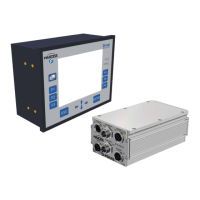
Explains the system's modular structure and components like controllers and interfaces.
Outlines requirements for problem-free operation and qualified personnel.
Defines warning symbols and precautions for installation and commissioning.
Details safety warnings for operation and maintenance tasks.
Guidelines for securing, storing D-MAXE modules and listing package contents.
Specifies environmental and location requirements for the controller.
Details installation location and mechanical fastening for the operator interface.
Crucial safety caution on electrical connections and power supply procedures.
Lists connections and designations for D-MAXE Controllers and operator interfaces.
Explains LED status indicators and details MAXNET address configuration.
States commissioning prerequisites and critical safety warnings for operation.
Describes the operator interface structure and its LED indicators.
Explains the functions of the operator interface keys.
Details the status line, operating area, and status symbols on the user level.
Explains operation modes, job selection, and guidepoint adjustments.
Describes setting properties in the menu level and identifying menus.
Details how to set the desired language for menu guidance.
Describes menus for basic setup and device assignment on the operator interface.
Covers viewing and changing network settings and service information.
Lists assembly and electrical connection tasks required before commissioning.
Outlines steps, calibration, and setup for placing the system into operation.
Explains how to lock active remote control and related parameters.
Details setting parameters for jobs, including guidepoint offset and gain.
Details calibrating sensors (S01-S04) and encoders on various inputs.
Explains procedures for encoder calibration, limits, and reference recovery.
Covers device naming, serial numbers, backup, and restore functions.
Details TCP/IP, MAXNET, FieldBus, MAC-ID, and service menus.
Introduces troubleshooting capabilities and lists available display elements.
Explains LED status and remedies for D-MAXE Controller and operator interface errors.
Explains display icons, faulty behavior causes, and remedies.
Details fuse replacement procedures for controllers and operator interfaces.
Provides power supply, dimensions, weight, and ambient conditions.
Lists power supply, consumption, dimensions, weight, and protection class.
Details communication interfaces, drives, sensors, and power supplies.
Describes parallel interface specs, input/output matrices, and jobs.
Lists actuator details, cable lengths, and compliance standards.
Lists optional accessories like input devices and mounting brackets.
Explains symbols used in the controller menu structure diagrams.
Provides an overview of the controller menu structure.
Details the menu structure for Job Settings.
Details the menu structure for Hardware IOs.
Details the menu structure for Configuration.
Provides an overview of the operator interface menu structure.
Defines terms from ASC to SGC related to the D-MAXE system.
Defines terms from LOSS OF NULL to Servo-Center Transducer.
Defines Supplementary Operating Instructions and Web/strip.
Provides information for requesting service and ordering replacement parts.
Lists contact addresses for service and replacement parts.
 General
| Brand | Maxcess |
|---|---|
| Model | D-MAXE |
| Category | Controller |
| Language | English |

 To Next Page