EasyManua.ls Logo

Maxcess Fife Polaris DP-20 - User Manual

Maxcess Fife Polaris DP-20
65 pages
Print Icon
To Next Page IconTo Next Page
Loading...
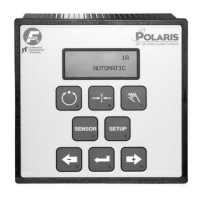
Polaris DP-20
Web Guide Controller
User Manual
EN
Firmware version 1.13 and newer
(includes LCD Contrast Adjustment)
MI 1-862 1 F

Table of Contents

Other manuals for Maxcess Fife Polaris DP-20

Questions and Answers

Maxcess Fife Polaris DP-20 Specifications

General IconGeneral
DisplayLCD
Input Voltage24 VDC
CommunicationEthernet
Operating Temperature0°C to 50°C
Storage Temperature-20°C to 70°C
Humidity95% non-condensing

Summary

COPYRIGHT

GENERAL INTRODUCTION

DP-20 General Information

Provides general information about the DP-20 Web Guide Controller.

OPERATOR INTERFACE

Function of the Operator Level Keys

Explains the function of each key on the operator level interface.

Features of the LCD Panel

Describes the various display elements and information shown on the LCD panel.

SETUP MENU STRUCTURE

Setup Menu Notes

Provides important notes and guidelines for navigating the setup menus.

Setup Menu Chart

A visual chart outlining the structure and options within the setup menus.

SYSTEM SETUP MENUS AVAILABLE FROM AUTOMATIC MODE

1 X.1, System Gain

Details how to configure the system gain setting in Automatic mode.

1 X.2, System Guide Point

Explains how to set the guide point parameter in Automatic mode.

1 X.3, Measurement

Information on viewing measurement data from sensors in Automatic mode.

SYSTEM SETUP MENUS AVAILABLE FROM SERVO-CENTER MODE

2 X.1, Servo-Center Gain

Details how to configure the servo-center gain in Servo-Center mode.

2 X.2, Servo-Center Guide Point

Explains how to set the guide point for the servo-center in Servo-Center mode.

2 X.3, Measurement

Information on viewing measurement data from sensors in Servo-Center mode.

SYSTEM SETUP MENUS AVAILABLE FROM MANUAL MODE

3 X.1.1, System Gain

Details how to configure the system gain setting in Manual mode.

3 X.1.2, System Guide Point

Explains how to set the guide point parameter in Manual mode.

3 X.1.3, Guide Polarity

Describes how to set the guide polarity parameter in Manual mode.

3 X.1.4, Calibration, Edge Sensors

Procedure for calibrating the edge sensors.

3 X.1.4, Calibration, Line Sensor, Center of Line Guiding

Procedure for calibrating line sensors for center of line guiding.

3 X.1.4, Calibration, Line Sensor, Edge of Line Guiding

Procedure for calibrating line sensors for edge of line guiding.

3 X.1.4, Calibration, Servo-Center Sensor

Procedure for calibrating the servo-center sensor.

3 X.1.5, Auto Setup

Guides through the automatic setup procedure for the guiding system.

3 X.1.6, Servo-Center Gain

Details how to configure the servo-center gain in Manual mode.

3 X.1.7, Servo-Center Polarity

Describes how to set the servo-center polarity in Manual mode.

3 X.1.8, Measurement

Information on how to view measurement data from various sensors.

3 X.2.1, Deadband

Procedure to set the deadband parameter for the guiding system.

3 X.2.2, Set Operation Mode Enable

Configuration for enabling specific operation modes.

3 X.2.3, Set Sensor Mode Enable, Edge Sensors

Enables or disables specific sensor modes for edge sensors.

3 X.2.3, Set Sensor Mode Enable, Line Sensor

Enables or disables specific sensor modes for line sensors.

3 X.2.4, Set Jog Enable

Configuration to enable or disable jog functionality for the system.

3 X.2.5, Set Jog Polarity

Sets the direction of the jog movement.

3 X.2.6, Set Jog Speed

Configures the speed at which the jog function operates.

3 X.2.7, Set Sensor Type

Selects the type of sensor being used by the controller.

3 X.2.8, LCD Contrast

Adjusts the contrast of the LCD display for better readability.

ADVANCED MENUS

3 X.3.1, Restore Settings

Restores the system to previously saved settings.

3 X.3.2, Backup Settings

Saves current user-configurable settings for backup.

3 X.3.3, Set Password, Enter Password

Procedure to set an initial password for system access.

3 X.3.3, Set Password, Delete Password

Removes the currently set password from the system.

3 X.3.3, Set Password, Change Password

Modifies the existing password for system access.

3 X.3.4, Set Output A Delay

Configures the delay time for output A.

3 X.3.5, Set Output B Delay

Configures the delay time for output B.

3 X.3.6, Set Loss Of Null Output Range

Sets the range for loss of null output.

3 X.3.7, Digital I;O, Enable;Disable

Configures the enable/disable status for digital inputs/outputs.

3 X.3.8.1, Test Signals, Sensor Current

Displays raw sensor signals (in mA) without scaling.

3 X.3.8.2, Test Signals, Toggle Outputs

Allows manual toggling of system outputs for testing.

3 X.3.8.3, Test Signals, Guide Test Mode

Configures and runs guided test modes for system evaluation.

LANGUAGE MENU

3 X.4.1, Select Language

Allows selection of the user interface language.

CUSTOM MENUS

3 X.5.1, ASC Control

Enables or disables the Automatic Sensitivity Control (ASC) function.

3 X.5.2, Set ASC Limits

Configures the upper and lower limits for ASC.

3 X.5.3, Set ASC Source

Selects the signal source for the ASC function.

PARALLEL MATRIX

Parallel Input Matrix

Defines input signal assignments for different operating modes.

Parallel Output Matrix

Defines output signal assignments for different statuses.

SYSTEM NOTES

TROUBLESHOOTING

Fault Diagnostics - Fault Rectification

Identifies and provides remedies for common faults and guiding issues.

Fault Codes

Lists and explains the fault codes displayed by the unit.

Return Shipment Instructions

Guidelines for safely returning the unit for service or repair.

Motor;Valve List

A list of compatible motors and valves with their specifications.

SPECIFICATIONS

General

General specifications including voltage, frequency, power, and dimensions.

Inputs and Outputs

Details the electrical and signal specifications for inputs and outputs.

Certifications and Compatibility with Industrial Environments

Lists product certifications and environmental compatibility ratings.

Maximum Cable Lengths

Specifies the maximum recommended cable lengths for various components.

Related product manuals