CONTROLLER MENUS: 1Y.8 NETWORK 7 - 55
D-MAXE with OI-B/OI-Nwww.maxcessintl.com MI 2-296 1 D
Prozessor bedienung.fm
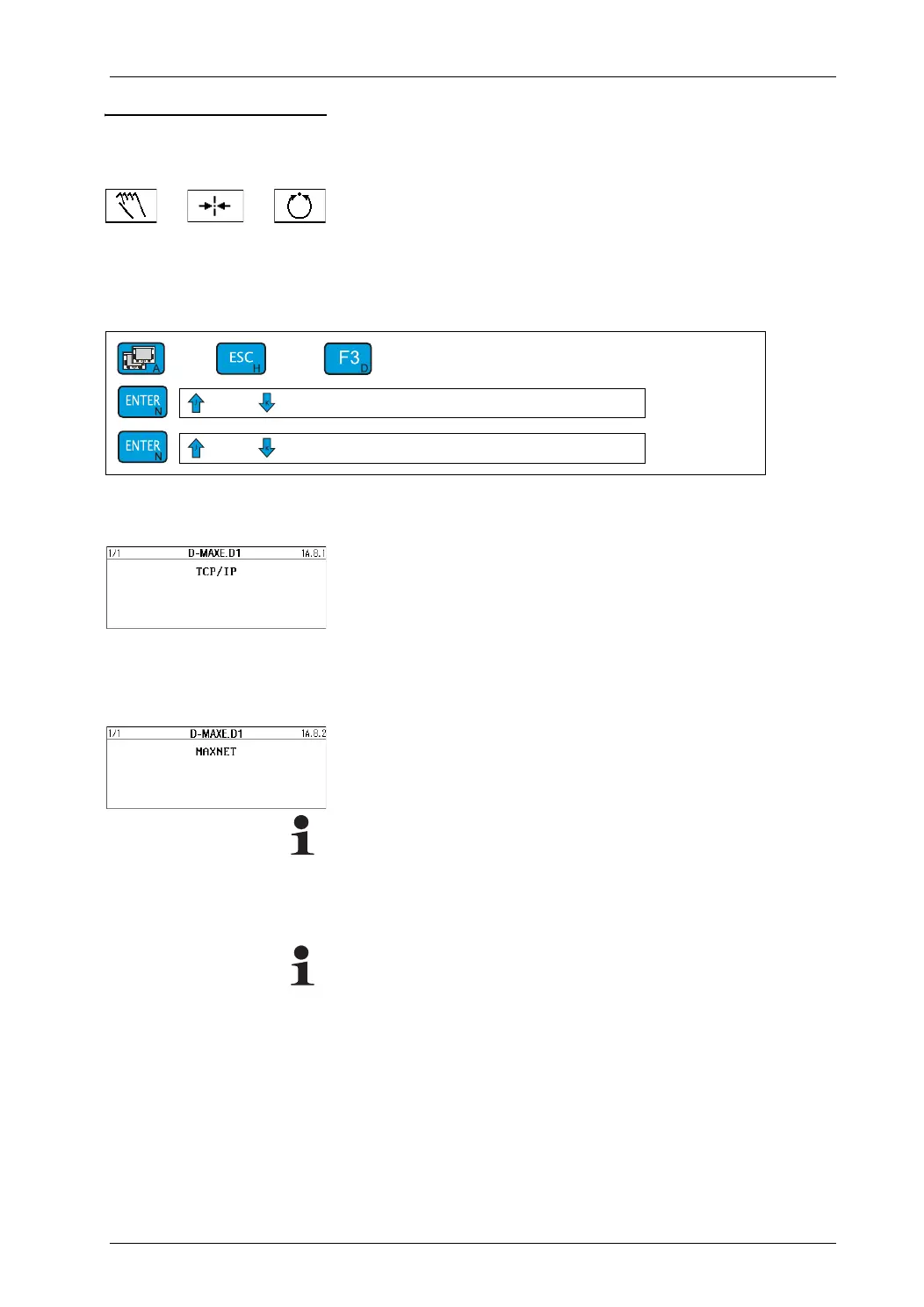
1y.8 Network You can use these menus to view network settings and make
changes to them.
Operating modes:
– Parameters are available in all operating modes.
Menu
Key sequence for menus:
Menu 1y.8.1 TCP/IP
Displays and changes the following parameters:
Menu 1y.8.1.1
IP-Address
Menu 1y.8.1.2 Subnet Mask
Menu 1y.8.1.3 Gateway
Menu 1y.8.1.4 DHCP
Menu 1y.8.2 MAXNET
Internal addressing
Menu
1y.8.2.1 MAXNET Address
Note:
This address should only be changed after referring to the
relevant instructions in a set of "Supplementary Operating
Instructions" (see system documentation) or after consulting
with Maxcess.
Note:
If nothing appears on the display of the operator interface after
a restart, a "device" must be selected with the A key.
1y.8._
→ Select the desired menu


 To Next Page