TROUBLESHOOTING10 - 1
D-MAXE with OI-TS www.maxcessintl.comMI 2-292 1 C
10 TROUBLESHOOTING
Troubleshooting
Procedure The D-MAXE system is capable of detecting errors as they occur
and displaying them. The system also makes information
available that may help exclude possible errors.
Display possibilities The following display possibilities are available on modules of
the D-MAXE system:
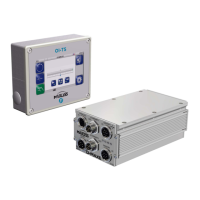
– LEDs on the front sides of the D-MAXE Controller
– Icons in the display of the D-MAX operator interface
Procedure 1. Check the LEDs on the individual modules of the D-MAXE
systems
see table
page 10-2
2. Check the icons that appear in the display of the D-MAX
operator interface
see table
page 10-4
3. Check possible causes for faulty behavior. Frequent causes
are connections or settings on the D-MAXE system
see table
page 10-6
4. Check the faulty behavior and possible causes. Often the
cause is incorrect parameter settings
see table
page 10-9
Note:
The Operating Instructions of other components (e.g. sensors
and actuators) should also be consulted for troubleshooting
purposes. If there is any customer-specific programming, refer
to the "Supplementary Operating Instructions" as well.


 To Next Page