OPERATING INSTRUCTIONS
4-5
Key Functions in program Mode
The Stop key saves all data and terminates the programming procedure. If you
press this key first when entering program mode, the computer will enter Setup.
If the stop key is pressed again, you will exit Setup mode and return to Program
The Start key is the Enter command while in Program mode. Pressing this key
enters the data, and moves to the next programming function in the cycle.
The Up key is used to increase cycle numbers and other numerical values, like time
and temperature, when creating wash formulae.
The Down key is used to decrease cycle numbers and other numerical values, like
time and temperature, when creating wash formulae.
The wash control WC01 Version b263 control is a four push button keys with an LED
(Light Emitting Diode) display. This interface is located on the front of the machine.
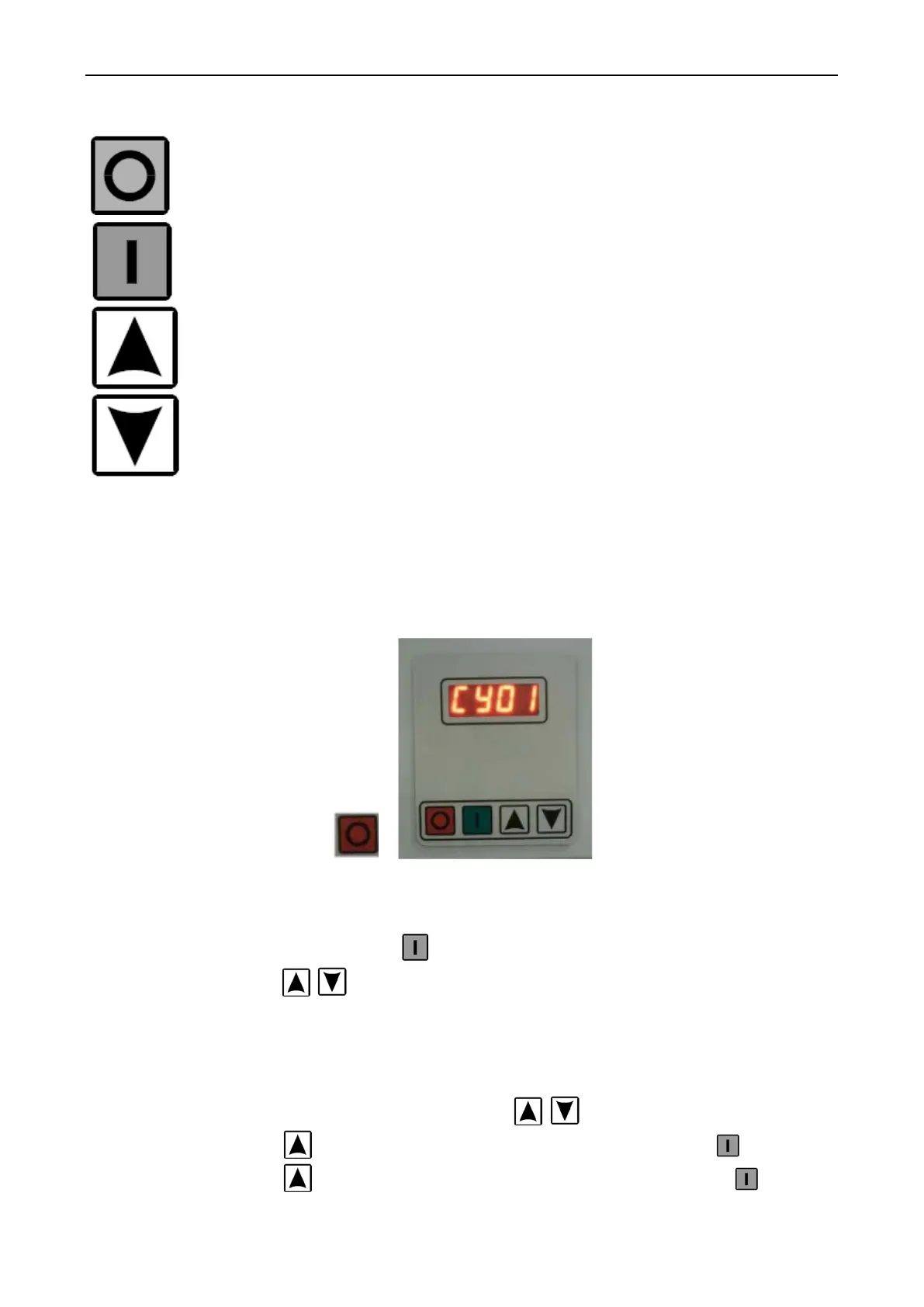
NORMAL DISPLAY
After power ON the machine. The display will show as the picture below.
Fig. 4-2 Nomal Display
The controller shows CY01. That means now the program No. 1. If you need to operate with
this program You can press start button If your need to change to another program. You can
press Key UP or DOWN for select the program.
SETUP PROGRAM
The controller this version use the password for go into setup program. The password is
1234.
- Password menu. Press Key UP and DOWN at the same time.
- Press Key UP 1. time. The monitor will show 1. Then Press Enter
- Press Key UP 2. times. The monitor will show 12. Then Press Enter



 To Next Page