Need help?
Do you have a question about the MaxStream XStream XH9-019 Series and is the answer not in the manual?
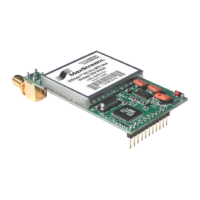
Details the range, networking capabilities, and ease of use of the XStream OEM RF Module.
Provides detailed technical specifications for 9XStream and 24XStream modules.
Describes the function of each pin on the XStream OEM RF Module.
Details DC characteristics and timing specifications for the XStream module.
Explains how the XStream module interfaces via a CMOS-level asynchronous serial port.
Details the five operational modes: Idle, Transmit, Receive, Sleep, and Command.
Describes how to enter AT Command Mode to modify or read module parameters.
A comprehensive table listing all XStream AT and Binary commands.
Detailed descriptions of XStream AT and Binary commands.
Explains how RF packets use addressing information for filtering.
Details the default mode for highest data throughput with low latency.
 General
| Frequency Band | 900 MHz |
|---|---|
| Frequency Range | 902 - 928 MHz |
| Operating Temperature | -40° C to +85° C |
| Interface | UART |
| Model | XH9-019 Series |


 To Next Page