18
Sirius Satellite Radio Operation (Option) (Continued)
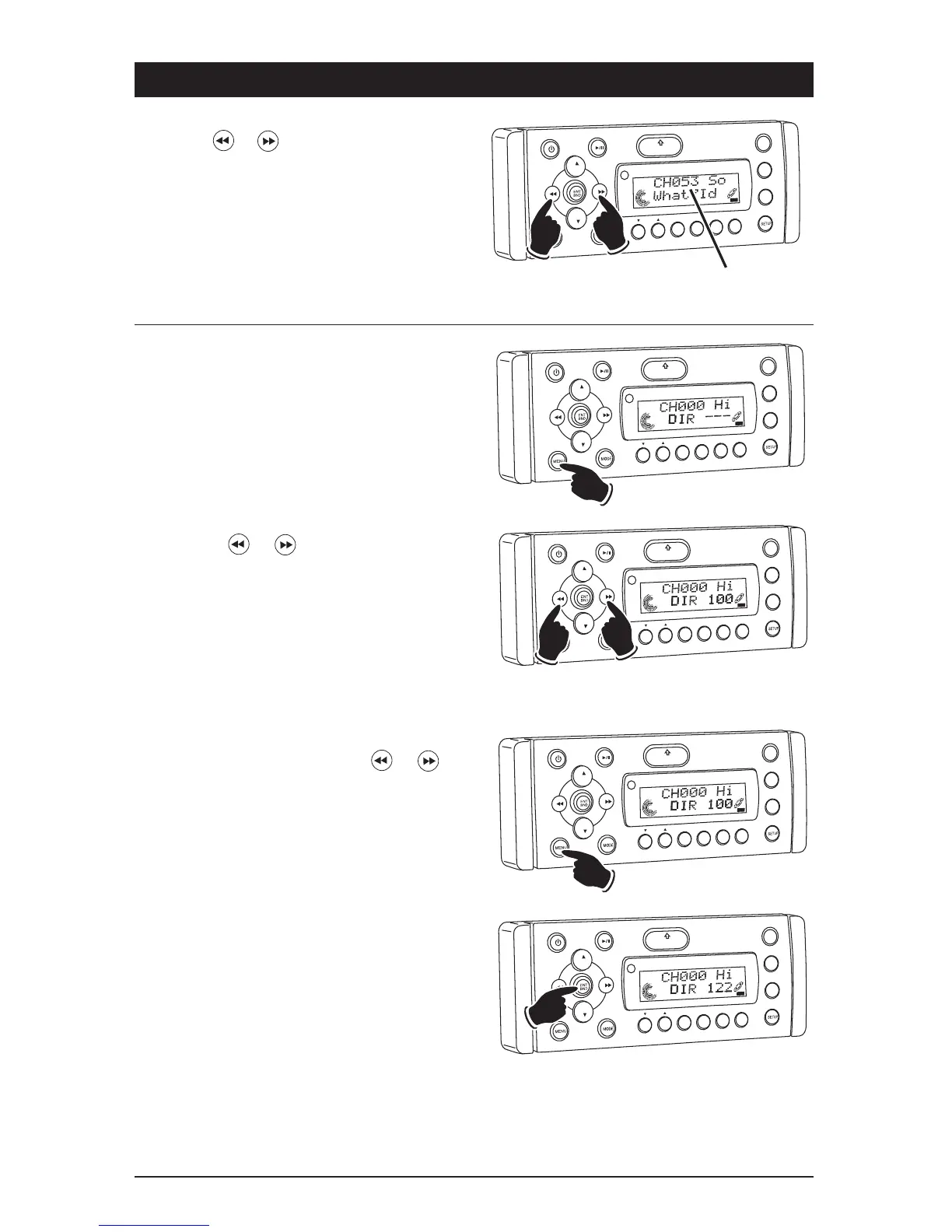
Manual Tuning:
Press the or button until the desired
channel appears in the display.
VOL
LOU
D
VOL
MU
TE
DIM
OPEN
1
2
3
4
5
6
ASM
DSP
EQ
SUB W
SH
F
R
PT
SC
N
D R/CAT
Lower
Channel
Higher
Channel
Channel
Number
SONG
T
TLE
SAT
Direct Tuning:
1. Press the MENU button until “DIR - - -”
appears in the display.
VO
L
LOU
D
VOL
MU
TE
DM
SMOD
i
Pod MENU
OPEN
1
2
3
4
5
6
ASM
DISP
EQ
SUB
W
SH
F
RPT
SCN
DIR CA
T
SAT
2. Press the or button to select the first
number of the desired channel.
VO
L
LOU
D
VO
L
MU
TE
DM
OPEN
1
2
3
4
5
6
ASM
DISP
EQ
SUB
W
SHF
R
PT
SC
N
D R/CAT
Lower
Number
Higher
Number
SAT
3. Press the MENU button to select the next
number of the channel. Use the or
buttons to select the desired number. Repeat
this procedure for the third number.
VO
L
LOU
D
V
OL
MU
TE
DM
SMOD
i
Pod MEN
U
OPEN
1
2
3
4
5
6
ASM
DISP
EQ
SUB
W
SH
F
RPT
SC
N
DIR CAT
S
T
4. Press the ENT BND button and the channel
will start playing.
VO
L
LOU
D
VO
L
MU
TE
D
IM
OPEN
1
2
3
4
5
6
ASM
DISP
EQ
SUB
W
SH
F
RPT
SC
N
DIR CAT
AT



 To Next Page