19
Sirius Satellite Radio Operation (Option) (Continued)
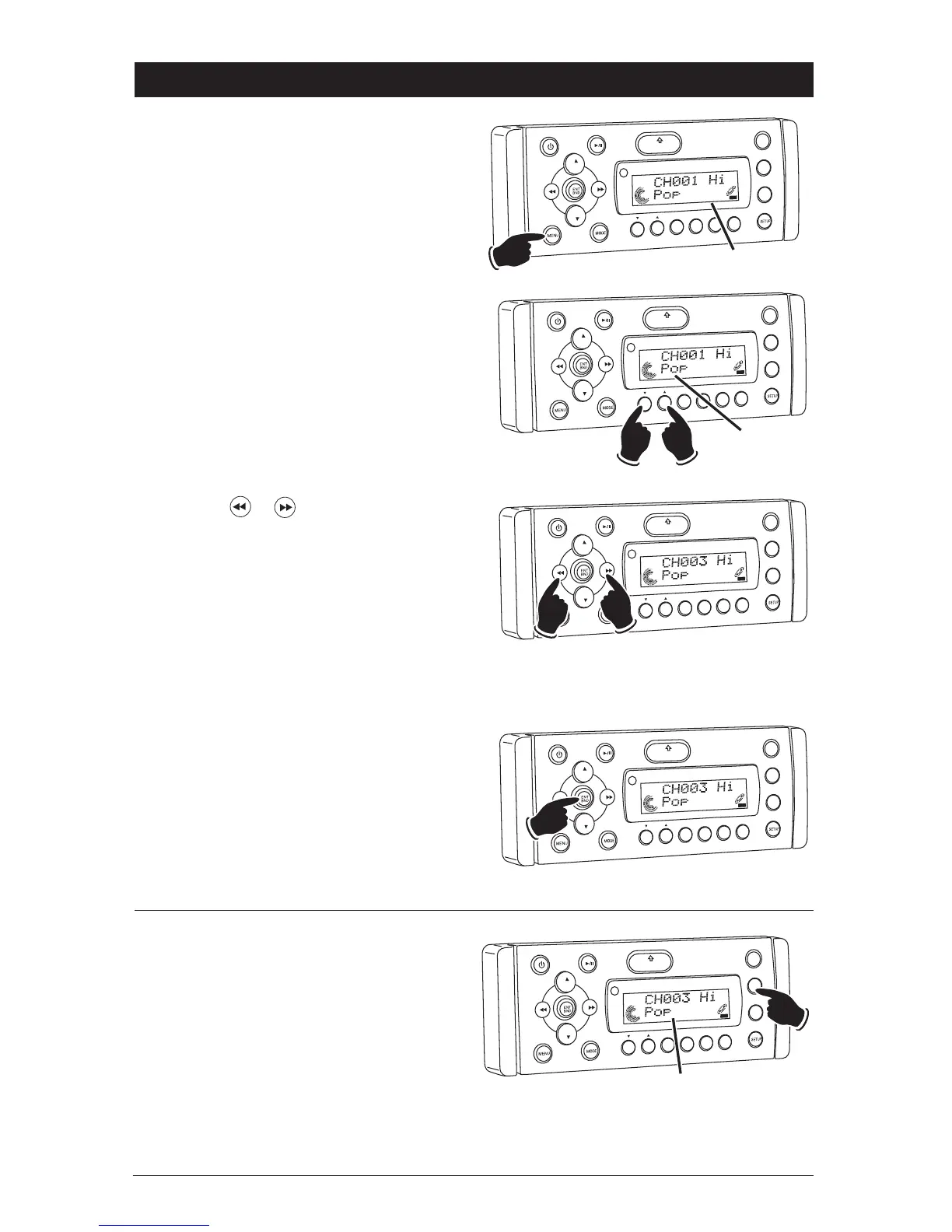
2. Press the 1 or 2 button to select the
desired category.
VO
L
LOU
D
VO
L
MU
TE
D
IM
SMOD
Pod MEN
U
OPEN
1
2
3
5
6
ASM
DSP
EQ
SUB
W
SH
F
R
PT
SCN
DRCAT
CA
T
EGORY
Category
AT
3. Press the or button to select the
desired channel inside the category.
VOL
LOU
D
VOL
MU
TE
DM
OPEN
1
2
3
4
5
6
ASM
DISP
EQ
SUB
W
SH
F
R
PT
SC
N
D R/CAT
CA
T
EGORY
Higher Channel
in Category
Lower Channel
in Category
SAT
4. Press the ENT BND button and the channel
will start playing.
VO
L
LOU
D
V
OL
MU
TE
DM
OPEN
1
2
3
4
5
6
ASM
DSP
EQ
SUB
W
SHF
R
PT
SC
N
D R/CAT
C TEGORY
SAT
Switching the Display:
Press the DISP button to cycle through the fol-
lowing display modes.
SONG-TITLE
_
> ARTIST NAME
_
> CATEGORY
_
>
SONG-TITLE…
VO
L
LOU
D
VO
L
MU
TE
D
IM
SMOD
Pd MEN
U
OPEN
1
2
3
4
5
6
ASM
DS
EQ
SUB
W
SHF
R
PT
SC
N
DRCAT
CA
T
EGORY
Display Modes
SAT
Category Tuning:
1. Press the MENU button and “CATEGORY”
starts flashing in the display.
VO
L
LOU
D
VOL
MU
TE
DM
S-MOD
i
P
od MEN
U
OPEN
1
2
3
4
5
6
ASM
DISP
EQ
SUB W
SHF
R
PT
DIR/CAT
CA
TEGORY
Category Mode “Flashes”
SAT



 To Next Page