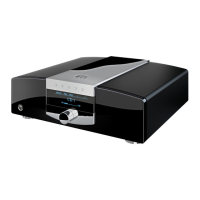
5.2.3 C31 INPUT MAPPING
Here you can assign the input channel where you want to connect the C31. Default setting
is CD1, you may choose CD2 or SYM, the symmetrical XLR input, as well. When the new
setting is complete, you leave the screen via Exit, then another screen shows up. Save
saves the new input setting, Discard rejects it and Cancel brings you back to the last
shown screen where you can choose another input.
5.2.4 INPUT NAME
At this point you can rename input channels. The character set is capital and small letters,
but not within the Input Setup, where the factory default name remains. The maximum
two control buttons until the desired character is shown. After a pause of a second
the question mark moves one character to the right, and the procedure starts over. In case
of a mistake the last shown character can be erased by pressing the backspace button
Exit and then
another screen shows up. Save saves the new name, Discard rejects it and you get back
to the menu. Cancel brings you back to the last shown screen where you can continue to
change the input name.
5.2.5 VOLUME CUT
You can choose the maximum volume setting when the device is switched on. In case the
reset to the chosen volume while the device is being switched on. When the new maximum
setting is chosen, you leave the screen via Exit, then another screen shows up.
Save saves the new setting, Discard rejects it and you return to the menu. Cancel brings
you back to the last shown screen where you can choose a new maximum value.
5.2.6 DIM STANDBY
At this point you can adjust the brightness of the ring around the standby-button when
standby is activated. This setting is sent to all other devices within the MBL SmartLink
chain. If the value has been readjusted, and Exit has been pressed, further Options appear,
Cancel, Discard, and Save. Save keeps the change, Discard rejects it, and you return to
the menu. Cancel brings you back to the screen where you can change the value.
C11
C51


 To Next Page