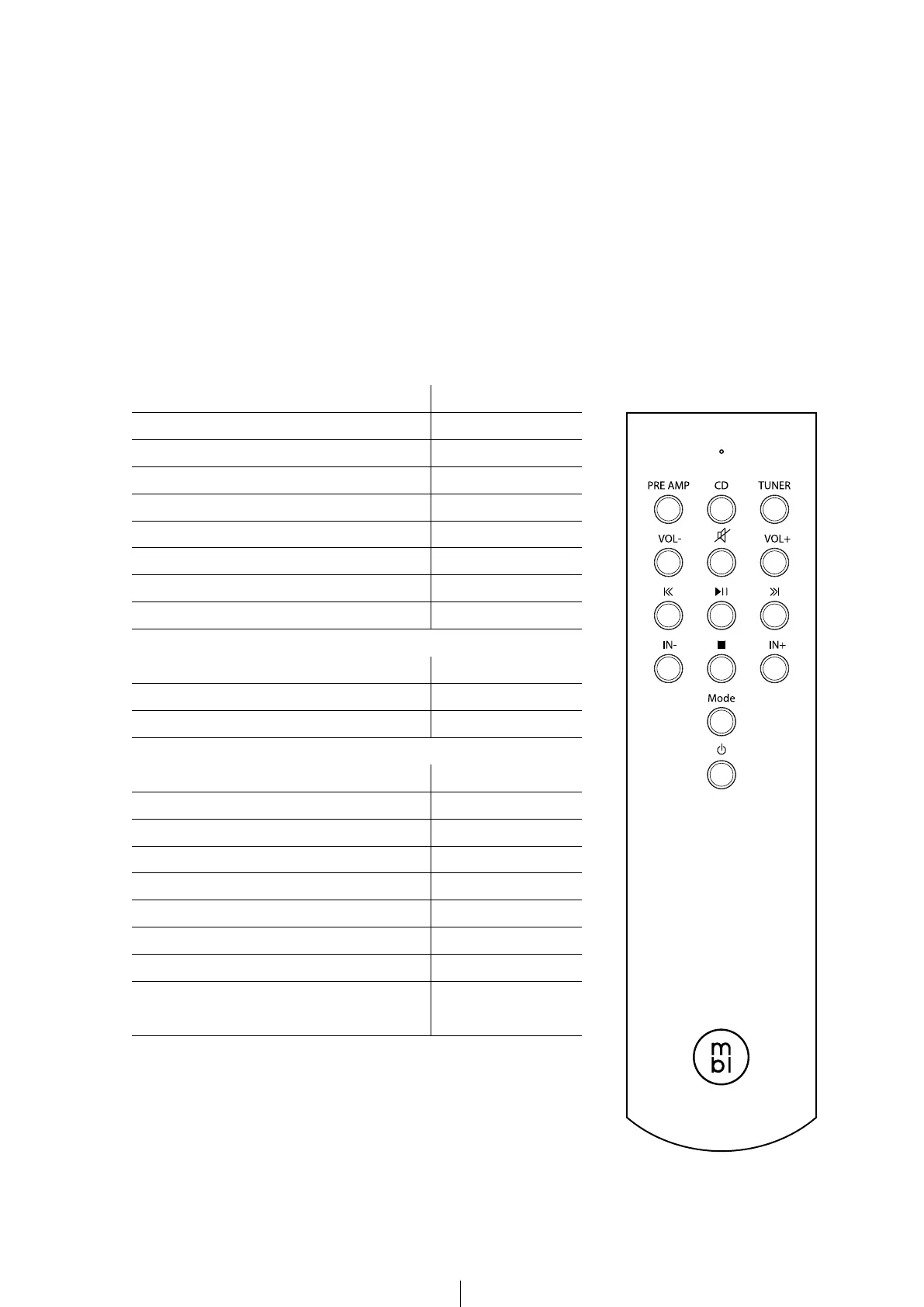
Function Button
1
Switch to CD-DAC Control Mode 2
3
4
Mute
Display Brightness 13
14
Amplier Control Mode Taste
Input Selection Previous 10
12
CD-DAC Control Mode
Skip to previous title
Skip to next title
10
11
Input Selection
Only when not connected via MBL SmartLink,
otherwise Input Selection via preamp.
12
6. REMOTE CONTROL
To use the remote control please remove the cover panel by unscrewing it using the
supplied screwdriver. Please insert the batteries in the direction shown in the battery
case. Then screw the cover panel back in. When changing the batteries, please discard the
old batteries in accordance to your country’s laws.
All the functions of your MBL Cadenza Line equipment can be activated by the remote
control. The table below gives you an overview of the functions assigned to each
respective button.
1
2
3
4 6
5
7 98
10
12
11
13
14


 To Next Page