56
j) Selecting a chord
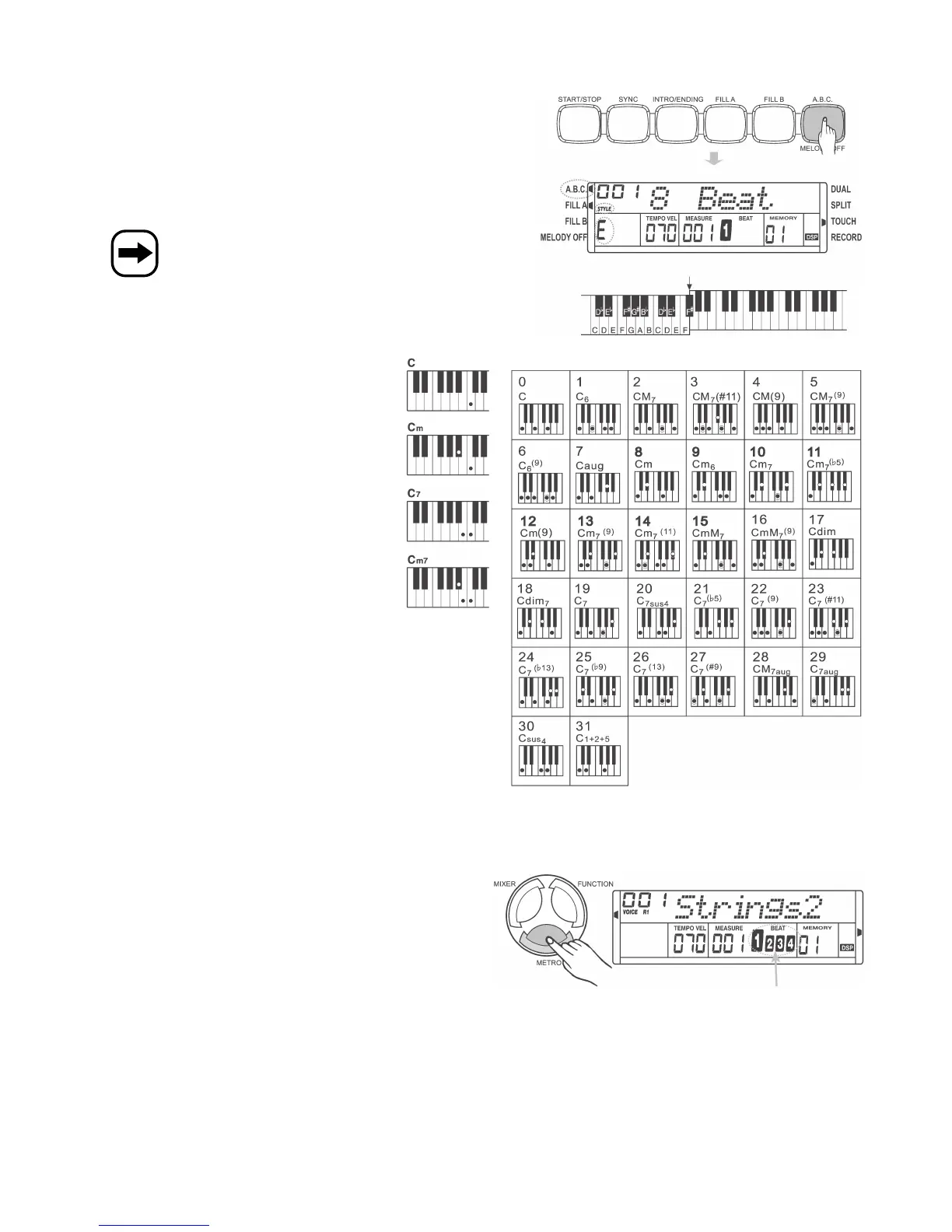
• Press the „A.B.C./MELODY OFF“ button to activate the „automatic
bass chord“ function (the „A.B.C.“ symbol is displayed in the top left-
hand corner). See chapter 13. c).
• Depending on the desired chord, press one or more keys in the left
keyboard section (see chapter 12. b).
See the illustrations below for chord examples.
The keyboard is split at „F#“ by default which can be changed
in the function settings. See chapter 14. e).
k) Metronome, „METRO“ button
• Press the „METRO“ button to activate the metronome. A metronome
sound is played.
• You can set the volume in the function settings (see chapter 14. c).
• Press the „METRO“ button again to deactivate the metronome.


 To Next Page