59
15. Mixer
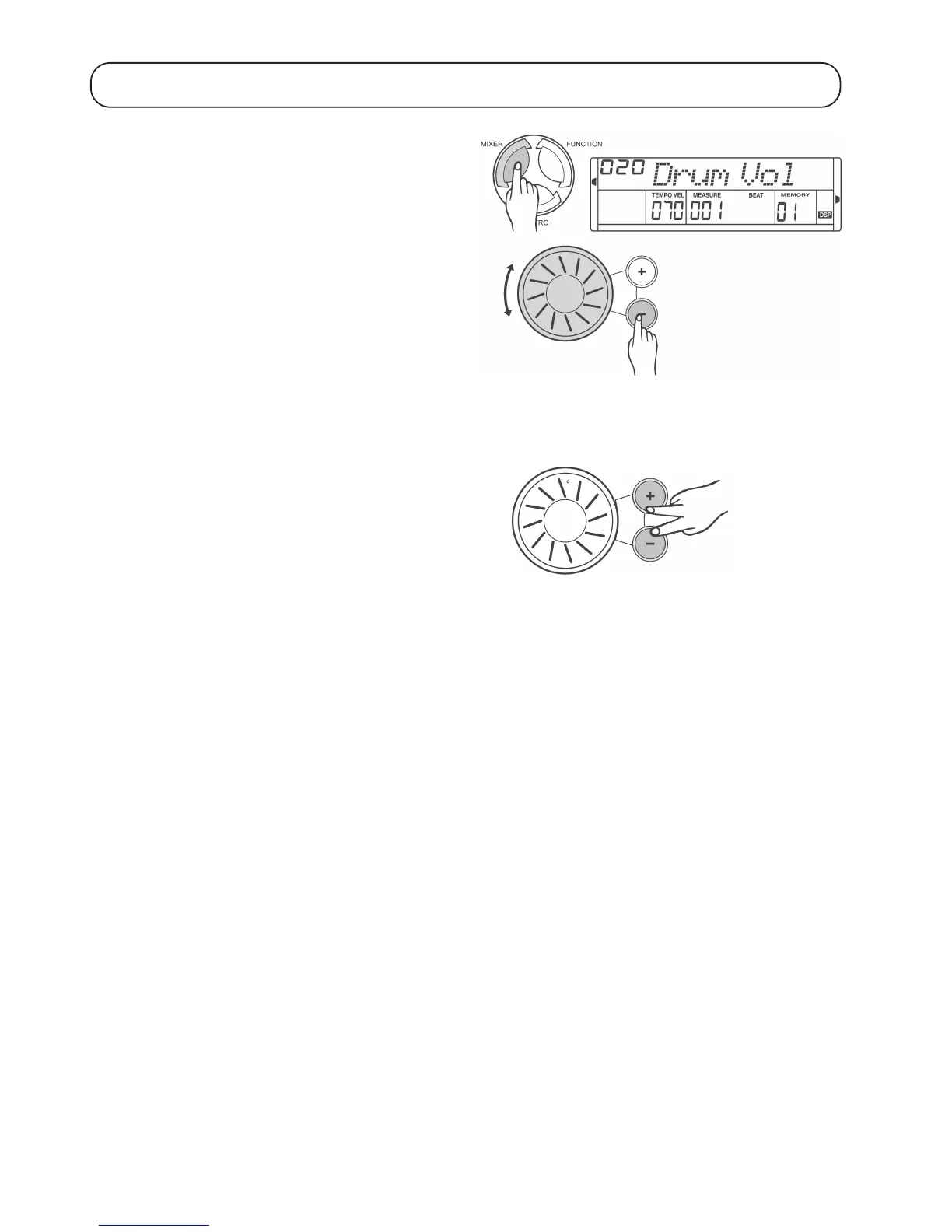
Press the „MIXER“ button repeatedly until the desired track („Track“)
appears in the display. Use the control wheel or the „+“ and „-“ buttons
to set the volume for the respective audio track.
If no button is pressed for some seconds, the settings are accepted
and the mixer menu is exited automatically.
Display Setting range Default setting
„Drum Vol“ 000-031 020
„Bass Vol“ 000-031 018
„Oc Vol“ 000-031 021
„VoiceR1“ 000-031 024
„Voice R2“ 000-031 012
„Voice L“ 000-031 012
To deactivate an audio track, first select the audio track as described
above using the „MIXER“ button. Then press the „+“ und „-“ buttons
simultaneously.


 To Next Page