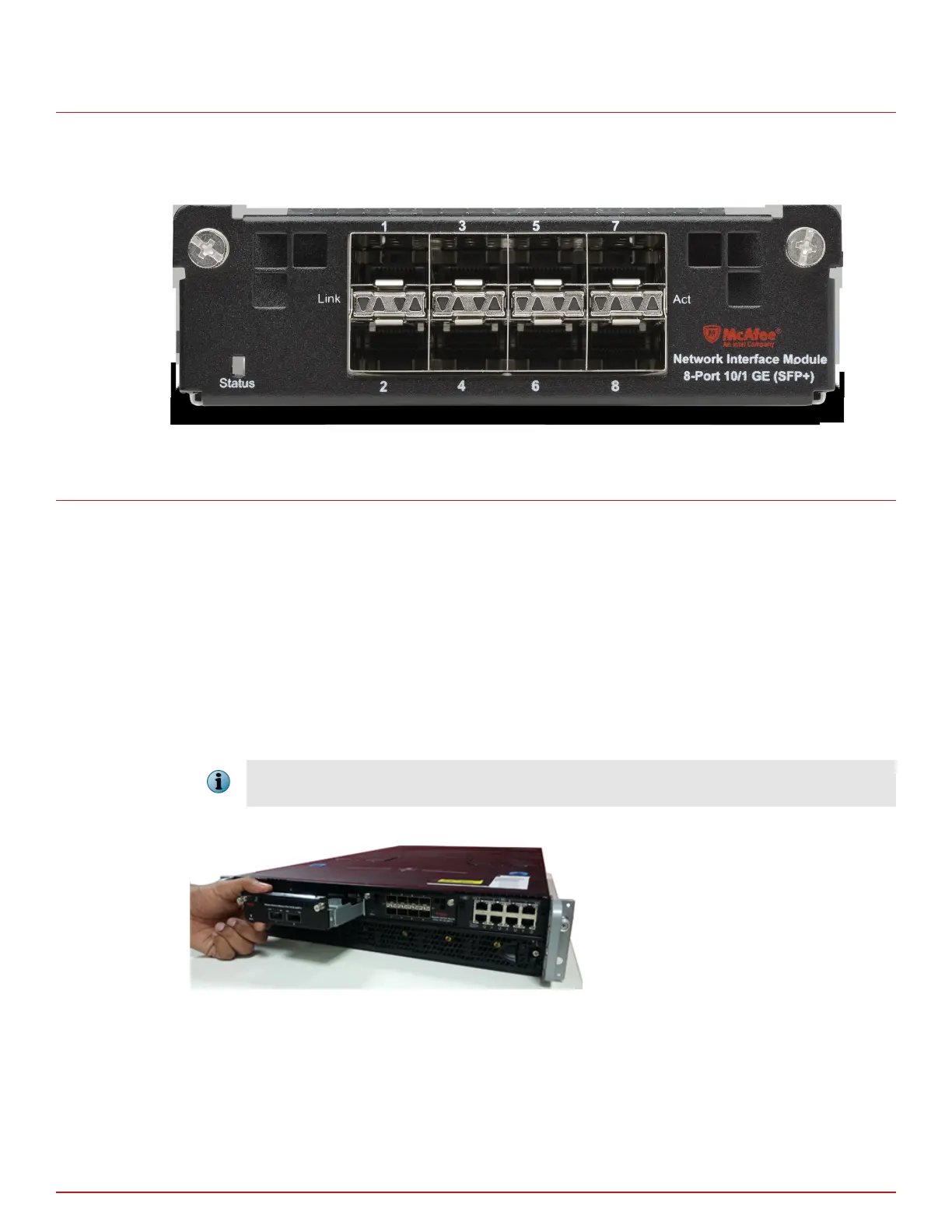
8-port SFP/SFP+ 1/10 Gigabit Network Interface Module
The 8‑Port SFP/SFP+ (Small Form‑Factor Pluggable Plus) Network Interface Module provides 1/10 Gigabit
Ethernet performance on each port.
Figure 5-9 8-Port SFP+/SFP 10/1G Gigabit interface module
Installation of the interface module
This section provides instructions on how to install the interface module based on the following scenarios:
• Install the interface module during a fresh installation of the Sensor.
• Install the interface module on an up and running Sensor.
Install the interface module during a fresh installation of the Sensor
This section provides the steps to install the interface module for a fresh installation of Manager and Sensor.
Task
1
Remove the module from its protective packaging.
It is assumed that the Sensor is yet to be powered on, and trust between the Sensor and the Manager has not
been established.
2
Grip the sides of the module with your thumb and forenger and insert the module into the slot.
Figure 5-10 Install an interface module
3
Drive in the screws xed on the sides of the module to attach it to the Sensor.
4
Turn on the Sensor.
5
Establish trust between the Sensor and the Manager.
NS-series interface modules
8-port SFP/SFP+ 1/10 Gigabit Network Interface Module
5
McAfee Network Security Platform
23



 To Next Page