2--12
© 2015 Mobile Climate Control
T-367Rev05/2015
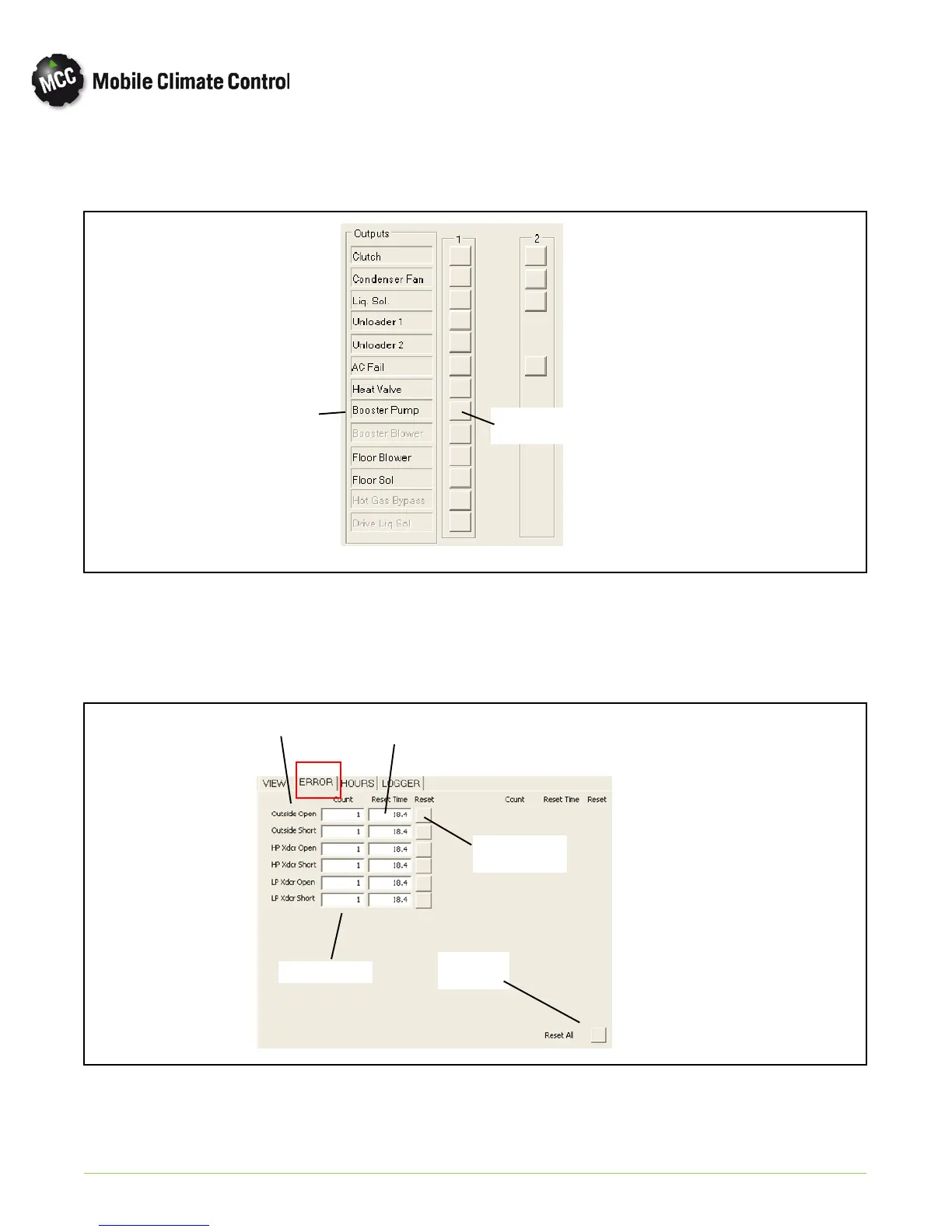
b. Outputs- Coo lview displays “real time” status of the items shown in Figure 2-11. Indicator boxes will tu rn
green when output s are switched on, and r ed when switched off.
Component
Output
Component
Indicator
Figure 2-11 MCC Eco NG Coolview Outputs (VIEW Tab)
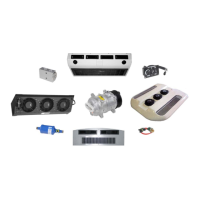
c. Error List- Coolview displays input/output, communication and compressor errors that are stored in con
troller's memory. Only errors that have o ccu rred are displayed. See Figure 2-12.
Component
Error Count
Hours since
reset
Component
Error reset
Reset all
Errors
Figure 2-12 MCC Eco NG Coolview Error List (ERROR Tab)


 To Next Page