2--14
© 2015 Mobile Climate Control
T-367Rev05/2015
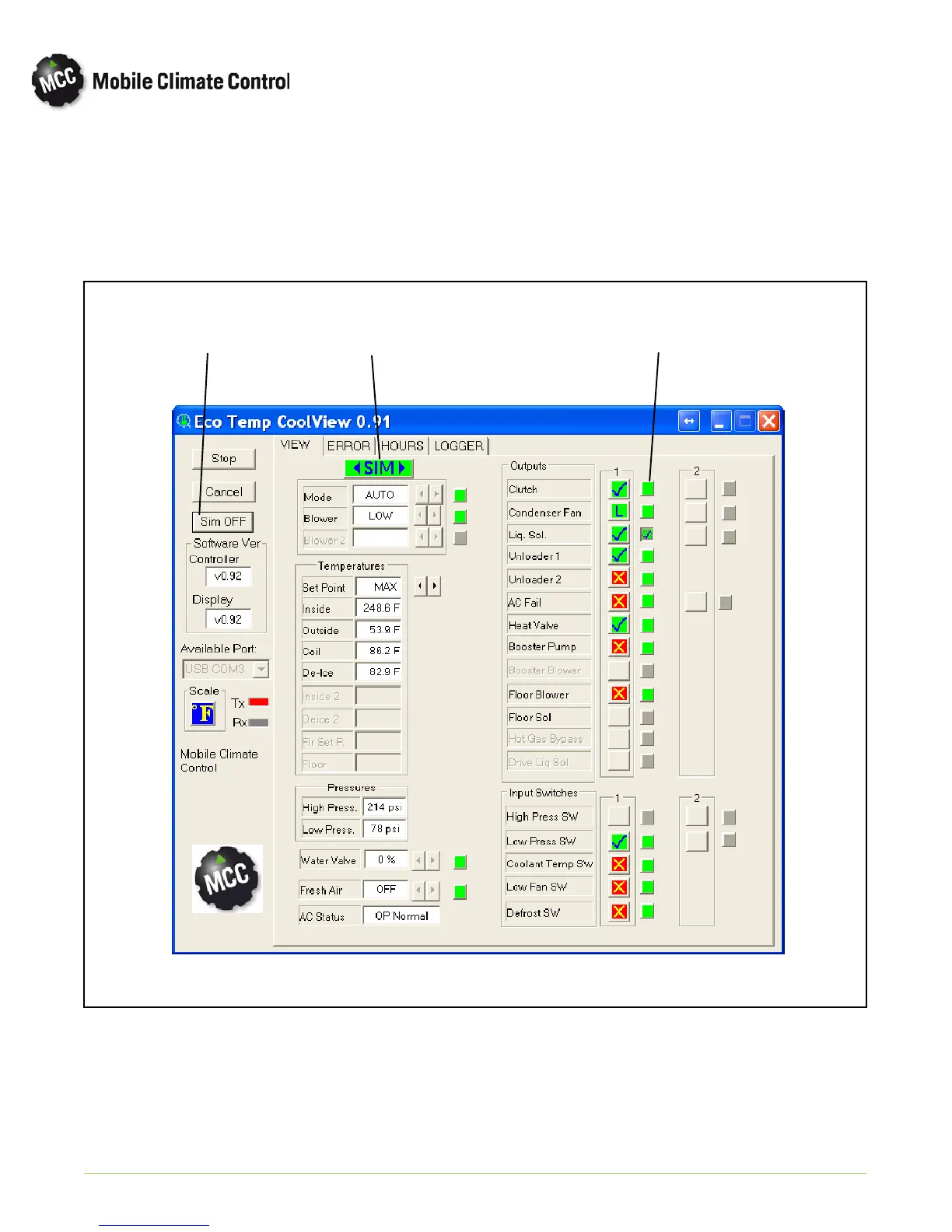
e. Simulation Mode- In simulation mode, inputs and outputs can be toggled on/off to assist with
troubleshooting and performing maintenance checks. To start simulation mode:
1) Click the “Simulation Button” on the Eco Ng Coolview screen to toggle the simulation mode on or off.
2) Once simulation mode has been toggled On, click the “stand--by” button to the right of component.
3) Click the button to the right of component to engage or adjust.
Simulation
Mode Button
Simulation
Mode Indicator
Stand By
Button
Figure 2-14 MCC Eco NG Coolview Simulation Mode


 To Next Page