June 201610
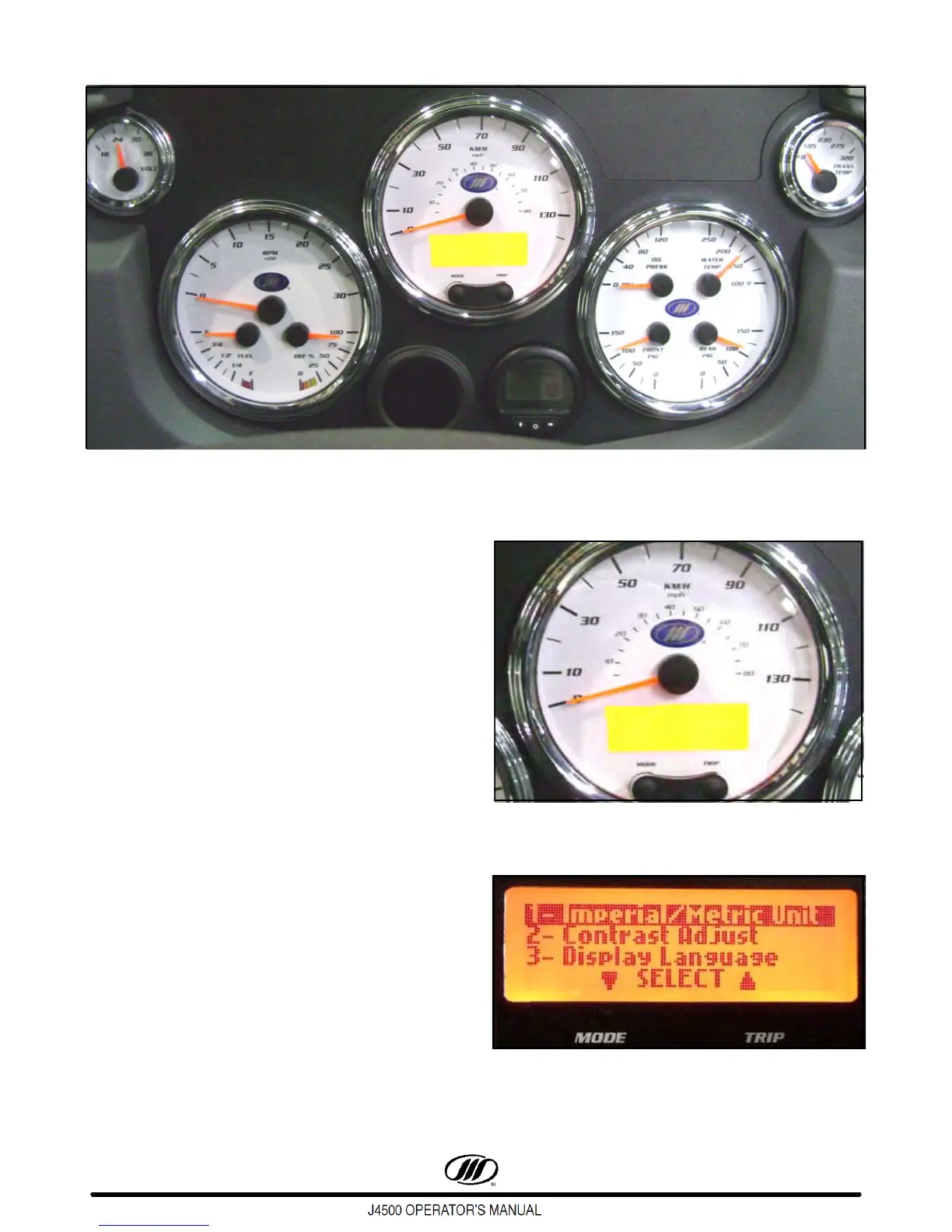
Figure 5. Instrument Panel Gauges
INSTRUMENT PANEL/GAUGES
Speedometer
The speedometer, which features an alphanumeric
message display, reads the forward speed of the coach
in miles per hour or kilometers per hour. The
speedometer features a MODE and TRIP button allow
the driver to select, set/reset displays and scroll
through active system warning messages, when the
coach is at a complete stop.
The MODE button is utilized to select the mode of
operation for the message display and to clear priority
messages.
The TRIP button is utilized to change what is
displayed on the lower line of the alphanumeric
message display.
The following settings can be selected on the
screen by utilizing the MODE and/or TRIP buttons
shown in Figure 7:
- Imperial / Metric Units,
- Contrast Adjust,
- Display Language (English, Spanish or French)
- Diagnostics Menu.
Figure 6. Speedometer
Figure 7. Alphanumeric Display



 To Next Page