55June 2016
10 - HEATING AND AIR CONDITIONING
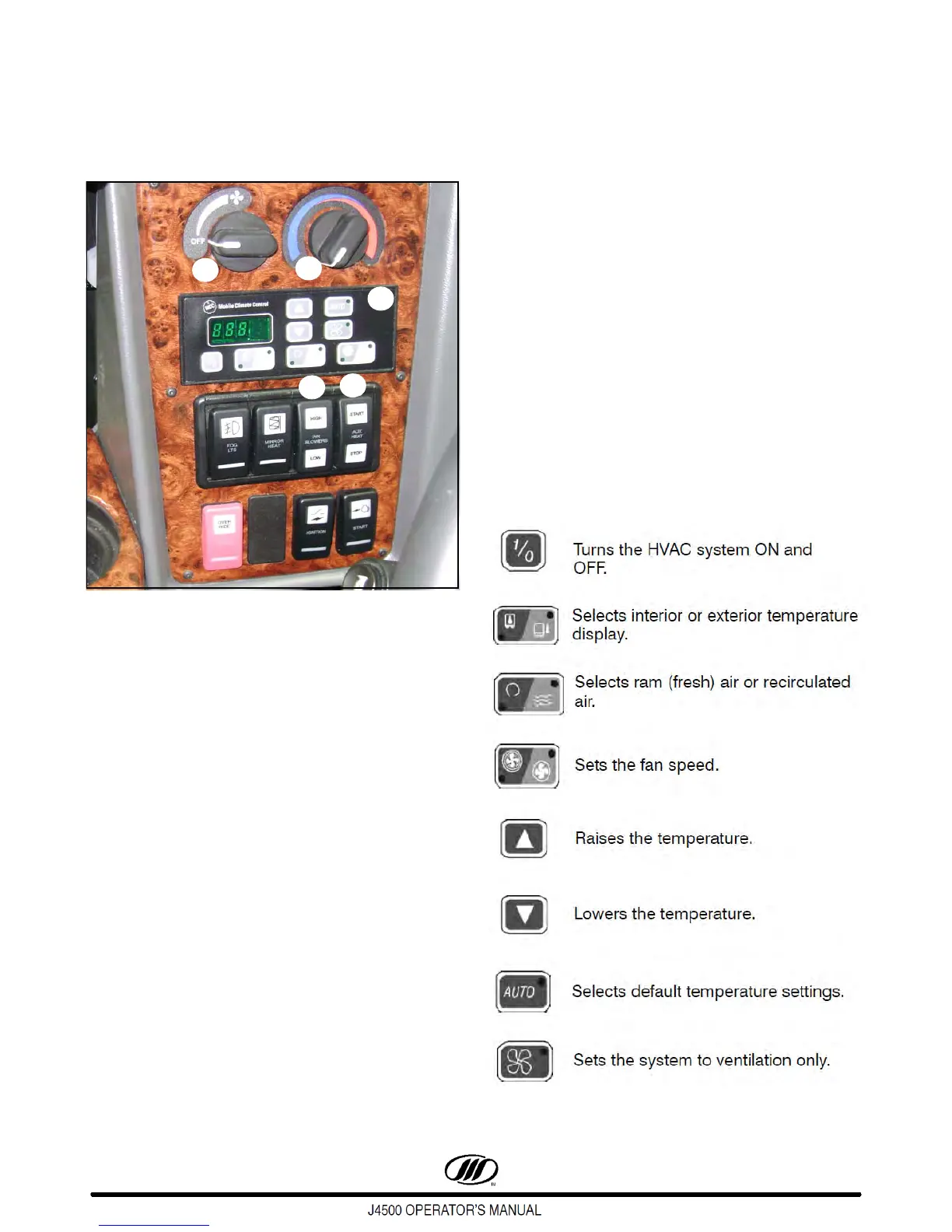
MICROMAX HVAC DISPLAY
Figure 75.
MICROMAX HVAC SWITCHES
1. Driver's Fan (Defrost) Control - Controls
driver's defroster fan speed from OFF, LO, to
HIGH.
2. Driver's Heat Control - Controls driver's heat
and cooling.
3. Parcel Rack Ventilation Switch - The
PARCEL RACK switch turns the parcel rack
blowers ON and OFF.
4. Auxiliary Heater Switch - When the engine is
OFF, the engine can be preheated by pushing
the AUXILIARY HEATER switch forward, which
activates a 90 minute timer in the Proheat unit.
When the Proheat burner is ON, the HEATER
ON telltale lights.
To turn the Proheat OFF, push the switch back.
It will purge for 2 to 3 minutes. If the coach is
started during preheating, the temperature-
dependent control overrides the timer.
5. Micromax Control Panel - The Micromax
Control Panel displays the set point
temperature, interior (return air) temperature
and exterior temperature. To read interior or
exterior temperature, press the
TEMPERATURE display button to illuminate
the indicator light. After a short delay, the
display will return to the default set point
temperature.
Set point temperature may be changed by
pressing the UP or DOWN arrow button. The
UP button will increase the set point
temperature and the DOWN button will
decrease the set point temperature. The set
point temperature can be adjusted from 60F to
80F (15C to 27C).
KEY FUNCTIONS



 To Next Page