EasyManua.ls Logo

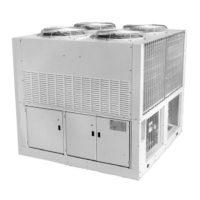
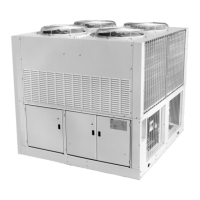
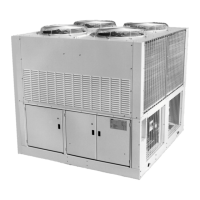
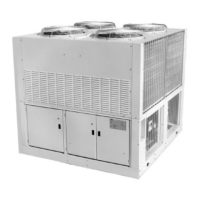
McQuay AGR 080AS - User Manual

McQuay AGR 080AS
106 pages
Print Icon
To Next Page IconTo Next Page
Loading...
Installation, Operation and Maintenance Manual
IOMM AGR
Group: Chiller
Part Number: 074641101
Effective: June 1998
Supersedes: IOM 690
690None
© 1997 McQuay International
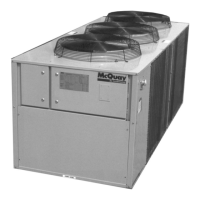
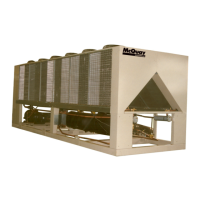
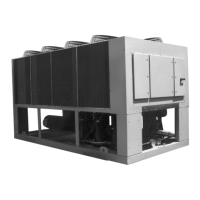
Air-Cooled Reciprocating Chiller
AGR 055AS through 100AS
60 Hertz, English and Metric
Global Chiller Line

Other manuals for McQuay AGR 080AS

Questions and Answers

  • B
    barnettchadAug 16, 2025
    What to do if the McQuay AGR 080AS compressor will not run?
    • D
      Dawn RodriguezAug 16, 2025
      If the McQuay Chiller's compressor won't run, several issues could be the cause. First, check if the main switch or circuit breakers are open and close the switch. Also, check for blown fuses, shorts, or grounds in the electrical circuits and motor windings. If thermal overloads have tripped, give the unit a close inspection when restarting. Other potential causes include a defective contactor or coil (repair or replace), system shutdown by safety devices (determine the cause and correct it before resetting), a liquid line solenoid that won't open (repair or replace), motor electrical trouble (check for opens, shorts, or burnout), or loose wiring (check and tighten all wire junctions). If no cooling is required, wait for the load.
  • L
    Lisa HumphreyAug 19, 2025
    Why is the discharge pressure high in my McQuay AGR 080AS Chiller?
    • W
      Walter BryantAug 19, 2025
      High discharge pressure in your McQuay Chiller can stem from several causes. Start by cleaning dirty condenser coils. Ensure the fan is operating correctly by checking the fan motor, contactor, contactor coil, and fan pressure switch, repairing or replacing any defective parts. Verify ambient conditions against design specifications. If the return water temperature is too high, try disabling a compressor on each. An overcharge of refrigerant or the presence of non-condensables can also cause this issue; remove the excess charge or non-condensables accordingly. Lastly, check if the discharge valve is partially closed and back seat the valve.
  • B
    brittany02Aug 22, 2025
    What to do if McQuay Chiller compressor overloads or circuit breakers open?
    • M
      mcbridekevinAug 22, 2025
      If your McQuay Chiller experiences compressor overloads or open circuit breakers, several factors could be at play. Begin by checking the incoming line voltage and report any issues to your electrical supplier. High compressor amps could be the cause, so determine the underlying reason and correct it. Ensure all power wiring connections are tight. High condenser pressures could also trigger this issue; refer to the troubleshooting steps for high condenser pressure. Finally, check for single phasing and replace fuses or breakers as needed.
  • K
    Kenneth AllenAug 26, 2025
    Why is the suction pressure low in my McQuay AGR 080AS?
    • B
      Brandon JonesAug 26, 2025
      Low suction pressure in your McQuay Chiller can be caused by several factors: * A low refrigerant charge (add refrigerant). * A defective expansion valve (check operation, repair or replace). * A dirty filter drier (replace cores). * Reduced water flow (increase water to design GPM). * A hot gas bypass valve not set properly (set valve for a higher pressure). * A liquid line solenoid valve not opening (repair or replace). * A defective UNT controller (check water sensor, set point dial, control band dial; calibrate, repair, or replace). * Gasket failure in evap head ring (replace gasket).
  • R
    Ryan JacksonAug 28, 2025
    What causes low discharge pressure in a McQuay AGR 080AS Chiller?
    • M
      Michele SalazarAug 28, 2025
      Low discharge pressure in a McQuay Chiller can occur due to several reasons. The fan contactor might have failed in the closed position, requiring repair or replacement. A defective fan pressure switch should be replaced. Low ambient temperatures can also cause this; consider installing a SpeedTrol Kit. Other potential causes include a low refrigerant charge (add refrigerant), reduced chilled water flow (check flow and correct), or the system operating on hot gas bypass with no load (adjust hot gas bypass to maintain a higher evaporator pressure).
  • S
    Steven WilliamsAug 31, 2025
    What causes high suction pressure in a McQuay Chiller?
    • E
      Emily DodsonAug 31, 2025
      High suction pressure in a McQuay Chiller can be attributed to a few key issues. An excessive load, indicated by high return water temperature, can be a cause; check water flow and reduce the load. The controller might not be staging up correctly, so check the UNT controller and replace it if defective. Reduced compressor capacity could also be the culprit, necessitating compressor replacement. High condenser pressure can also be associated with this issue; investigate the causes of high condenser pressure.
  • K
    Kelly MaxwellSep 3, 2025
    Why does the freeze protection trip on my McQuay AGR 080AS Chiller?
    • N
      Nancy PruittSep 3, 2025
      Freeze protection trips in your McQuay Chiller can be triggered by several issues. Defective pressure transducers may be the cause; compare their output to actual refrigerant pressures. Check for low water flow (correct water GPM) or low/erratic water flow (check pump operation, water strainer, and air handler control valves). The controller stage timing might be off (check and reset as necessary). A defective TXV (check, repair, or replace), an improperly set hot gas bypass (set the hot gas bypass), or low ambient operation (install SpeedTrol, wind baffles) can also cause freeze protection trips.
  • P
    pmillerSep 6, 2025
    What causes erratic loading and unloading in a McQuay AGR 080AS?
    • C
      Chad WestSep 6, 2025
      Erratic loading and unloading in your McQuay Chiller can stem from several causes. The chilled water flow might be erratic; check for the reasons and correct them. An erratic system load could also be the issue; check the water flow control valve operation. A bad water sensor should be replaced. The reset function calibration may be off and needs recalibration. Lastly, a defective UNT controller should be replaced.
  • M
    Michelle GilesSep 9, 2025
    What causes compressor oil loss in my McQuay Chiller?
    • J
      Jonathan AndersonSep 9, 2025
      Compressor oil loss in your McQuay Chiller can be due to excessive refrigerant flood back (check TXV, repair or replace), a defective crankcase heater (replace heater), a low refrigerant charge (add refrigerant), or an improperly set hot gas bypass (increase hot gas flow).
  • J
    Jessica CameronSep 12, 2025
    What causes the compressor internal motor switch to open in a McQuay AGR 080AS?
    • L
      Lori DouglasSep 12, 2025
      If the compressor internal motor switch opens in your McQuay Chiller, it could be due to high compressor amps (refer to troubleshooting for high compressor amps) or a damaged motor winding (check motor winding resistance; replace if defective).

Summary

Introduction

General Description

Overview of the McQuay Air-Cooled Global water chillers.

Inspection

Procedure for checking units upon arrival for damage.

Installation

WARNING

Safety warning regarding sharp edges and coil surfaces.

Handling

Guidelines for careful handling and lifting of the unit.

Location

Recommendations for unit placement and foundation requirements.

Clearances

Required air flow clearances for proper unit operation and servicing.

Sound Isolation

Methods to reduce noise transmission for sensitive applications.

Service Access and Clearances

Ensuring accessibility for periodic maintenance and servicing.

Vibration Isolators

Water Piping

CAUTION

Caution regarding evaporator heating cable disconnect.

Flow Switch

Water Connections

Refrigerant Charge

Glycol Solutions

CAUTION

Caution regarding the type of glycol to be used.

Evaporator Water Flow and Pressure Drop

Physical Data

Electrical Data

Field Wiring

Information on internal and external wiring.

CAUTION

Caution regarding internal power wiring and disconnects.

AGR Unit Start-Up

Pre start-up

Initial checks before starting the unit.

Water piping checkout

Procedure for checking the water system.

Refrigerant piping checkout

Procedure for checking refrigerant lines and joints.

Electrical Check Out

Procedure for verifying electrical connections and voltages.

AGR Unit Operation

Start-Up

Step-by-step procedure for starting the chiller.

Shutdown

Procedures for temporary and extended shutdowns.

AGR Unit Operation

Sequence of Operation

Detailed description of the unit's operating logic.

Standard Controller Setpoints

Default setpoints for the Global UNT controller.

AGR Unit Operation

Software Description (Global UNT Interface Kit)

Information on controller software and interface kit.

Hot Gas Bypass (Optional)

Description of the optional hot gas bypass feature.

Filter Driers

Description and service recommendations for filter driers.

AGR Unit Operation

System Adjustment

Procedures for adjusting system superheat and subcooling.

Liquid Sightglass and Moisture Indicator

Checking the sightglass for refrigerant charge and moisture.

Refrigerant Charging

Recommendations for field charging refrigerant.

Thermostatic Expansion Valve

Description of the expansion valve function.

Superheat and Subcooling

Setting optimal superheat and subcooling values.

CAUTION

Caution regarding superheat adjustment.

Crankcase Heaters

Description of compressor crankcase heaters.

AGR Unit Operation

Water Cooler

Description of the direct expansion water cooler.

UNT Controller Operation

General Description

Overview of the Global UNT microprocessor based controller.

Optional Sensors

Description of available optional sensors.

Sensors and Transducers

Details on sensor mounting and connection.

Control Wiring

Information on low voltage control wiring.

External Voltage Inputs

Details on external voltage inputs for control.

Interlock Wiring

Wiring requirements for field devices.

UNT Controller Operation

Unit Set Points and Calibration

Checking and adjusting controller set points.

Field Wiring

Overview of control panel interconnecting wiring.

Power Wiring

Contractor responsibilities for unit power wiring.

Power Supplies

Internal power supplies for controller circuitry.

Analog input signals

Details on analog input signals and wiring.

Digital input signals

Details on digital input signals and dry contacts.

UNT Controller Operation

Remote Stop;Start

Control logic for remote stop/start functionality.

Chilled Water Flow Switch

Connection and function of the chilled water flow switch.

Digital Outputs

Description of controller digital outputs.

External Alarm Annunciator Circuitry

Connecting an audible alarm to the controller.

PC Connection

Connecting the controller to a computer for monitoring.

Software Identification

Identifying the controller software version.

Controller Inputs;Outputs

Summary of controller inputs and outputs.

Analog Inputs

Detailed list of analog inputs and their ranges.

UNT Controller Operation

Digital Inputs

Detailed list of digital inputs and their states.

Relay Outputs

Description of relay board outputs and their functions.

Reset Options

Available controller reset options.

Outside Air Reset

Description of the outside air reset function.

UNT Controller Operation

Return Water Reset (optional Return Water Sensor is required)

Description of the return water reset function.

UNT Controller Operation

Zone Temperature (optional Zone Temperature Sensor )

Description of the zone temperature reset function.

Remote Reset (2 to 10 VDC input)

Details on the remote reset input signal.

Demand Limit (0 to 10 VDC input)

Details on the demand limit input signal.

Additional Global UNT Controller Features

Remote Stop;Start

Operation when remote stop/start is active.

Unoccupied Mode

Controller behavior in unoccupied mode.

Soft Start

Feature to limit stages during start-up.

Compressor Staging

Description of compressor staging logic.

Additional Global UNT Controller Features

Pumpdown Control

Operation and conditions for chiller pumpdown.

Additional Global UNT Controller Features

Freezestat Control

Operation and alarms related to freeze protection.

Starting Timers

Timers that affect compressor start sequences.

Head Pressure Control

Control logic for condenser fans based on head pressure.

Optional Head Pressure Control (SpeedTrol)

Using SpeedTrol for low ambient head pressure control.

Alarms

Overview of circuit and system alarm conditions.

Circuit Alarm Conditions

Alarms affecting individual refrigerant circuits.

Additional Global UNT Controller Features

System Alarm Conditions

Alarms affecting both refrigeration circuits.

ZONE TERMINAL (optional)

Description of the optional Zone Terminal device.

ZONE TERMINAL (optional)

OPERATING MODES

Explanation of Monitor and Adjust operating modes.

Monitor Mode

How to view chiller settings and values.

Adjust Mode

How to change adjustable setpoints via the Zone Terminal.

ZONE TERMINAL (optional)

DISPLAYS, SYMBOLS, KEYS, AND BUTTONS

Explanation of Zone Terminal interface elements.

INSTALLING THE PLASTIC LABELS

Procedure for installing the plastic label insert.

ZONE TERMINAL (optional)

CONNECTING THE ZONE TERMINAL

Instructions for connecting the Zone Terminal.

McQuay Global Reciprocating Controller Connection

How to connect the ZT to the controller.

ALARM STATUS

How the ZT indicates alarm conditions.

MAKING ZONE TERMINAL ADJUSTMENTS

General procedure for adjusting control settings.

Adjusting Control Settings

Step-by-step guide to adjusting settings.

ZONE TERMINAL (optional)

Adjustable Points

List of adjustable chiller parameters via Zone Terminal.

Zone Terminal Glossary

Definitions of Zone Terminal display terms.

Troubleshooting

Global UNT Controller Troubleshooting Chart

Chart listing problems, causes, and corrective actions.

MicroTech Controller Installation and Operation

General Description

Overview of the MicroTech controller and its features.

Optional Sensor Packages

Description of optional sensor packages available.

Installation

Information on MicroTech controller installation.

Sensors and Transducers

Details on MicroTech sensors and their connections.

Control Wiring

Information on low voltage control wiring.

MicroTech Controller Installation and Operation

Remote 4-20 milliamp signals

Signals for leaving water reset or demand limit.

Interlock wiring

Wiring for field devices like flow switches.

Unit set points and calibration

Checking and adjusting unit set points.

Modem kit

Optional kit for remote monitoring.

Optional sensors

Description of optional thermistor sensor kits.

MicroTech Controller Installation and Operation

Field Wiring

Types of interconnecting wiring for the control panel.

Power Wiring

Contractor responsibilities for unit power wiring.

Power Supplies

Internal power supplies for controller circuitry.

Analog Input Signals

Details on analog input signals and wiring.

Digital Input Signals

Details on digital input signals and dry contacts.

Remote Stop;Start

Control logic for remote stop/start functionality.

Chilled Water Flow Switch

Connection and function of the chilled water flow switch.

MicroTech Controller Installation and Operation

Digital Outputs

Description of digital output board functions.

Chilled Water Pump Relay

Optional relay for chilled water pump control.

External Alarm Annunciator Circuitry

Connecting an audible alarm to the controller.

PC Connection

Connecting the controller to a computer for monitoring.

Telephone line

Requirement for remote access phone line.

Software Identification

Identifying the controller software version.

Controller Inputs;Outputs

Analog Inputs

Details on analog inputs and their ranges.

Digital Inputs

Detailed list of digital inputs and their states.

Relay Board Outputs

Description of relay board outputs.

Controller Inputs;Outputs

Reset Options

Available controller reset options.

None

Default reset option for leaving water temperature.

Return

Description of the return water reset function.

4 - 20 mA (remote reset signal)

Details on the 4-20mA remote reset input signal.

Outside Air

Description of the outside air reset function.

Ice (for lower ice setpoint requirements)

Description of the ice mode reset function.

Controller Inputs;Outputs

Soft Loading

Limits stages during start-up to prevent overshoot.

Manual Operation

ManualOff

Manual mode for turning the unit off.

Auto1 Off2

Automatic operation for circuit 1, circuit 2 off.

Auto2 Off1

Automatic operation for circuit 2, circuit 1 off.

ManualStaging

Manual control of staging for circuits 1 and 2.

Compressor Staging

Description of compressor staging logic.

Head Pressure Control

Control logic for condenser fans based on head pressure.

Pumpdown Control

Safety Systems

Circuit Alarm Conditions

Alarms affecting individual refrigerant circuits.

System Alarm Conditions

Alarms affecting both refrigeration circuits.

Sequence of Operation

Detailed description of the unit's operating logic.

Off Conditions

Describes the various states when the unit is off.

Sequence of Operation

Start - Up

Controller logic for initiating unit start-up.

Low Ambient Start

Special start logic for low ambient conditions.

Pumpdown

Controller logic for the pumpdown sequence.

Start-Up and Shutdown

Pre-Start Checkout

Checks to be performed before unit start-up.

Setting of the HEX Address Switches

Procedure for setting HEX address switches.

Control Switches

Verification of control switch positions.

Ribbon Cables

Checking ribbon cable connections.

Powering the MicroTech Controller

Procedure for powering up the controller.

Start-Up and Shutdown

Temporary Shutdown

Procedure for temporary unit shutdown.

Extended Shutdown

Procedure for extended unit shutdown.

CAUTION

Caution regarding protection against water circuit freezing.

Keypad; Display

Description of the keypad and display interface.

Keypad; Display

Menu Structure (general description)

Explanation of the controller's menu tree structure.

Display Format

How information is displayed on the LCD screen.

MicroTech Menu Structure

Breakdown of Status, Control, and Alarm menus.

Password Information

Security procedure for changing menu entries.

Keypad; Display

Keypad Key Functions

Description of keypad key groups and functions.

Category Group

Keys for quick access to strategic menus.

Menu Group

Keys for navigating between menus.

Item Group

Keys for navigating between menu items.

Action Group

Keys for making changes and clearing alarms.

Keypad; Display

Example of Keypad Operation

Step-by-step example of keypad operation.

Menu Descriptions

Explanation of various menus in the controller.

Status Menus

Menus providing chiller operating information.

Menu Descriptions

Menu #1: Unit Status

Displays the unit's current operating status.

Menu #2: Circuit #1 Status

Displays the operating condition of refrigerant circuit #1.

Menu #3: Circuit #2 Status

Displays the operating condition of refrigerant circuit #2.

Menu #4: Water Temperatures

Displays evaporator and condenser water temperatures.

Menu #5: Circuit #1 Pressures

Displays circuit #1 refrigerant pressure readings.

CAUTION

Caution regarding parameter changes.

Menu #13: Control Mode

Selection of automatic or manual operating modes.

Menu #14: Leaving Water Set Points

Adjusting leaving water set points and control band.

Menu Descriptions

Menu #14: Leaving Water Set Points

Continued adjustment of leaving water set points.

Menu Descriptions

Menu #15: Softload Set Points

Setting soft loading parameters.

Menu #16: Compressor Set Points

Setting lead-lag order and interstage timers.

Menu #17: Head Pressure Set Points

Adjusting head pressure control set points.

Menu #18: Demand Limit

Setting demand limit for cooling stages.

Menu #19: Time;Date

Setting the controller's internal time and date.

Menu Descriptions

Menu #20: Daily Schedule

Setting daily start/stop times for automatic operation.

Menu #21: Holiday Date

Entering holiday dates for schedule overrides.

Menu#22: Alarm Set Points

Adjusting alarm set points and time delays.

Menu #23: Miscellaneous Setup

General operating characteristic settings.

Alarm Menus

Menus for displaying alarm conditions.

Menu #24: Circuit #1 Current Alarm

Displays current alarm message for circuit #1.

Menu #25: Circuit #2 Current Alarm

Displays current alarm message for circuit #2.

Menu #26: Circuit #1 Previous Alarm

Displays the last recorded alarm for circuit #1.

Menu #27: Circuit #2 Previous Alarm

Displays the last recorded alarm for circuit #2.

Menus for the AGR MicroTech Controller

Menus for the AGR MicroTech Controller

Menus for the AGR MicroTech Controller

Menus for the AGR MicroTech Controller

Menus for the AGR MicroTech Controller

Menus for the AGR MicroTech Controller

Trouble Analysis for the AGR MicroTech Controller

Microprocessor Control Board

Description of the Microprocessor Control Board (MCB).

Digital Inputs Connection

Connection of digital inputs to the MCB.

Analog Inputs Connection

Connection of analog inputs to the MCB.

Digital Outputs Connection

Connection of digital outputs from the MCB.

Power In Connector

Description of the MCB power input connector.

Power Fuses

Description of MCB power supply fuses.

Microprocessor Status LEDs

Information provided by MCB status LEDs.

Trouble Analysis for the AGR MicroTech Controller

Keypad;LCD Display Connection

Connection of the keypad/display interface to the MCB.

Hex Switches

Procedure for setting HEX address switches.

Trouble Analysis for the AGR MicroTech Controller

Communication Ports

Description of MCB communication ports A and B.

Output Board

Description of the Output Board and its functions.

Power

Details on power terminals for peripheral devices.

Test Procedures

Status LED Diagnostics

Using MCB status LEDs for diagnostics.

Red LED Remains On

Troubleshooting when the red LED stays on.

Red and Green LEDs Off

Troubleshooting when red and green LEDs are off.

Troubleshooting Power Problems

Procedures for diagnosing power supply issues.

Test Procedures

Troubleshooting the Keypad;Display Interface

Troubleshooting keypad and display issues.

Display is Hard to Read

Troubleshooting steps for LCD display clarity.

Back Light Not Lit

Troubleshooting steps for a non-functional backlight.

Display is Blank or Garbled

Troubleshooting steps for a blank or garbled display.

Test Procedures

Troubleshooting Analog Inputs

Troubleshooting analog input signal issues.

Analog Input not Read by the MCB

Troubleshooting steps when MCB doesn't read analog input.

Troubleshooting Digital Inputs

Troubleshooting digital input signal issues.

Digital Input not Read by the MCB

Troubleshooting when MCB doesn't read digital input.

Troubleshooting Output Boards

Troubleshooting issues with output boards.

Test Procedures

One LED Out

Troubleshooting steps when one output LED fails.

All LEDs Out

Troubleshooting steps when all output LEDs are out.

Test Procedures

LED Lit, Output not Energized

Troubleshooting when LED is lit but output is not energized.

Output Energized, LED not Lit

Troubleshooting when output is energized but LED is not lit.

Contact Chatter

Troubleshooting issues related to contact chatter.

Test Procedures

Troubleshooting Solid-State Relays

Procedures for testing solid-state relays.

Unit Maintenance

General

Overview of routine maintenance checks.

Compressor Maintenance

Information on compressor maintenance requirements.

Lubrication

Details on lubrication for unit components.

Electrical Terminals

Procedure for tightening electrical terminals.

Condensers

Maintenance of air-cooled condensers.

Refrigerant Sightglass

Procedure for observing refrigerant sightglasses.

Unit Maintenance

Preventative Maintenance Schedule

Schedule outlining weekly, monthly, and annual tasks.

Unit Service

CAUTION

Safety caution for service personnel.

Filter-Driers

Recommendations for filter-drier replacement.

Liquid Line Solenoid Valve

Service and replacement of liquid line solenoid valves.

Unit Service

Evaporator

Description of the evaporator component.

Refrigerant Charging

Recommendations for field refrigerant charging.

Procedure to charge a moderately undercharged AGR unit:

Steps for charging a moderately undercharged unit.

Troubleshooting

AGR Troubleshooting Chart

Chart listing common problems and corrective actions.

Notes

McQuay AGR 080AS Specifications

General IconGeneral
BrandMcQuay
ModelAGR 080AS
CategoryChiller
LanguageEnglish

Related product manuals