Page 31 65-J Diesel - Operator’s Manual
September 2022Section 7 - Operating Instructions & Pre-Operation Function Tests
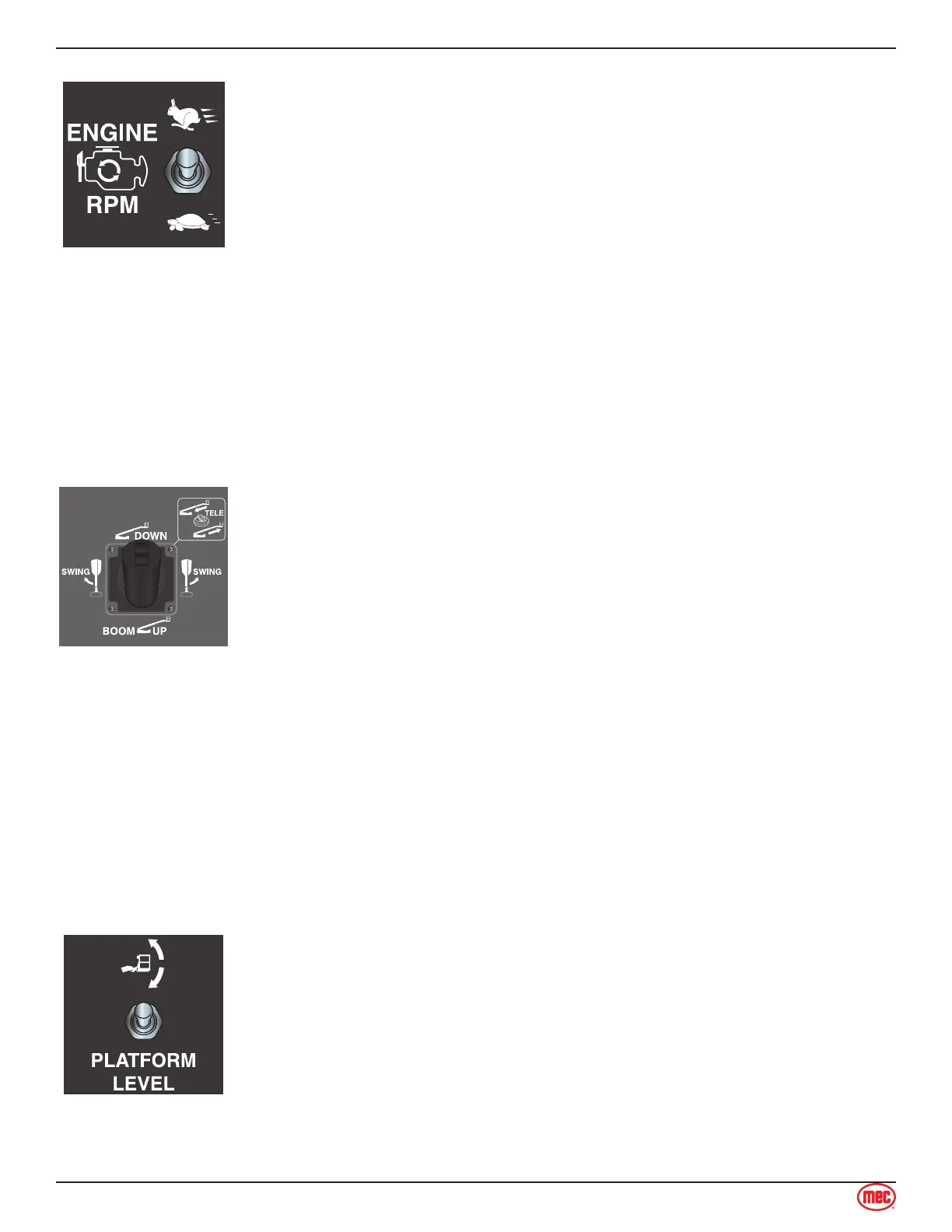
Engine Speed Select
Use this switch to set the engine speed when functions are enabled. Setting
this switch to low idle speed allows the operator to move the machine slowly
and precisely.
Move this switch up for high idle speed and fast function speed.
Move this switch down for low idle speed and slow function speed.
Boom Functions Control Lever
This control lever controls the Boom Extend/Retract, Boom Lift/Lower and
Turntable Rotate functions. The control lever is fully proportional for the Boom
Lift/Lower and Turntable Rotate functions.
These functions are enabled by pressing the trigger on the front of the control
lever.
Test Operation
• To test the Boom Extend/Retract function:
• Squeeze the enable trigger, then press and hold the thumb switch on
top of the control lever rearward until the boom reaches full extension.
• Squeeze the enable trigger, then press and hold the thumb switch
forward to retract the boom.
• To test the Boom Lift/Lower function:
• Squeeze the enable trigger, then pull the control handle back to lift the
boom. Lift the boom completely.
• Squeeze the enable trigger, then push the control handle forward to
lower the boom. Lower the boom to its stowed position.
• To test the Turntable Rotate function:
• Squeeze the enable trigger, then push the control handle to the left to
rotate the turntable clockwise.
• Squeeze the enable trigger, then push the control handle to the right
to rotate the turntable counterclockwise.
Platform Level Switch
The platform will automatically level as the boom is lifted or lowered. The
Platform Level function allows manual level adjustment of the platform. Manual
leveling may be used to adjust the platform within 5° of level.
Test Operation
• To test the Boom Extend/Retract function:
• Press and hold the Function Enable trigger on any control handle for 7
seconds.
• Push the Platform Level switch up or down to adjust the position of the
platform.
• Platform Level power is disabled upon exceeding 5° out of level when
out of the stowed position. Power is allowed only to the direction that
returns the platform toward level.



 To Next Page