Page 34 85
-
J - Operator’s Manual - 95803
January 2024Section 7 - Operating Instructions & Pre-Operation Function Tests
Test Operation
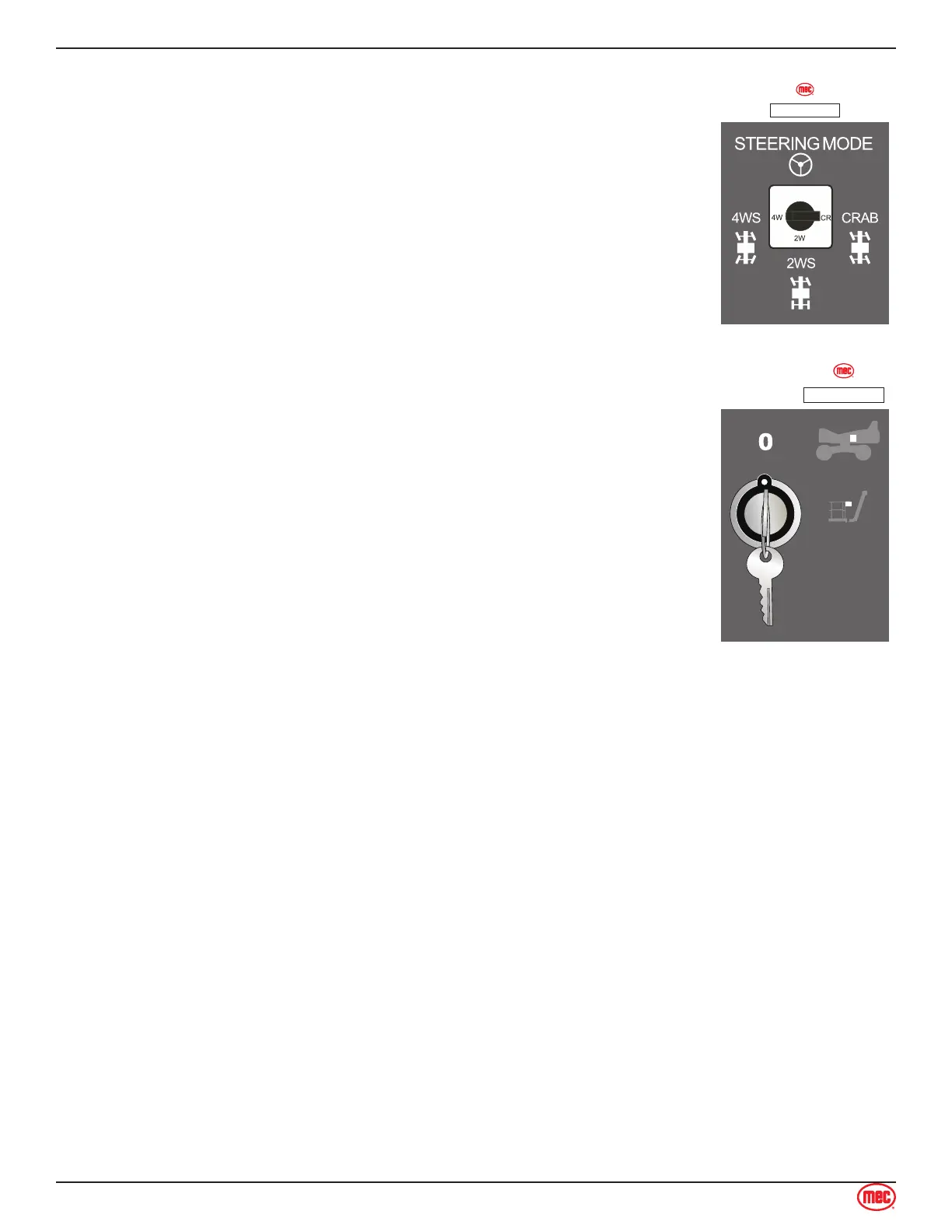
• Set Steering mode to the left position: 4-Wheel Steer. Squeeze the
enable trigger, then press the thumb switch on top of the control lever.
The front and rear wheels should turn in opposite directions. Return the
wheels to the centered position.
• Set Steering mode to the center position: 2-Wheel Steer. Squeeze the
enable trigger, then press the thumb switch on top of the control lever.
Only the front two wheels should turn. Return the wheels to the centered
position.
• Set Steering mode to the right position: Crab Steer. Squeeze the enable
trigger, then press the thumb switch on top of the control lever. All four
wheels should turn in the same direction. Return the wheels to the
centered position.
ART_6097
ILLUSTRATION No.
Shutdown Procedure
When nished with the machine, place the platform in the stowed position.
Park the machine on a level surface.
Carefully exit the platform using a constant three (3) point dismount/grip.
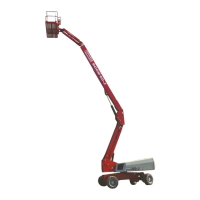
Turn the Selector Key Switch to the “0” position and remove the key to prevent
unauthorized use. Always put the switch in “0” position when leaving the
machine at the end of the work day.
ART_6095
ILLUSTRATION No.


 To Next Page