Page 15 92RT Scissor Lifts - Operator’s Manual
July 2020Section 6 - Function Tests and Operating Instructions
IMPORTANT Be sure the area above the machine is clear of obstructions to allow full elevation of
platform.
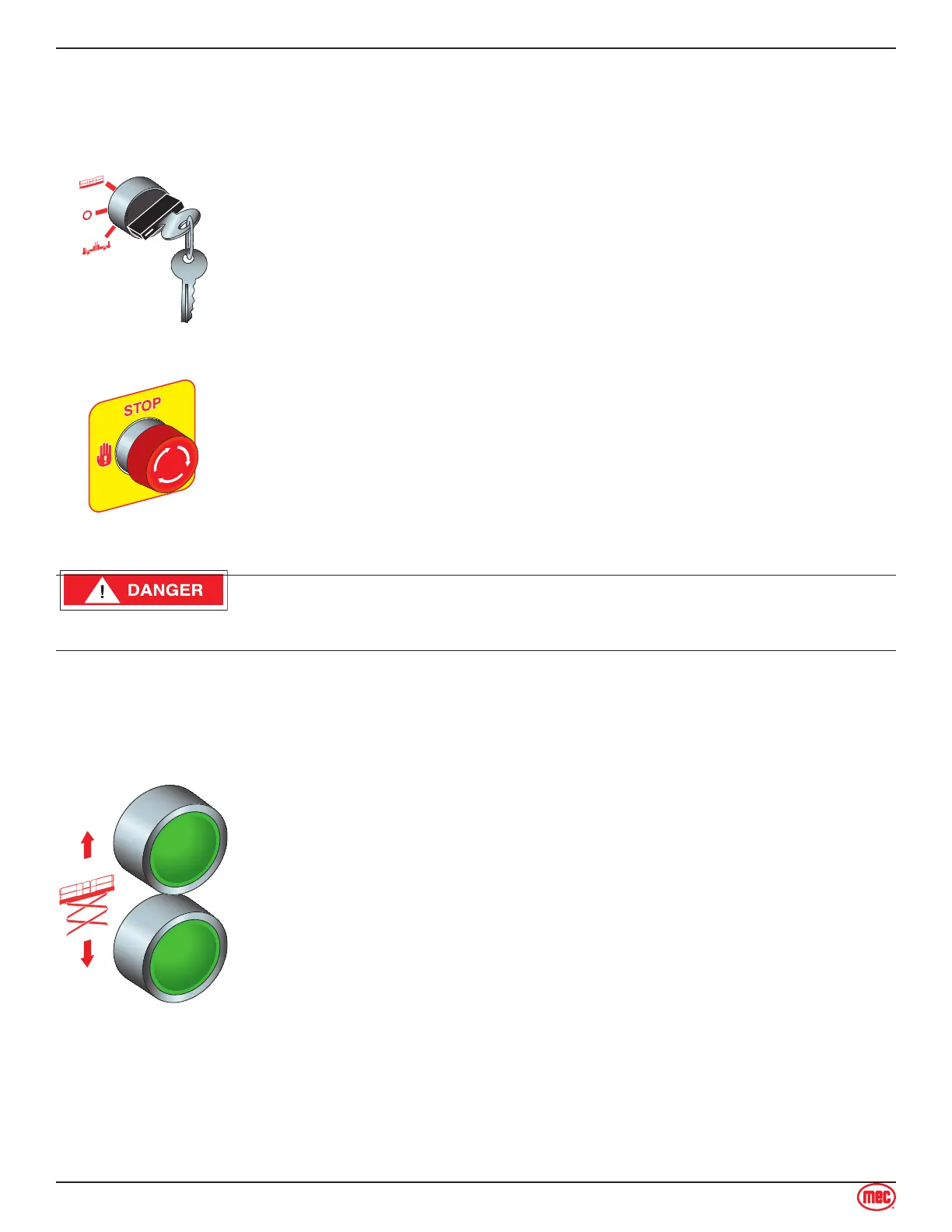
Select BASE Operation
Turn the Selector Key Switch to BASE.
Emergency Stop
Press the Emergency Stop Switch at any time to stop all machine functions.
Turn switch clockwise to reset.
Do not elevate the platform if the machine is not on a firm level surface.
Elevate Platform
Press and hold the RAISE button on the base control panel to elevate the
platform.
Test Operation
Elevate to maximum height.
Note Platform will not elevate beyond 30 ft. (9.15 m) without the outriggers
deployed
Releasing the button will stop elevation.
Pressing the Emergency Stop Switch will stop elevation.
Lower Platform
Press the LOWER button on the base control panel until the desired
platform height is reached.
Test Operation
Lower the platform to the stowed position.
Releasing the button will stop descent.
Pressing the Emergency Stop Switch will stop descent.
•
•
•
•
•
•
•
•
Platform Control Operation and Test



 To Next Page