Mecmesin MultiTest-x manual
7
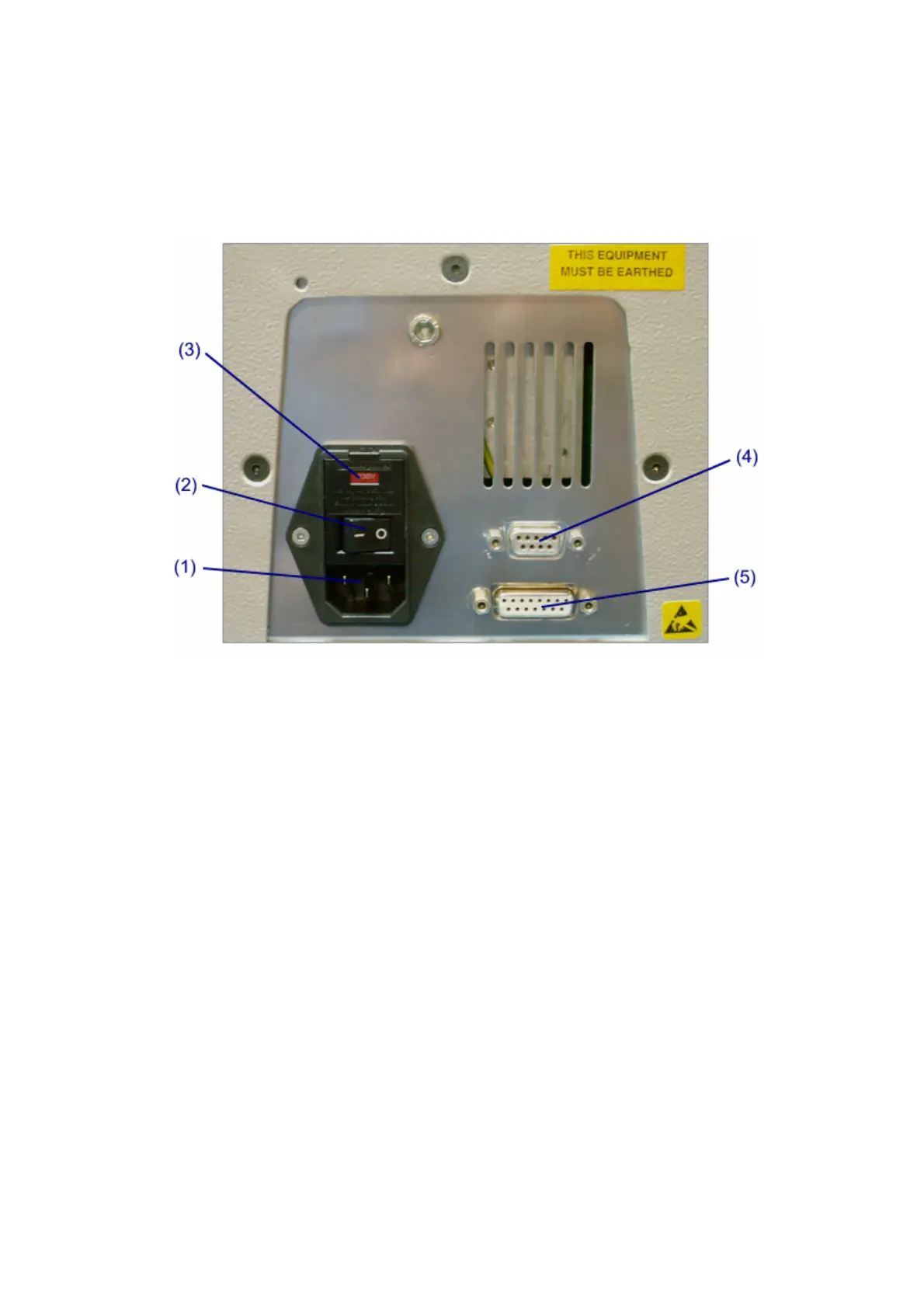
supply of power is controlled by the black rocker switch (2) above the power inlet
connector.
The required power supply voltage (110-120V or 220-240V) is indicated by the value
in the red panel (3) within the fuse cartridge housing. Your local Mecmesin
representative will already have checked that the fuse cartridge has been installed
correctly for the supply voltage in your country. It is possible to modify your MultiTest-
x for operation in a country with a different supply voltage by: turning off the power,
removing the fuse cartridge housing, removing the red fuse cartridge, checking that
both fuses are fitted, rotating the cartridge through 180º, then reassembling and re-
installing. The new voltage rating will now be displayed in the red panel.
Communication with external equipment is via two ports on the back panel.
The nine-pin D-connector (4) is for RS232 communication with external devices using
the serial cable supplied. Choosing the ‘Print Menu’ option from the Main Menu gives
more information about configuring RS232 communication, and downloading data to
other equipment, e.g. PCs and dataloggers. However, the MultiTest-x can also
receive data via this port, e.g when the software is upgraded.



 To Next Page