05.0 Use
05.1 Controls
This section illustrates the parts of the front panel (Fig.6) of the Piezosurgery unit, enabling the
controls described in this manual to be located immediately.
Description of the controls
Ref. A - Graphic display.
Function The display shows the following information:
The type of power setting ROOT/BONE
The output power level set in the ROOT mode. ENDO/PERIO
The output power level set in the BONE mode. QUALITY 1/2/3 and SPECIAL
The delivery rate of the pump. PUMP: 5 Levels
The cleaning cycle for the liquid circuit. CLEAN
Ref. B - Pair of 2 keys: PUMP + and -. + -
Function These can be used to set the delivery rate of the peristaltic pump
Ref. C - Power-level key
Function This key is used to set the output power level required
Ref. D - Power-type key
Function This key is used to set the type of output power required: ROOT/BONE;
This key is used to set the CLEAN function by holding down the key for 5 seconds.
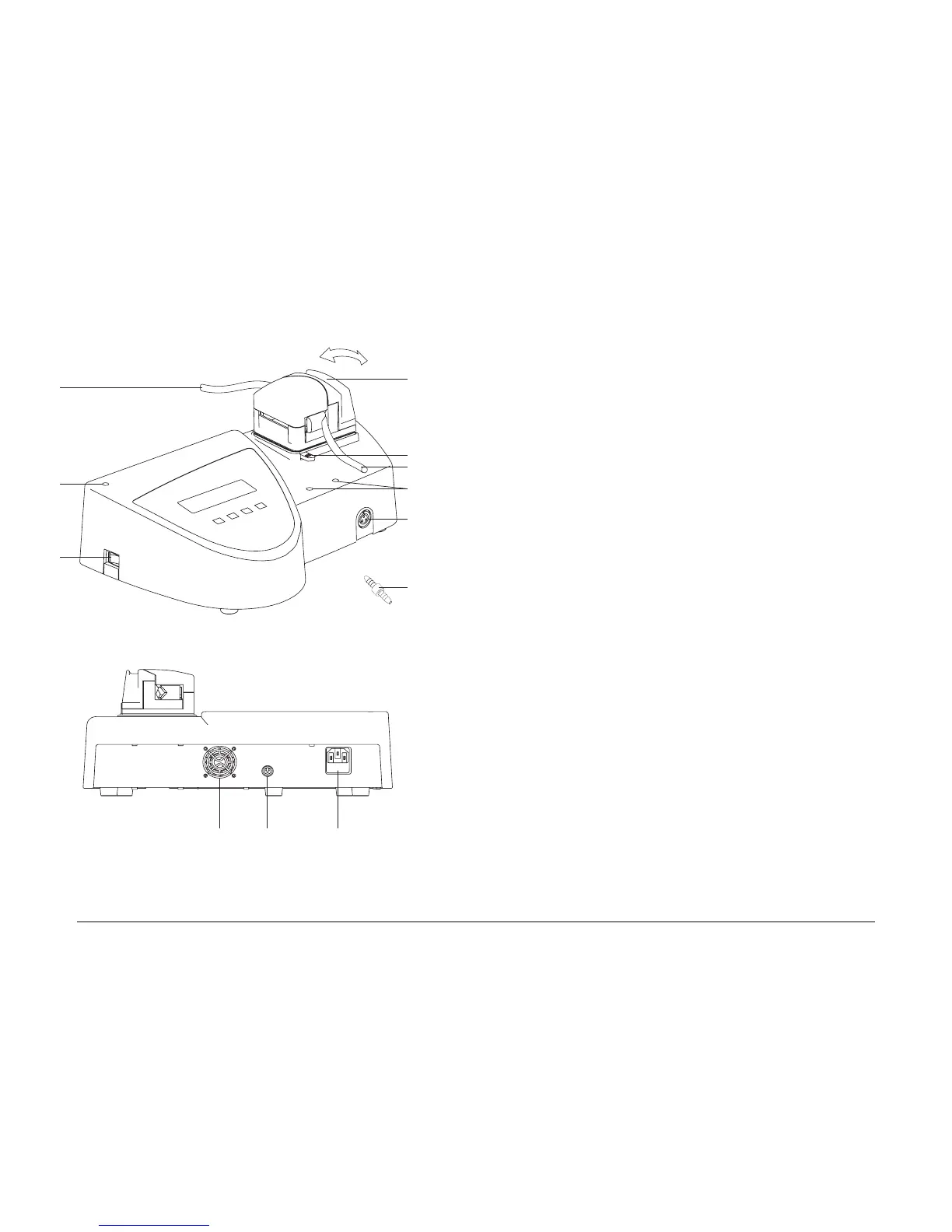
Other controls for operating the device are:
Ref. F (Fig.5) - The ON/OFF switch.
Function For supplying electricity to the device.
Ref. G (Fig.3) - The enabling footswitch.
Function For activating operation of the device.
05.2 Switching the device ON and OFF
Switching the device on
1 Power up the device by turning on the MAIN SWITCH (Fig.5 - Ref.F) situated on the casing of
the device, taking care not to press the footswitch.
2 The device will switch on.
Switching the device off
1 Power down the device by turning off the MAIN SWITCH (Fig.5 - Ref.F) situated on the casing
of the device.
2 The device will switch off.
Fig. 5
A
C
E
L
M
D
F
HG I
N



 To Next Page