Piezosurgery // GB 15 / 32
MANUAL OF USE AND MAINTENANCE
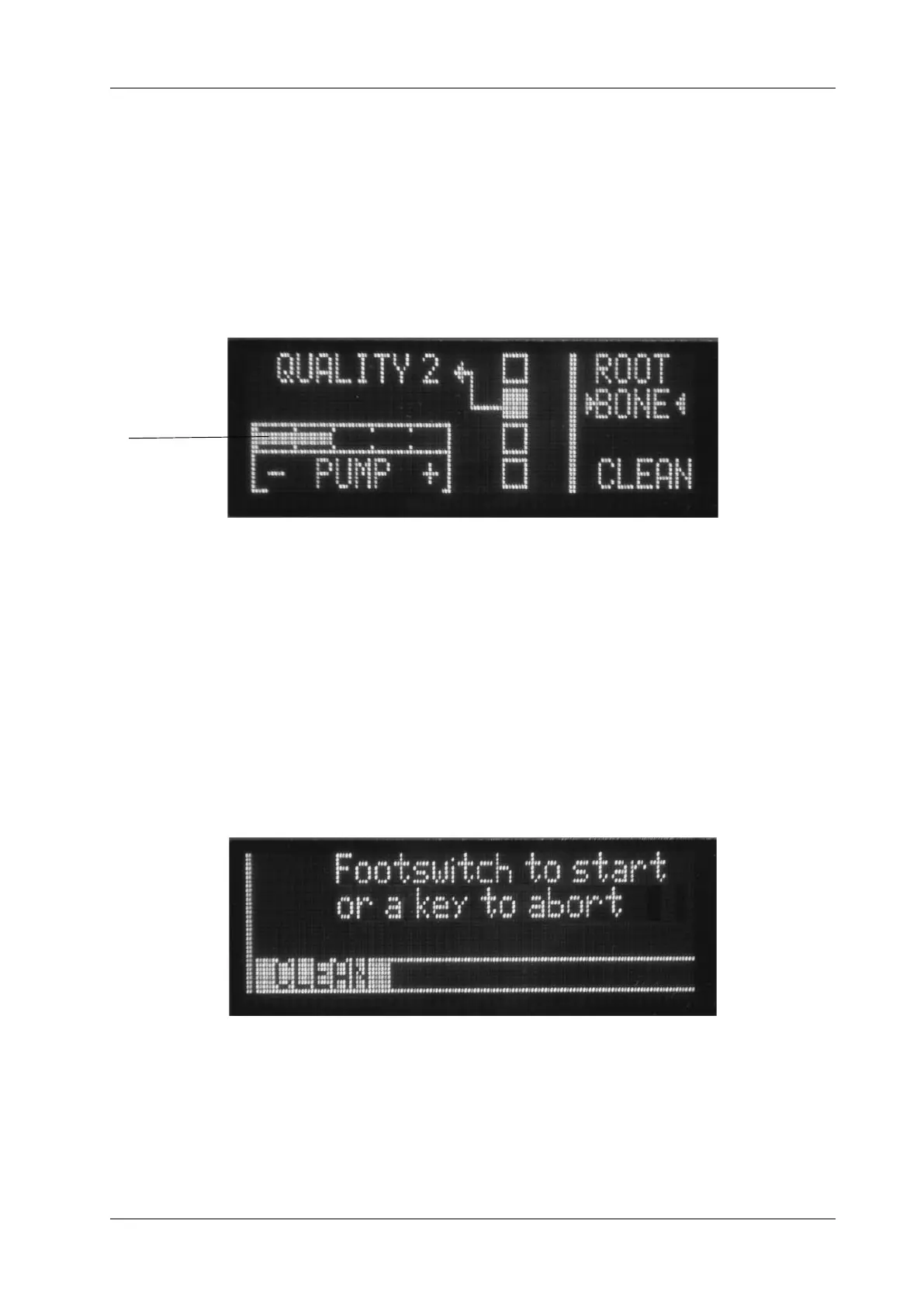
Device in the BONE mode Fig. 8 - In the BONE mode, press the power-level key (Fig.6
- Ref.C) to set the following functions:
- QUALITY 1
- QUALITY 2
- QUALITY 3
- SPECIAL
To adjust the delivery rate of the pump press the + and – keys (Fig.6 - Rif.B). In the BONE
mode, the speed can be set to between one and five. The display will show the speed that
has been selected (Fig.8 - Ref.A).
Device in the CLEAN mode: Fig. 9 - The device has a CLEAN function, which can be
used to carry out a cleaning cycle of the hydraulic circuit. This function must be carried
out after using the device, before cleaning, disinfecting and sterilising all the parts (See
Section 06.0).
To activate the CLEAN function, press the power selection key and hold it down for 5
seconds (Fig.6 - Ref. D). The following message will appear on the display “Footswitch
to start or a key to abort”. This tells the operator to press the footswitch to start the
cleaning cycle or to press any of the four keys below the display to exit from the CLEAN
function. For further indications concerning the CLEAN function, see point 06.1.
Fig. 9
Fig. 8
A



 To Next Page