Chapter 4 Operation
- 9 -
Chapter 4 Operation
4.1 Start-up and Shut-down
4.1.1 Check-up before Start-up
1. Environment
Check whether there is nearby equipment that may emit disturbing radiation.
2. Appearance
Check whether there are cracks on the enclosure of the device and the OLED screen.
3. Check whether the device has leakage, deformation, smell, discoloring and so on.
4. Above check-ups should be done before you start up the device.
4.1.2 Start-up
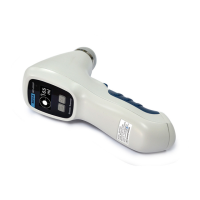
Press the power switch button on the end of the Main Unit for 1-2 seconds and release, the Main
Unit starts working. Right now, the power indicator lights up and the Main Interface is displayed on
the screen.
4.1.3 Check-up before use
Please do the following routine check-ups after the device is started and before use.
1. Whether the power indicator lights up;
2. Whether the touch screen works properly;
3. Whether the keys work;
4. Press the Scan button and hold it to check whether it initiates a pre-scan. Release the Scan
button to check whether it takes a 3D-scan. Please refer to §4.2.4 Scanning for details.
5. Whether the device gets enough battery power.
6. Check the system setup. Please refer to §4.2.2 System Setup for details.
7. Clean up and disinfect the Main Unit according to §5 Cleaning and Disinfection.
4.1.4 Shut-down
Press the power switch button on the end of the Main Unit for 3-4 seconds to shut the device
down.
If the device has been idle for a preset time, it will be turned off automatically by the energy-saver
mode. Please refer to §4.2.2.4 Automatic Shut-down.
4.1.5 Shut-down of the Tablet PC
Please refer to §4.3 Instructions for the Jointly Used Tablet PC for the shut-down operation of
the jointly-used Tablet PC.


 To Next Page