Chapter 4 Operation
- 35 -
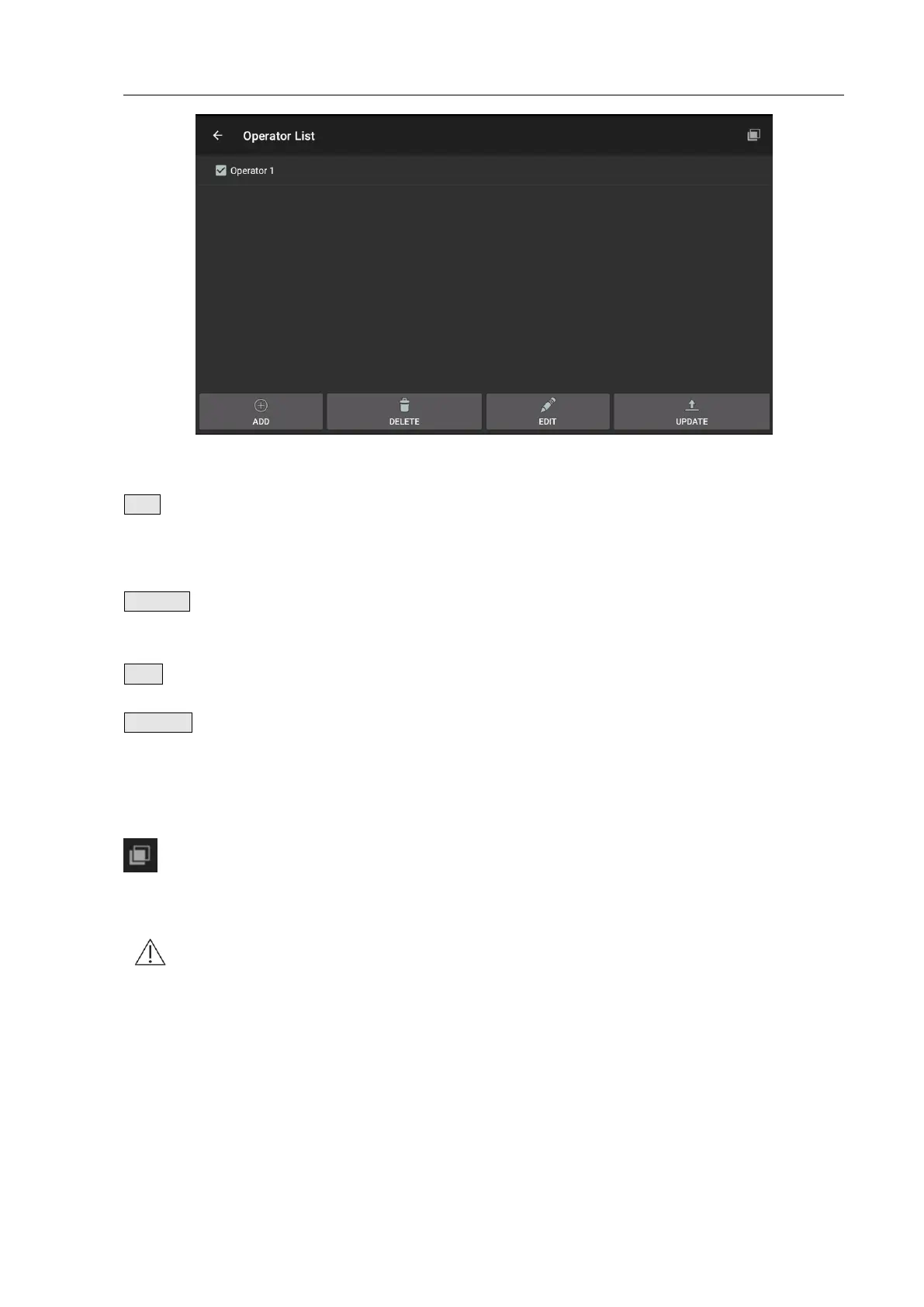
Fig. 4.32 Operator List
Click the key to pop up a dialogue box and prompt to enter
the operator’s name and add a new operator to the
Operator list.
Select the operator to be deleted and click the key to delete
the operator in the Operator List.
Click this key to edit the operator’s information.
Click the key to update the selected and ticked operator to
the Main Unit. The operator list is written to the Main Unit
only when the synchronous prompt displays that update is
successful; if it prompts that update failed, please try again.
Select All key/
DeSelect All
key
Click the key to select or not select the 20 operators in front
of the list.
Note: Please be careful with deletion to prevent misoperation. The operator list can’t
be restored once deleted.
4.3.15 Patient List
Click the item of Patient List to enter Patient List Interface, as shown in Fig. 4.33.


 To Next Page