Chapter 4 Operation
- 37 -
4.3.16 Pair Key
Click the key in the Main Interface to enter the settings interface where you can see the Pair
key. The display of UnPair indicates the Main Unit has been paired and Pair indicates not paired.
① Pairing of the Main Unit: Under the state of UnPair, click the Pair key to pair, see §4.3.4 Main
Unit Connection for the pairing process.
② Unpair: Under the state of pair, click the UnPair key to release the current paired Main Unit.
4.3.17 Automatic Connection Switch
Click the Auto Connection switch, the switch status is as follows:
When the switch is switched to ON, the software automatically connects the paired Main Unit;
When the switch is switched to OFF, the software does not automatically connect the paired Main
Unit.
4.3.18 Main Unit Time Setting
The time setting is to send the system time of the Tablet PC to the Main Unit to calibrate the time of
the Main Unit. After the Main Unit and the Tablet PC are connected, click the Time key to complete
the calibration.
4.3.19 About
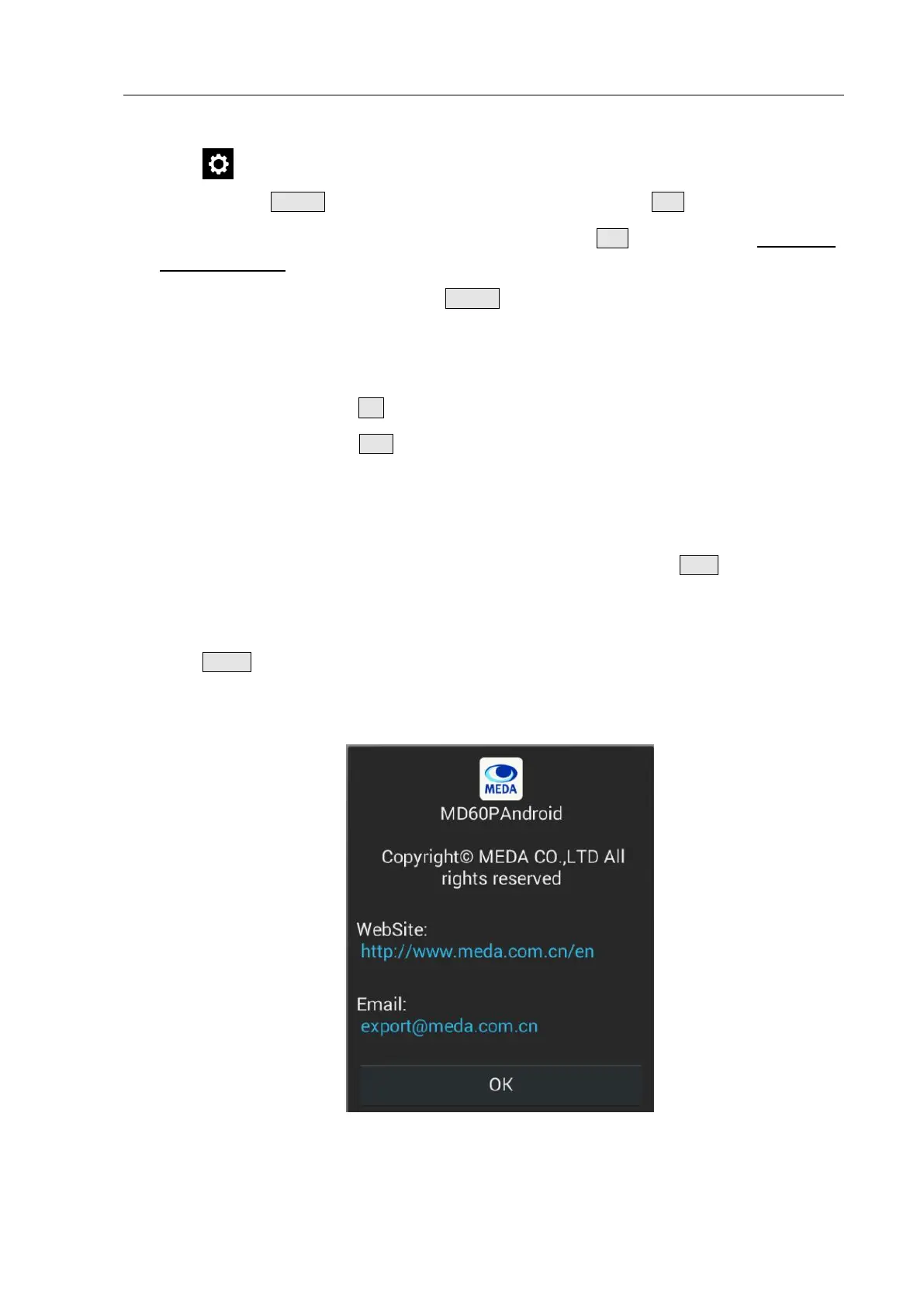
Click the About key to enter the system information interface, which include the information of
Logo, product model, product name, copyright information, company website and contact
information, as shown in Fig. 4.34.
Fig. 4.34 About Interface


 To Next Page