Chapter 4 Operation
- 38 -
4.4 Preset Case List Mode
The mode is suitable for patients with relatively fixed locations, such as nursing homes, fixed bed
inpatient departments and other scenes in which the patient information is known. It needs to
configure the patient case list in advance for scan.
4.4.1 Patient List Preset
The configuration of Patient List to be tested should be operated in the Tablet PC and uploaded to
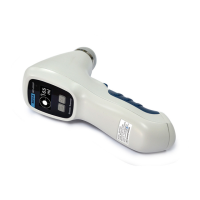
the Main Unit. Press the Function key of the Main Unit to select the patient to be tested. Press
Scan button to start measurement (the Main Unit can be used independently during
measurement).
Note: Do not configure the Patient List until the patient’s measurement is complete, to
avoid clearing the measurement data.
4.4.2 Medical Record Saving and Loading
Case Saving: After a patient's scan, the Main Unit automatically saves the current case record.
The stored contents include patient information (name, sex, age, ID), operator’s name, bladder
projection image, measurement results and current system time. The Main Unit can store 20
groups of cases.
Case Loading: Press the Function key to switch and select patient, and the Main Unit loads the
measurement record of the case automatically.
4.4.3 Medical Record Uploading
After the measurement, connect the Main Unit and the Tablet PC, and click the SYNC key under
the Patient Case Management Interface of the Tablet PC to synchronize the measured data.


 To Next Page