Chapter 4 Operation
- 20 -
this measuring operation is finished. Press the Menu key to switch to display the bladder
projection.
Notes:
①
Under 3D Scanning Mode, please hold the Main Unit tightly and steadily till
the end of a scan. Otherwise it may result in inaccuracy of the measurement
results.
②
When the level of electromagnetic disturbance to which the MD-6000P is
subjected exceeds its immunity (see Annex C), if the interference to the B-mode
image affects the correct identification of the bladder boundary, it may increase
the measurement error of urine volume in the bladder.
4.2.4.4 Bladder Projection Image
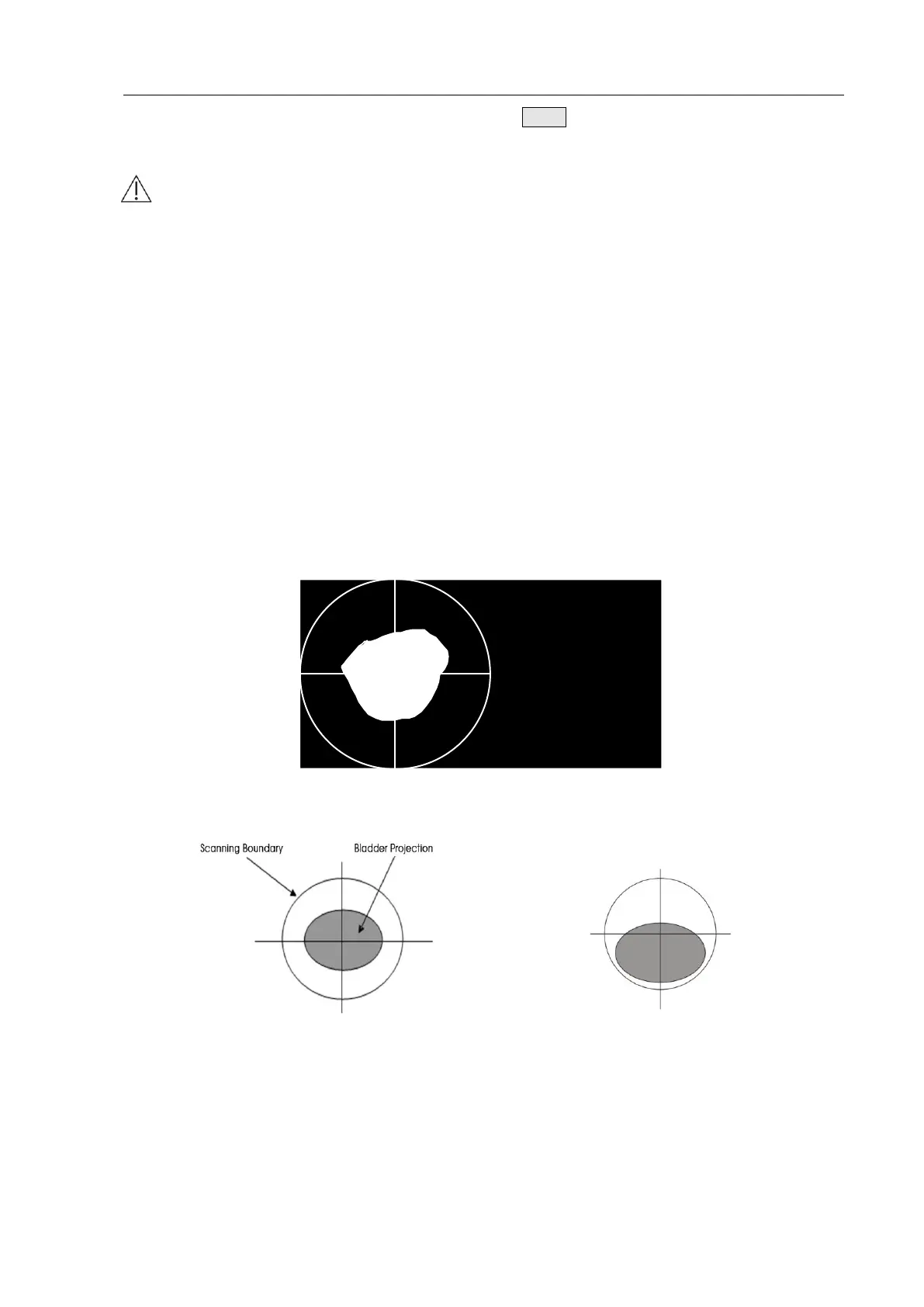
To determine whether the measurement position is correct, after scanning, the device switches to
the bladder projection interface which can display the bladder projection image, as shown in Fig.
4.18a. If the projection is close to roundness, basically located in the center of the scanning area,
and does not exceed the scanning boundary, as shown in Figure 4.18b, then the position of the
Main Unit is correct and the measured volume value is valid; otherwise, you should adjust the
position of the Main Unit and measure again.
Fig. 4.18a Bladder Projection Image
Fig. 4.18b Correct Position Fig. 4.18c Incorrect Position
Fig. 4.18b: The bladder projection is basically located in the center of the scanning area,
close to roundness, and does not exceed the scanning boundary.
Fig. 4.18c: The bladder projection is beyond the center of the testing area, the
measurement result is inaccurate and re-measurement is required.


 To Next Page