Chapter 4 Operation
- 25 -
③ System Setting
The icon of entering system parameter setting displays in this area. Click it to enter system
parameter settings See §4.2.2 System Parameter Setting for details.
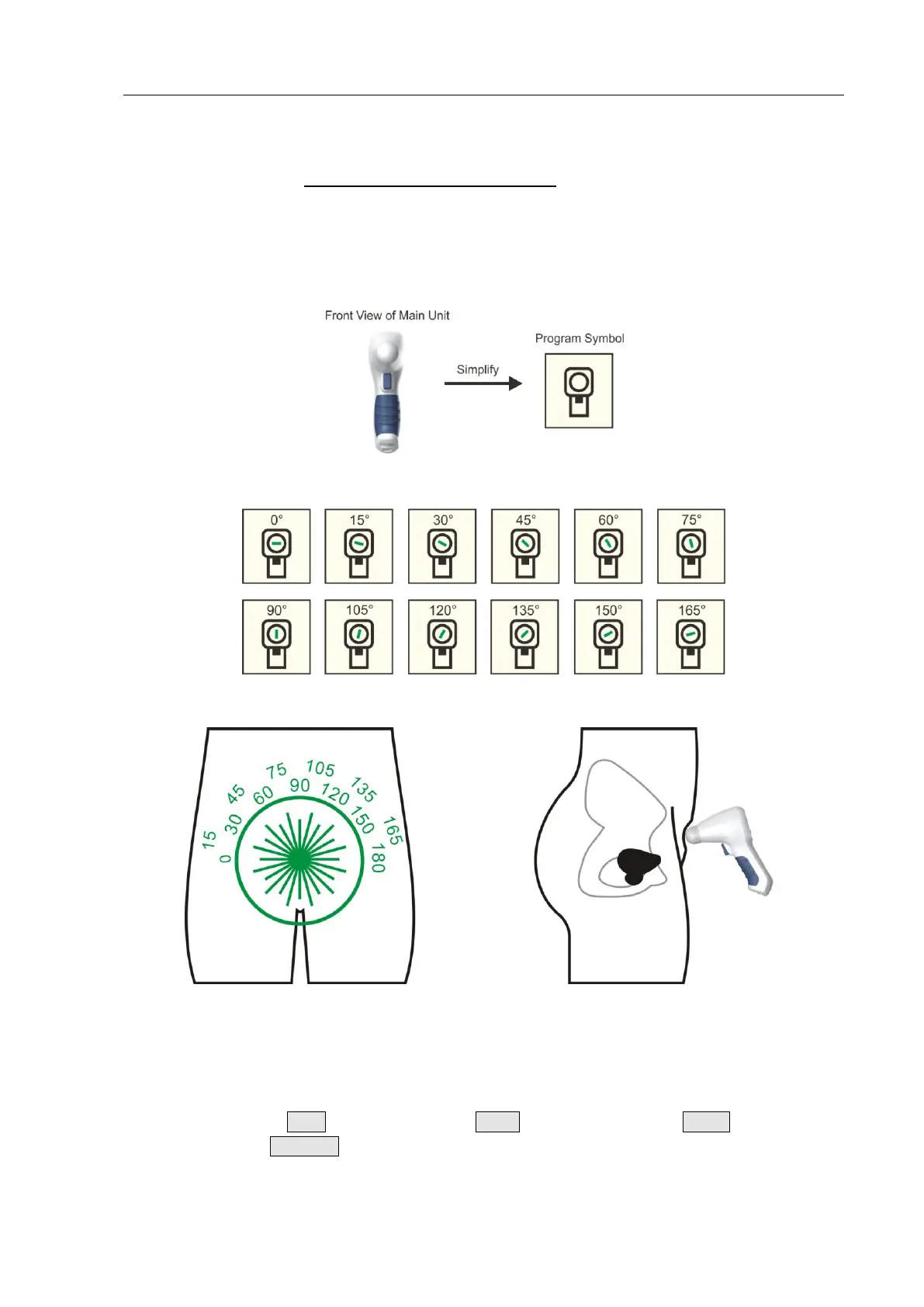
④ Scanning Section Mark
When a patient's measurement is completed, this area shows the mark of the scanning section of
the Main Unit, which corresponds to the ultrasound image one by one, as shown in Fig. 4. 21.
(a) The 12 Scanning Section Marks on the Interface
(b) Scanning Section Marks versus Patients’ Positions
Fig. 4.21 Schematic Diagram of Main Unit Scanning Section
⑤ Functional Key Area
This area includes: NEW: new patient key; SAVE: save patient case; LOAD: patient case
management; and REPORT: case report. Press the key to enter the corresponding sub-function
module.


 To Next Page