Chapter 4 Operation
- 29 -
Click the input box to input patient’s ID through the soft numeral
keypad popping up from the bottom of the interface.
Click the input box to input patient’s age through the soft numeral
keypad popping up from the bottom of the interface. (It is a mandatory
item, if the age is 12 years old or below, pediatrics mode will be
started automatically).
Click the round mark directly; when the round mark is solid, it is
selected. Sex is switched among “Male”, “Female” and “Pediatrics”.
Select “Pediatrics” to start child mode.
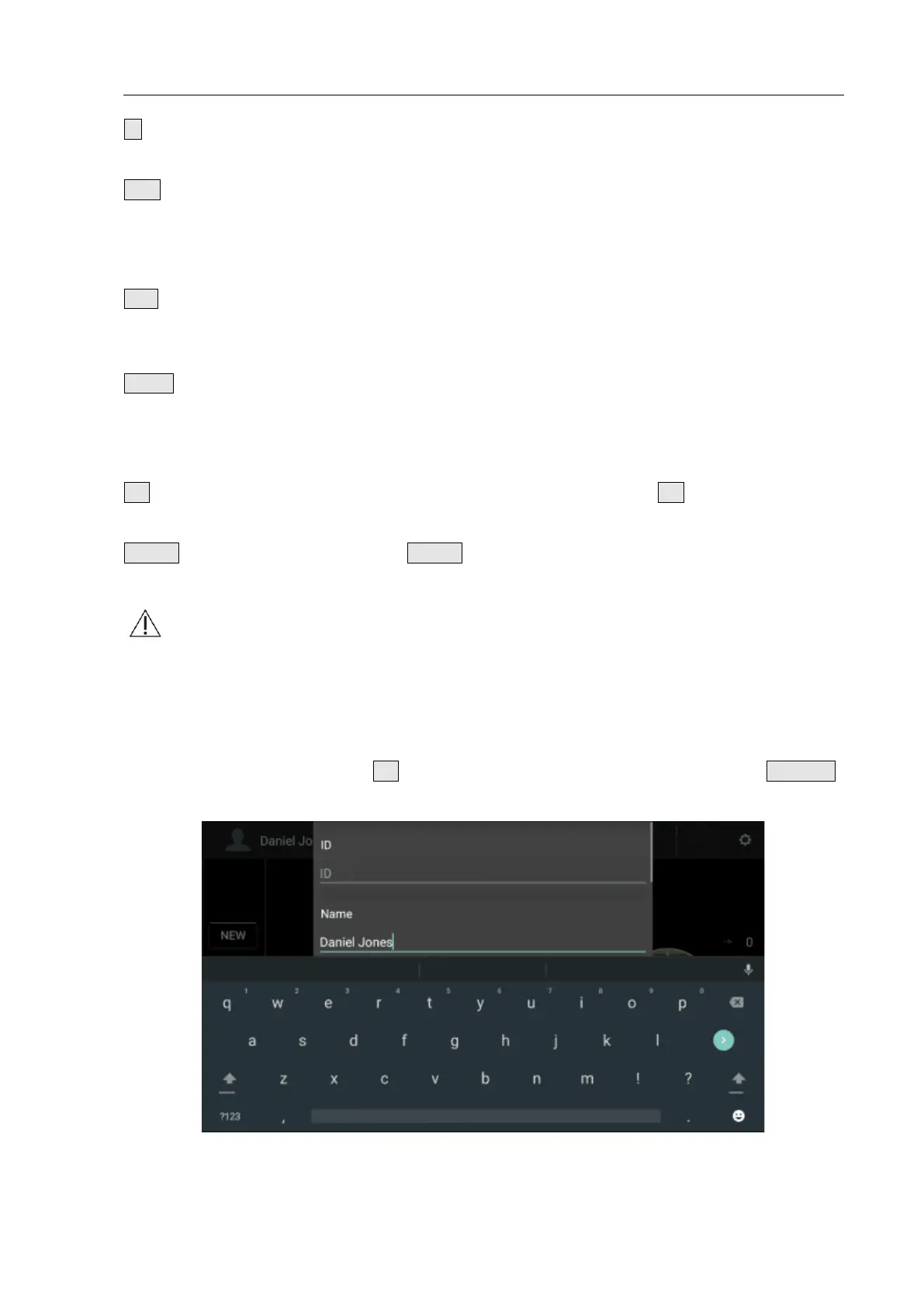
As shown in Fig. 4.26, click the input box, the soft keypad pops up on
the screen. Input patient’s name with the soft keypad; after that, click
the input box again, the soft keypad hides automatically and the
patient’s name appears in the Name input box at the same time.
After inputting patient’s information, click the OK key to save patient’s
information and return to the Main interface.
Click the Cancel key to return to the Main Interface without saving
any operations this time.
Notes
:①
Patient’s SEX must be selected correctly since it is associated with the
bladder recognition algorithm. The wrong input affects the measurement
accuracy directly. When pressing NAME, ID or AGE key, the corresponding
information inputted will be cleared.
②
After inputting the information, there is a prompt whether new patient will
be created, select OK to clear existing measurement data, and select CANCEL
to return.
Fig. 4.26 Patient Name Interface


 To Next Page