MediaTek Proprietary and Confidential. © 2022 MediaTek Inc. All rights reserved. Unauthorized reproduction or disclosure of this document, in whole or in part, is strictly prohibited.
Genio 1200 Evaluation Kit User Guide
3.15 Antenna Connector
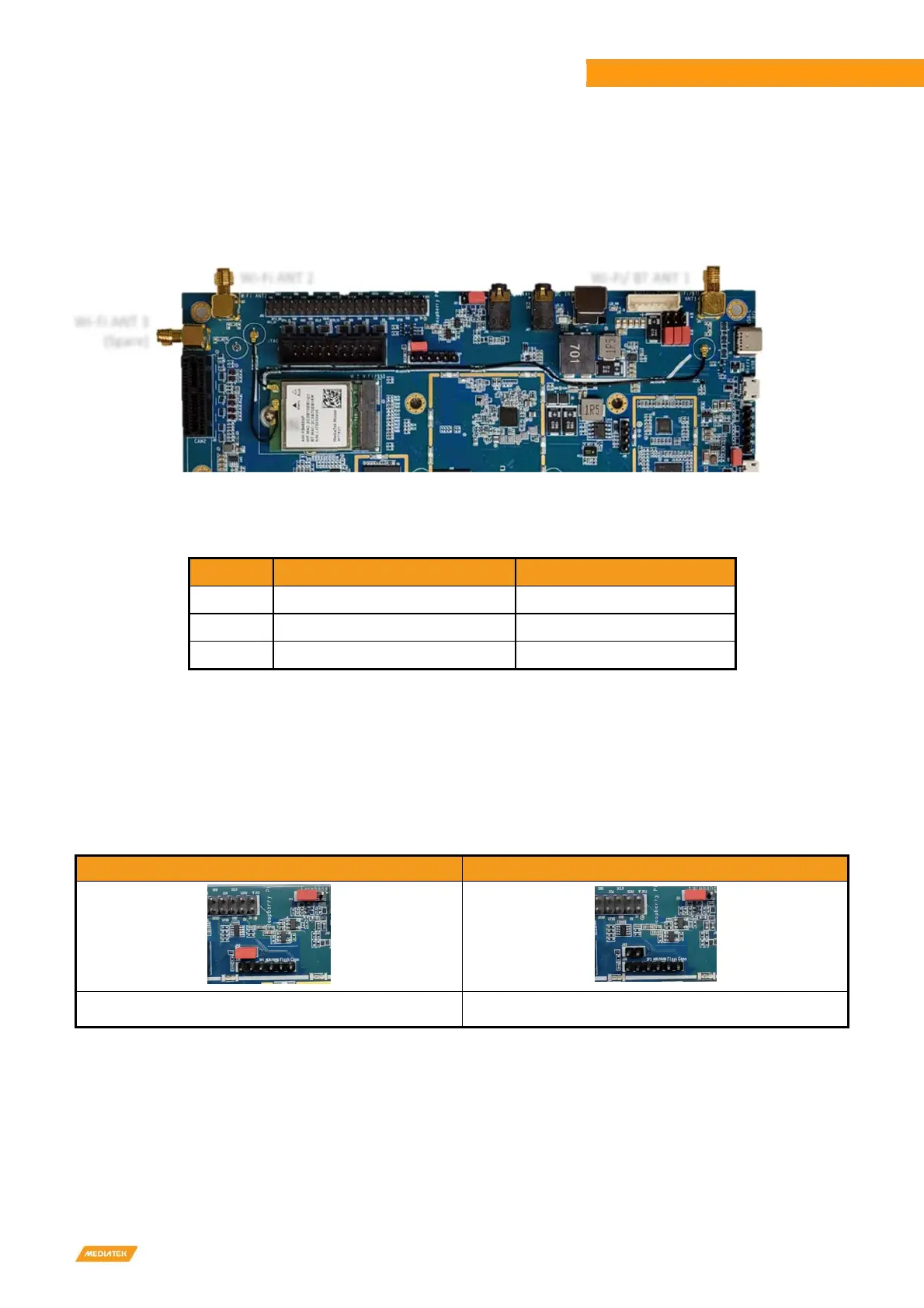
Genio 1200 EVK has three Wi-Fi antenna connectors, users can connect them via coaxial cables. These antennas are
designed for AzueWave M.2 (MT7921) Wi-Fi module.
Figure 3-3 Antenna Connectors
Table 3-13 On-Board Antenna
Location Band Note
J21
Antenna 1
Wi-Fi / BT (AUX)
J23
Antenna 2
Wi-Fi (MAIN)
J25 Antenna 3 Spare
3.16 Pin Mux for Other Interface
J43 jumper default set to not support Raspberry Pi configuration. Use the J43 jumper to switch the GPIO shared by the M.2
slot (for MT7663), DSI, UART and Raspberry Pi Like I/O.
Table 3-14 Other Interface (J43)
NOT Raspberry Pi Configuration Raspberry Pi Configuration Supports
J43 short(default)
J43 open
Wi-Fi/ BT ANT 1
Wi-Fi ANT 2
Wi-Fi ANT 3
(Spare)
AUX
MAIN



 To Next Page