MediaTek Proprietary and Confidential. © 2022 MediaTek Inc. All rights reserved. Unauthorized reproduction or disclosure of this document, in whole or in part, is strictly prohibited.
Genio 1200 Evaluation Kit User Guide
6.3 How to switch Android Image and Yocto Image
Please note that the storage partition layout of Android and Yocto are different, and the boot flow is also different.
Consequently,
1. When flashing IoT Yocto images, eMMC storage (except for data stored in eMMC RPMB) will be erased, as the IoT
Yocto flash tool always format the storage partitions, making the steps the same regardless the existing image on the
board storage.
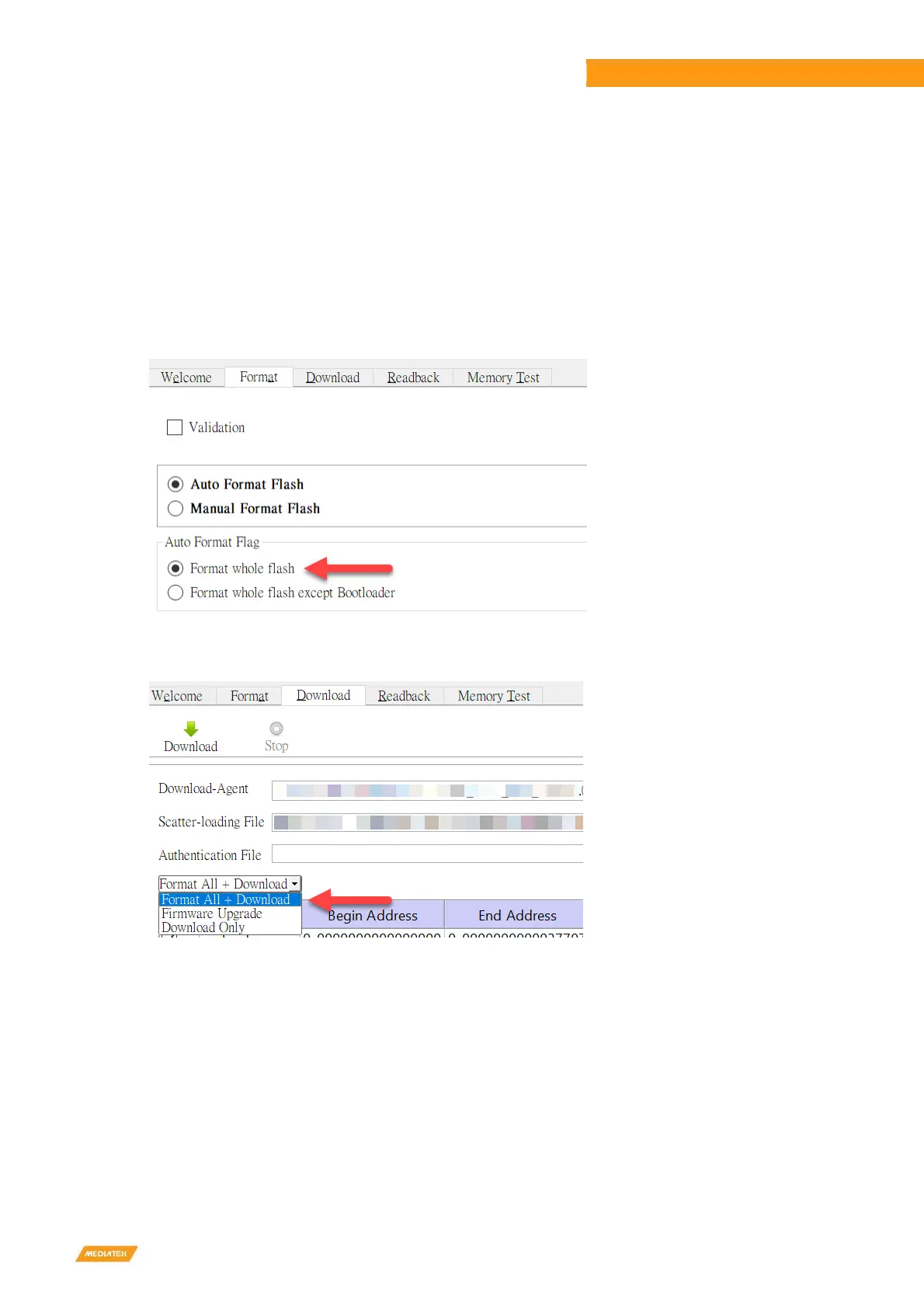
2. To flash Android images to a board with IoT Yocto im
ages already flashed, you’ll need to:
A. Configure the “Format” option as “Format whole flash”:
B. Select “Format All + Download” option before flashin
g the Android image:
C. You need to manually set the board into “Download Mo
de” by keeping pressing the “Download” button on the
EVK while resetting the board.


 To Next Page