15
6. Mega Power Bipolar Current Meter
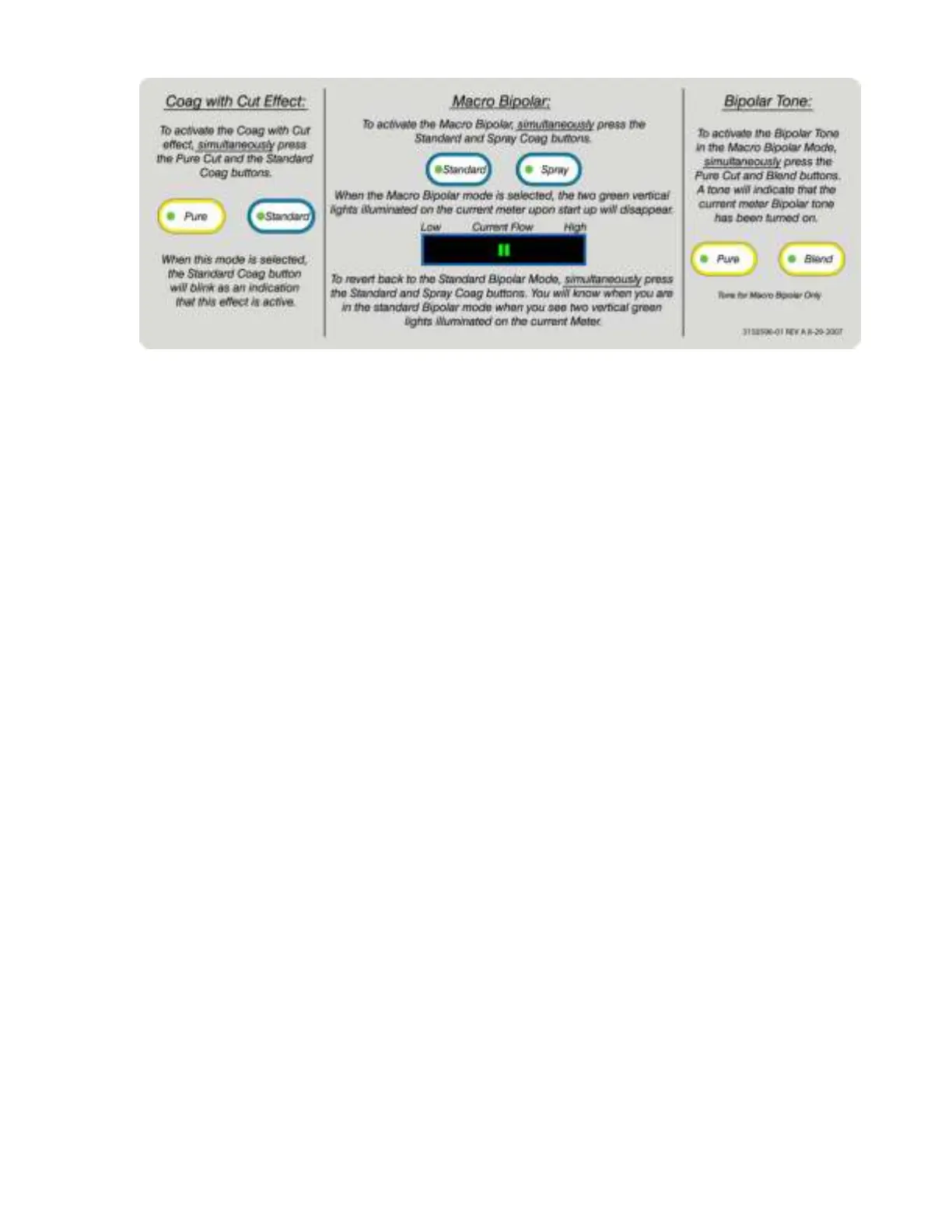
The Mega Power Electrosurgical Generator Bipolar macro setting features a Bipolar
Current Meter with both a visual graph and bipolar tone to provide an indication of the
amount of current flow between the tips of the bipolar instrument.
Bipolar Current Meter Tone
The current meter bipolar tone can be activated and deactivated when desired.
To activate the Mega Power current meter bipolar tone, press the “Pure” and
“Blend” keys on the front display panel simultaneously. A single tone will
indicate that the bipolar current meter tone is activated. During use, the bipolar
tone will begin with a rapid tone and reduce to a slower, metered tone as
current flow is diminished.
The bipolar current meter tone is turned off in one of two ways:
1). Press the Pure and Blend keys simultaneously. A tone will indicate the
current meter bipolar tone has been disabled.
2). Or, simply turn the main power switch off on the front panel.
The Mega Power bipolar current meter tone will need to be turned on as
instructed above each time the unit is powered on if the tone is desired during
the case.
Bipolar Visual Indicator
The visual indicator will appear automatically when bipolar is in use.
As tissue becomes desiccated it becomes more resistive and less current
flows. Non-desiccated tissue will allow relatively high current flows and will
illuminate all, or most of the green lights on the bar graph. Desiccated tissue
will restrict current flow, reducing the number of lights illuminated on the bar
graph.
7. Hand switching Accessory Receptacles: The two monopolar hand switching
receptacles are designed to accept standard three-prong active accessory
devices (e.g. an electrosurgical pencil). Either receptacle may be used.
Note: Only one monopolar accessory can be activated at a time.
8. Foot switching Accessory Receptacle: The Foot switching accessory
receptacle on the front of the generator accepts most, 8 mm diameter male style
phone plug style connector from active accessory cords. Power is delivered to


 To Next Page