40
Printed Circuit Board Replacement Procedures
1. Serviceable components and assemblies can be replaced by following the
procedures outlined in this section.
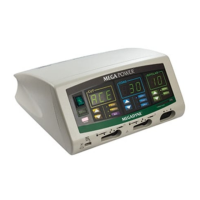
• ESU Cover and Chassis Cover
• Fuses, two in the Power Entry Module and one on the Motherboard
• Controller Board
• Power Conversion Board
• Heat sinks (left, center and right heat sinks) and associated heat sink
components
• Front Panel Display
• Low Voltage Power Supply
• Motherboard
• Footswitch
• Power Entry Module
Warning
Electrical Shock Hazard – To allow stored energy to dissipate after power is
disconnected, wait at least five minutes before replacing parts
Caution
The generator contains electrostatic-sensitive components. When repairing the
generator, work at a static-control workstation. Wear a grounding strap when handling
electrostatic-sensitive components, except when working on an energized generator.
Handle circuit boards by their nonconductive edges. Use an antistatic container for
transport of electrostatic-sensitive components and circuit boards.
2. For Service Centers and Megadyne trained facilities.
Additional information on assembly replacement is available on Mega Power
Service and Repair Video Instruction 3000146-01. This instruction is in DVD
format and can be viewed by opening InterVideo WinDVD on your personal
computer and inserting the disk into the DVD drive.


 To Next Page