www.megger.comDLRO100E, 100X & 100H – 100A
21
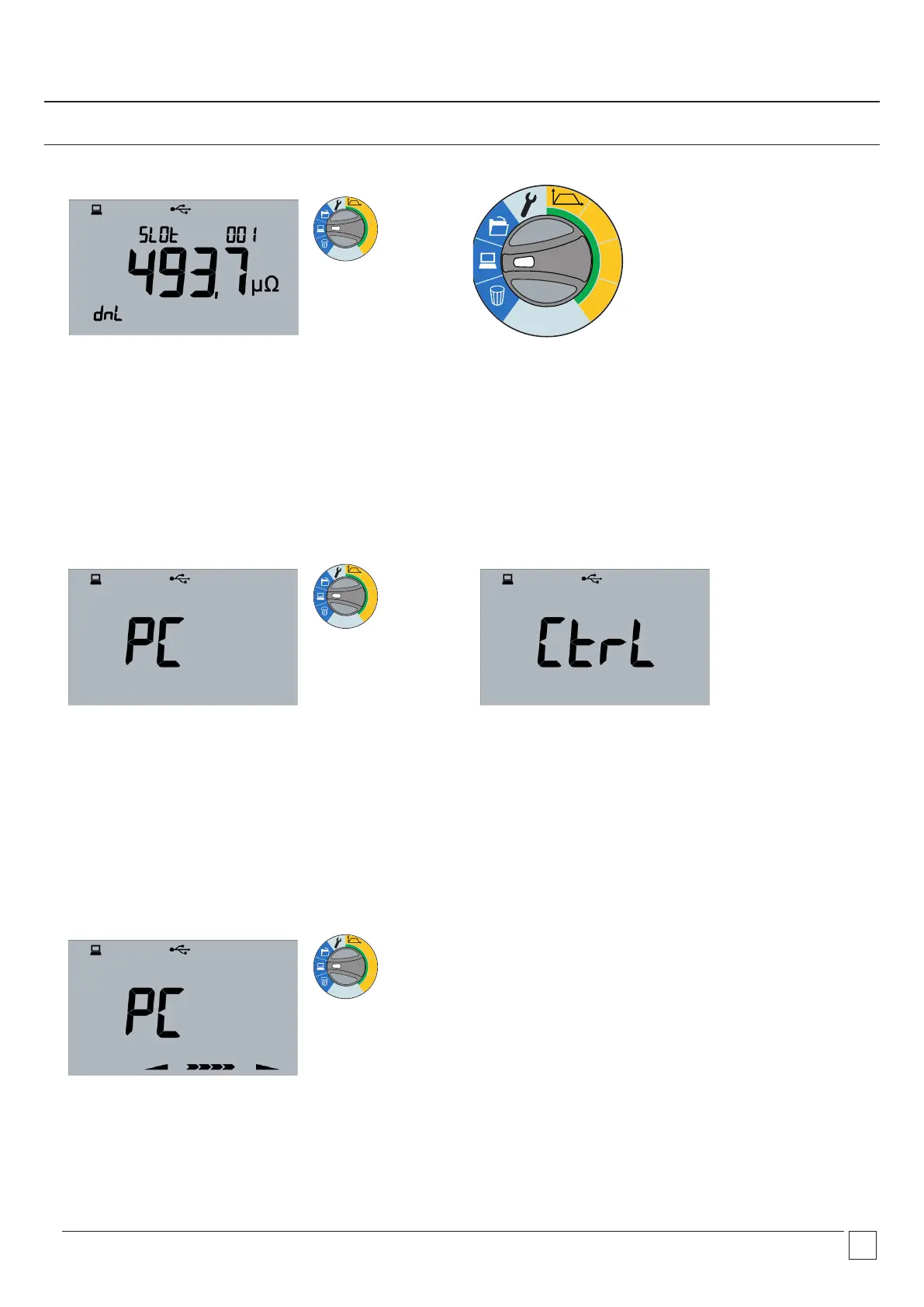
6.1 PC position
Moving the rotary switch to the PC position will show
the download screen. Test switch can be MAN, AUTO or
CONTINUOUS.
6 Remote operation
Remote operation (DLRO100H models only)
6.2 Remote control mode
6.3 Test under remote control
Instrument under PC control showing PC then Ctrl
NOTE: Results cannot be remotely saved on the instrument. The
user can save results into a Power DB form on the PC. Remote
control can be terminated from the PC or by moving either rotary
switch. If a test is in progress the test can be terminated from the
PC or again on the instrument by moving either rotary switch or
pressing the test button.
100A
50A
10A
Ω
100A
50A
10A
Ω
100A
50A
10A
Ω
100A
50A
10A
Ω
Remote control of DLRO100 is possible on 100H models only and
is over USB but not with a Tablet or Smart phone. (PC/Laptop
only.)
Remote control mode is activated with the Range switch.


 To Next Page