BL1448GE ZP-BL16E TM1700-SERIES
27
4 CABA LOCAL
4.2 OnLine Help
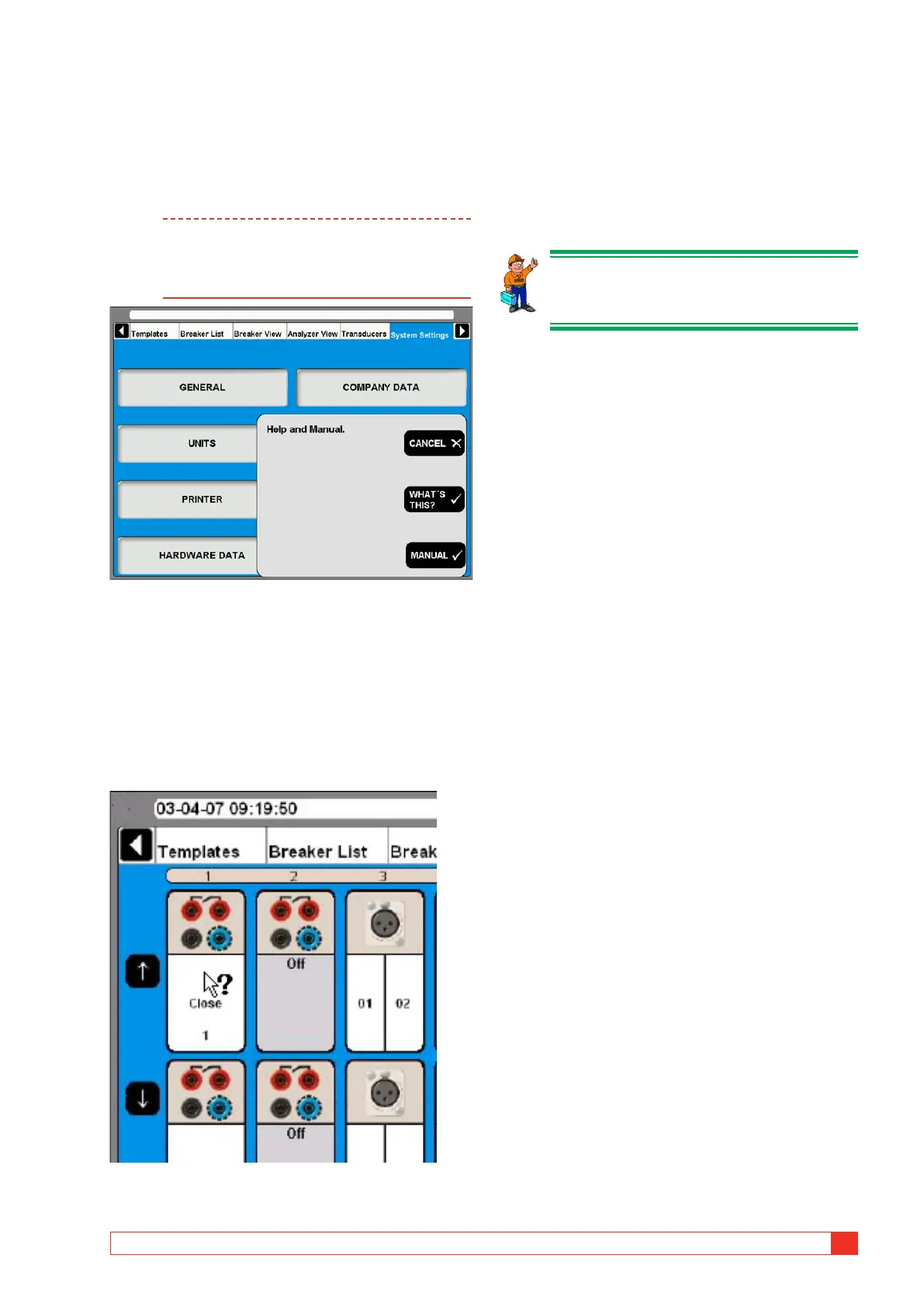
By pressing the “Question mark, “?”, button you
invoke the OnLine Help function. You can get direct
information on current topic or go to the complete
manual and search for information.
Note The OnLine Help is not available in the “Ana-
lyzer Window”.
The keyboard button F1 does not invoke the
OnLine Help function.
WHAT´S THIS?
Using this option will automatically direct you to the
current topic in the OnLine Help.
1] Press the button “WHAT´S THIS?”.
2] Move the pointer to desired object and click
left mouse button.
The user manual will be opened.
3]
MANUAL
1] Press the “MANUAL” button to get access to
the OnLine Manual.
2] Click the “Bookmarks” tab to view the con-
tent.
3] Click on desired topic.
Tip
You can also go to the manual index and
look for the desired topic.



 To Next Page