68 TM1700-SERIES ZP-BL16E BL1448GE
5 PERFORM TESTING
Note This selection of printer is only valid for the
current printout. To make a permanent choice
of printer see section “4.14 System Settings
menu” on page 65 /Printer/Select printer.
Send recordings to other report
formats
Note You need Acrobat writer or similar programs
to do this. See section “4.7 Optional soft-
ware” on page 65.
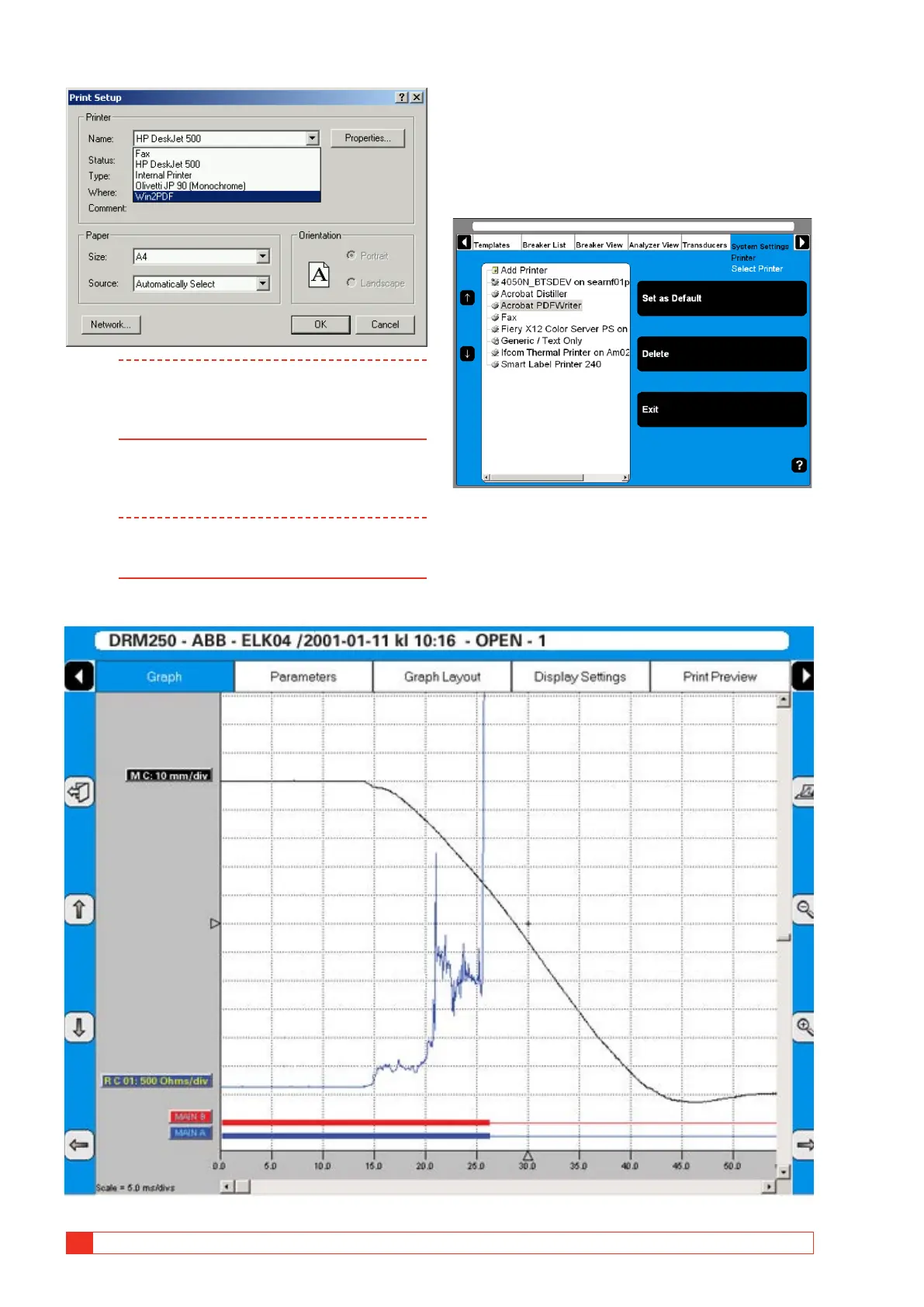
If you have Acrobat Writer installed you can choose to
print a recording to a PDF file.
1] Go to System Settings, Printer, Select Printer
and mark the Acrobat PDF Writer.
2] Press the button “Set as Default”.
3] Then from View Recording you can print the
report containing the recording.
DRM example



 To Next Page