BL1448GE ZP-BL16E TM1700-SERIES
47
4 CABA LOCAL
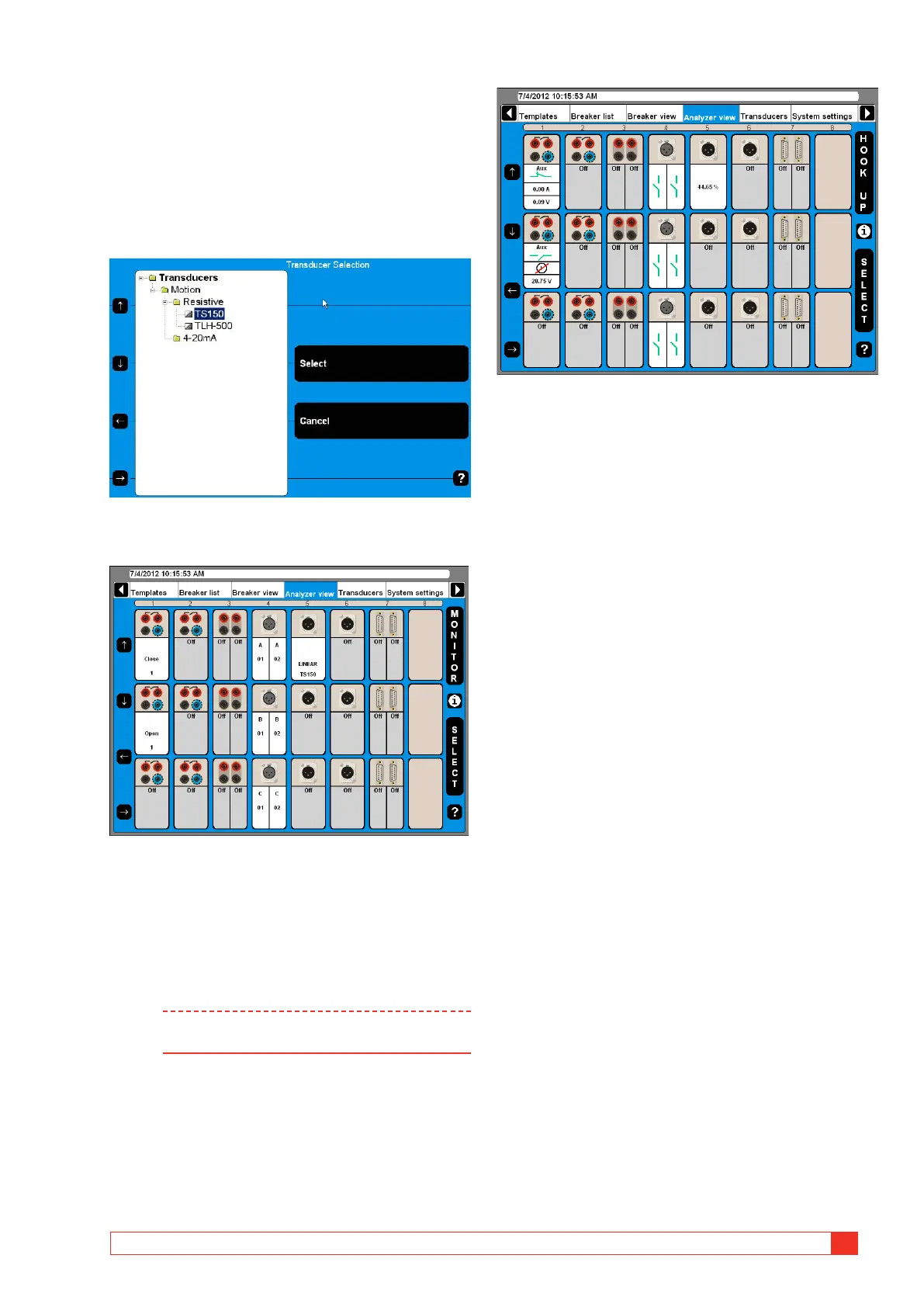
Select transducer
If you in Breaker View, Motion measurement prefer-
ences have selected Absolute (see section 6.12) “Se-
lect Transducer” is blinking on the active channel.
1] For selecting a transducer press the “SELECT”
button whereupon the transducer list ap-
pears.
2] Select the appropriate transducer and press
the “Select” button.
Now the transducer is selected which then is indicated by
displaying the transducer name at that specific channel.
Monitor
1] By pressing the “MONITOR” button you will
see information about the actual breaker
measurement and status.
Note To get information from control sections con-
nect blue cable to NC and red cable to OUT.
The actual situation is displayed for each channel which is
either a measurement value or a graphical contact open/
close information.
2] Press the “HOOK UP” button to go back to
the hook-up presentation.



 To Next Page