30 TRAX ZP-AJ01E AJ0383DE
5 OPERATING INSTRUCTIONS
5.4 Contact resistance
Important
Read and comply with the safety instruc-
tions “2 Safety” on page 8.
Always comply with local safety regula-
tions.
1] Press
Settings
1] Press
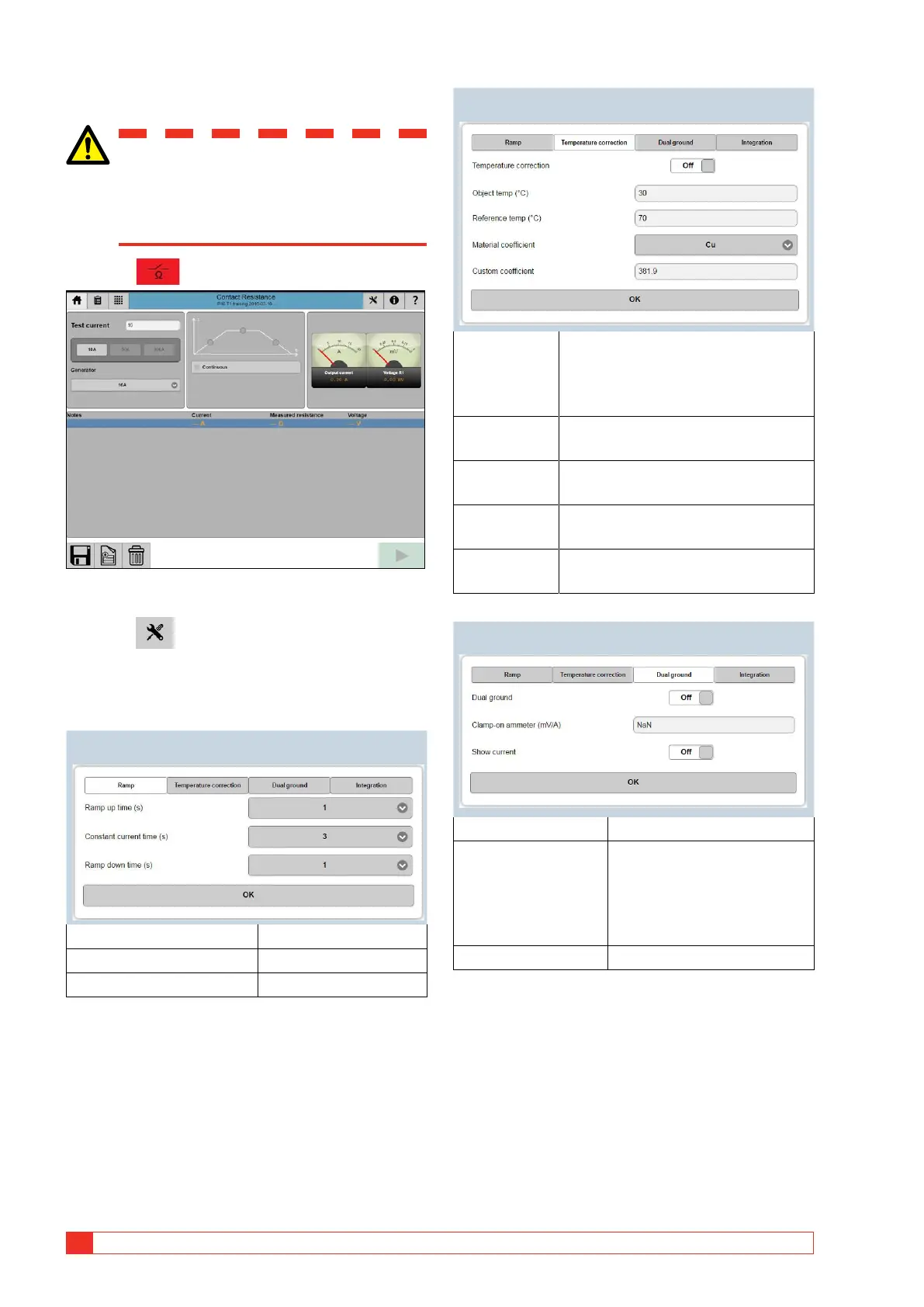
Make desired settings for the following subjects,
Ramp, Temperature correction DualGround and
Integration.
Ramp
Ramp up time (s) 1, 2, 3, 5, 10 or 20
Constant current time (s) 3, 5, 10, 20, 60 or 3600
Ramp down time (s) 0.3, 1, 2, 3, 5, 10 or 20
Temperature correction
Temperature
correction
On/Off
Measured values will be automat-
ically corrected to the reference
temperature.
Object temp
(°C)
Enter test object temperature.
Reference
temp (°C)
Reference temperature to where the
resistance will be adjusted to.
Material
coefficient
For copper, aluminum or as customer
defined.
Custom
coefficient
Only applicable when Material
coefficient is set to customer defined.
DualGround
DualGround On/Off
Clamp-on ammeter
(mV/A)
(optional accessory,
connected to R2
input)
Set the ratio for the clamp-on
ammeter (mV)
Show current On/Off














 To Next Page