24
MELBOURNE INSTRUMENTS – NINA V 1.3.0
25
MELBOURNE INSTRUMENTS – NINA V 1.3.0
Stereo Innite Panning
Nina has advanced panning capabilities, far more than
a simple left-to-right pan. There are a powerful set of
functions to allow control and movement in the stereo
eld in normal and anti-phase. We call this Stereo
Innite Panning.
Each voice in Nina has two nal VCAs which are a stereo
pair. The VCAs are a custom four-quadrant (aka through-
zero or attenuverter) circuit, which allows for each
voice to be panned beyond the apparent edges of the
speakers, or behind the listener with headphones.
This is based on a psycho-acoustic eect which is
sometimes used in mastering and surround sound. To
explain this eect, imagine a hard left pan. This is full
level on the left and zero on the right. From this, if you
then invert (anti-phase) the signal in the right channel
and increase its level, then it will appear that the sound
is moving past the left of the left speaker, or behind your
head if you are wearing headphones.
Note that this is an illusion, so the eect is not as precise
as a real bee buzzing around you. However, the eect
does give a huge stereo image. Experiment with it and
see how it aects the sounds you make.
The Pan value which comes out of the modulation matrix
sets the position of each voice. Hard left is -100, center
is 0 and +100 is hard right. The range of -100 to -200
goes into anti-phase, giving the eect of being behind
the headphones or beyond the speakers.
There are a number of tools you can use to position
multiple voices around this 360° eld, control their
stereo spread and spin them in the eld. These are
explained in the following sections.
The Panner
As each note is played, the panner decides what the pan
position of that note will be. The settings for the Panner
are global parameters in the Preset and are accessed via
the LAYER key.
There are three Pan Modes, and a Pan Number.
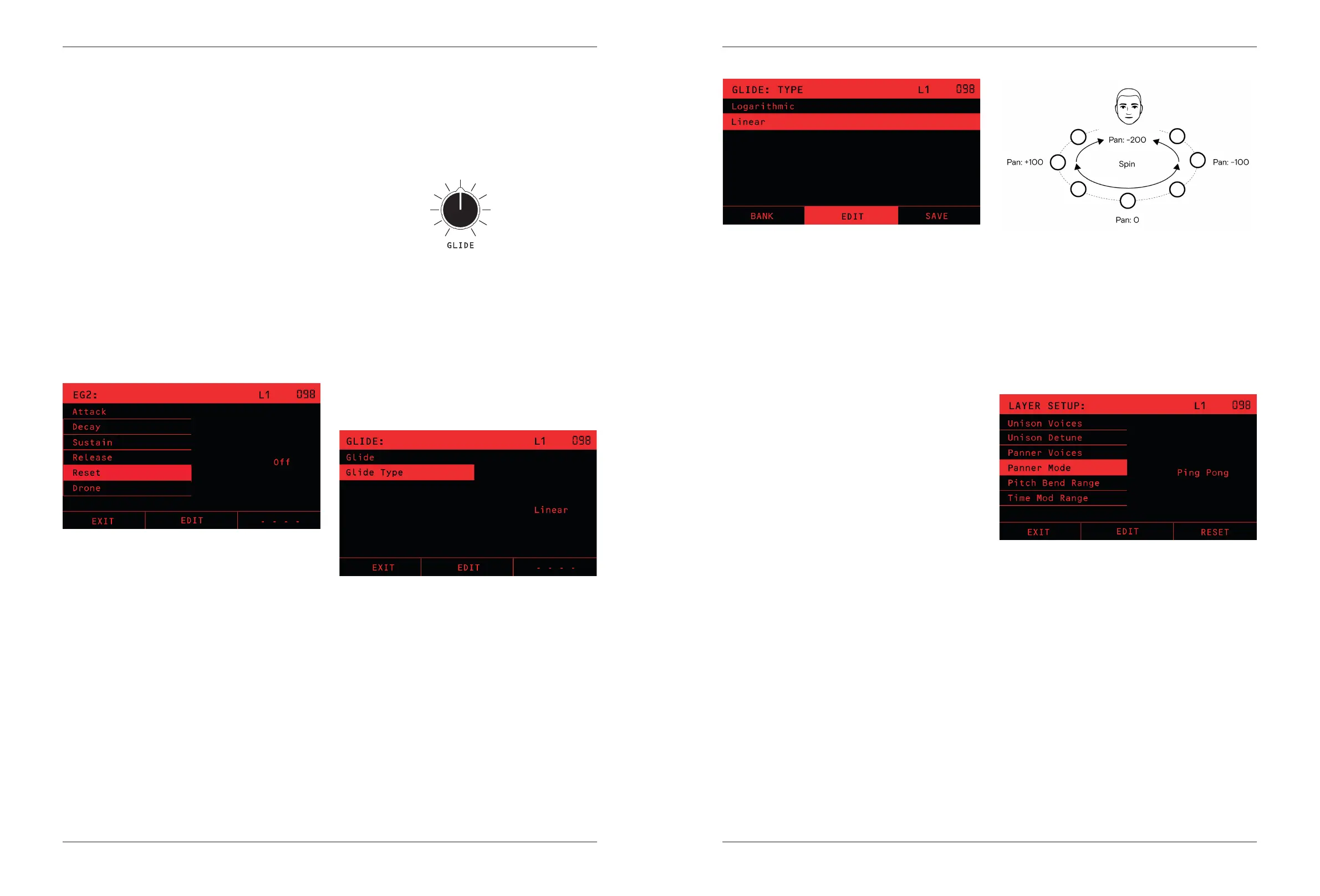
- Pan Mode OFF sets no panning. The starting Pan
position of every note is 0 (center).
- Pan Mode SPREAD plays each note evenly across the
Left to Right stereo eld, according to the number set
in Pan Number. For example if Pan Number is set to
3, the notes will be placed evenly at Hard Left, Centre
and Hard Right. The order is always from left to right
and is allocated as notes are played.
- Pan Mode PING PONG will make each note’s position
alternate Hard Left, Hard Right, Hard Left and so on
The Panner is only the rst step in deciding a note’s pan
position. The settings in the modulation matrix determine
how the Panner values control the actual position in the
stereo eld.
VCA EG2
Envelope Generator 2 (EG2) is also a standard ADSR
envelope generator, and is always (note: always)
assigned to control the nal VCA in each voice. You
can also assign EG2 to control any other modulation
destination in the mod matrix.
The RESET option (shown in the LCD only) chooses what
happens if a note is still being heard when a new one is
played.
If RESET is ON, then the old note will be instantly turned
o, and the envelope will start the Attack phase from
silence. This makes an abrupt transition at each note
start. This is a common setting for bass sounds, where
the attack phase needs to be heard on each note.
If RESET is OFF, then the old note is not silenced, instead
the envelope starts the Attack phase from the tail of the
previous note. This makes a smooth transition from one
note to the next, especially when the envelope has a
slow release.
The DRONE option is used for special cases. With drone
ON, the VCA is always at full volume. There is no Attack,
Delay, Sustain or Release phase, the voices continuously
send their sound out. This is often used in combination
with modular synth setups.
Glide/Portamento
The GLIDE Knob controls how quickly the pitch of notes
changes as dierent notes are played. A glide setting of
0 makes the pitch change instantly, like a piano does.
As you increase the setting, the pitch change between
notes will take longer, which is a portamento eect.
The Glide Type option shown on the LCD is selectable
between Linear, Logarithmic and Legato Linear. The
choice between Linear and Logarithmic comes down to
the style of playing, sound and personal preference. The
‘Legato Linear’ glide type changes the glide depending
on whether the playing is legato or not. If the notes are
played legato (a new note is played before the previous
note is released), then glide is done between the notes.
If the previous note is released before a new note is
played (non-legato or staccato), then glide is not done
and the pitch steps immediately to the new note.
\


 To Next Page