Owners manual MELEX 4XX MELEX 2021/01
12
Integrated indicator
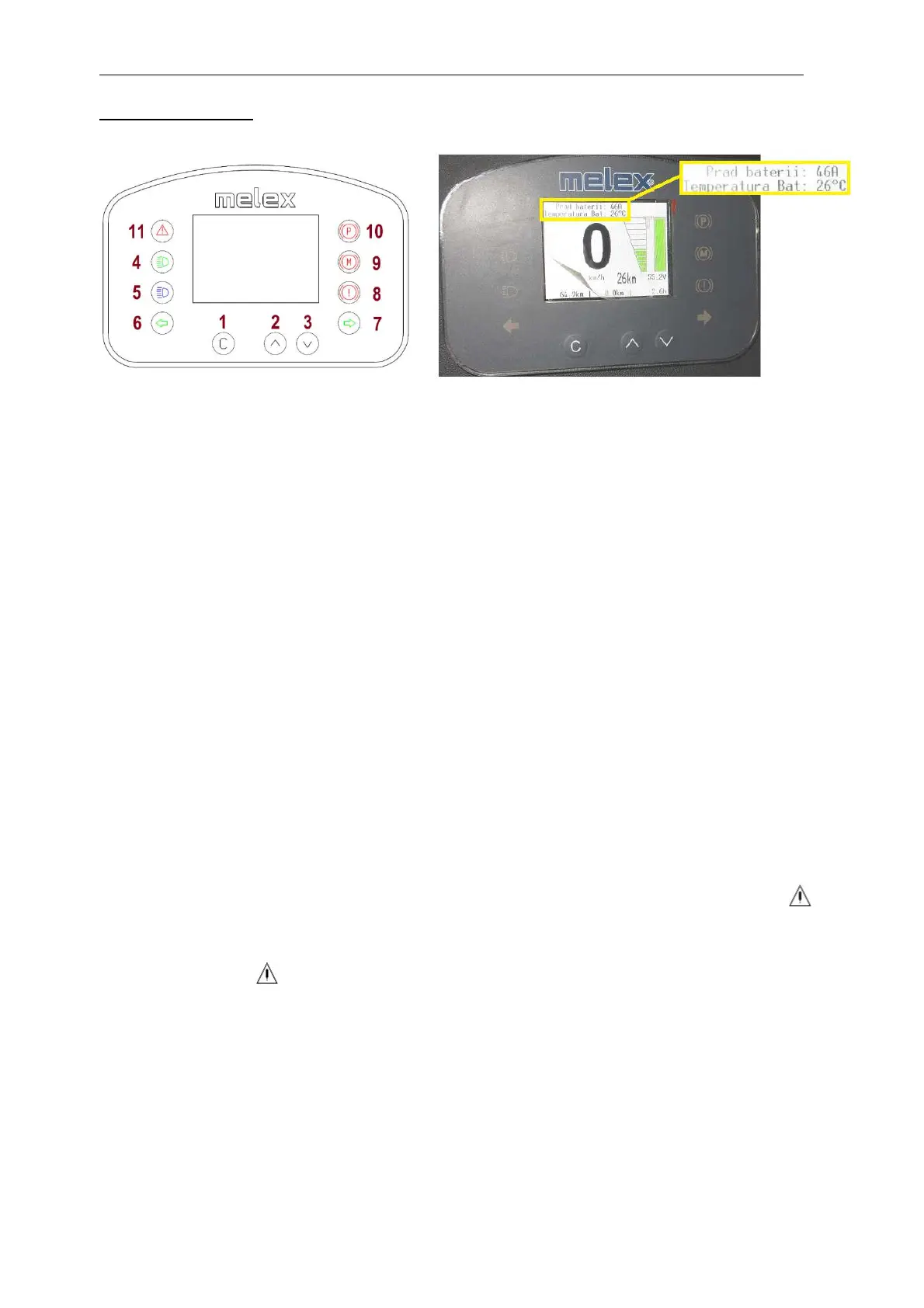
Drawing 3-10
Drawing 3-11
1. Service button.
Short pressing of given button causes displaying current time and date by 5 sec. Longer
pressing the button over 4 sec. causes entering into the User’s Menu.
In the indicator settings menu, briefly pressing this button starts editing or confirming the
selected option.
Pressing this button while the power is off gives you the opportunity to view information
about the temperature and battery current – refers to the li-ion battery.
2. Display brightness function button or negative function.
Short pressing of given button changes display’s brightness - there are 7 levels of
brightness. Long hold (about 2 seconds) switches the display to the negative mode.
3. Button for deleting the daily odometer and menu navigation. When the keyswitch is
switched on, briefly pressing this button resets the odometer.
4. Signaling lamp of passing lamps.
5. Signaling lamp of road lights.
6. Signaling lamp of left direction.
7. Signaling lamp of right direction.
8. Signaling lamp of low brake liquid level.
9. Signaling lamp of motor’s overheating. It lights itself together with signaling lamp
pulsing in red color.
10. Signaling lamp of pulled hand brake.
11. Warning lamp signalizing high temperature of motor, low level of batteries charging
or other failure.
Integrated indicator - in case of batteries discharge over 80% - sends the signal of
automatic vehicle speed reduction to controller, switches on the warning lamp as red triangle
and acoustic signaling device. When warning light as yellow triangle switches on, the batteries
should be charged.
Quantity of available functions of indicator depends on vehicle’s equipment.



 To Next Page