PERFECT page 21
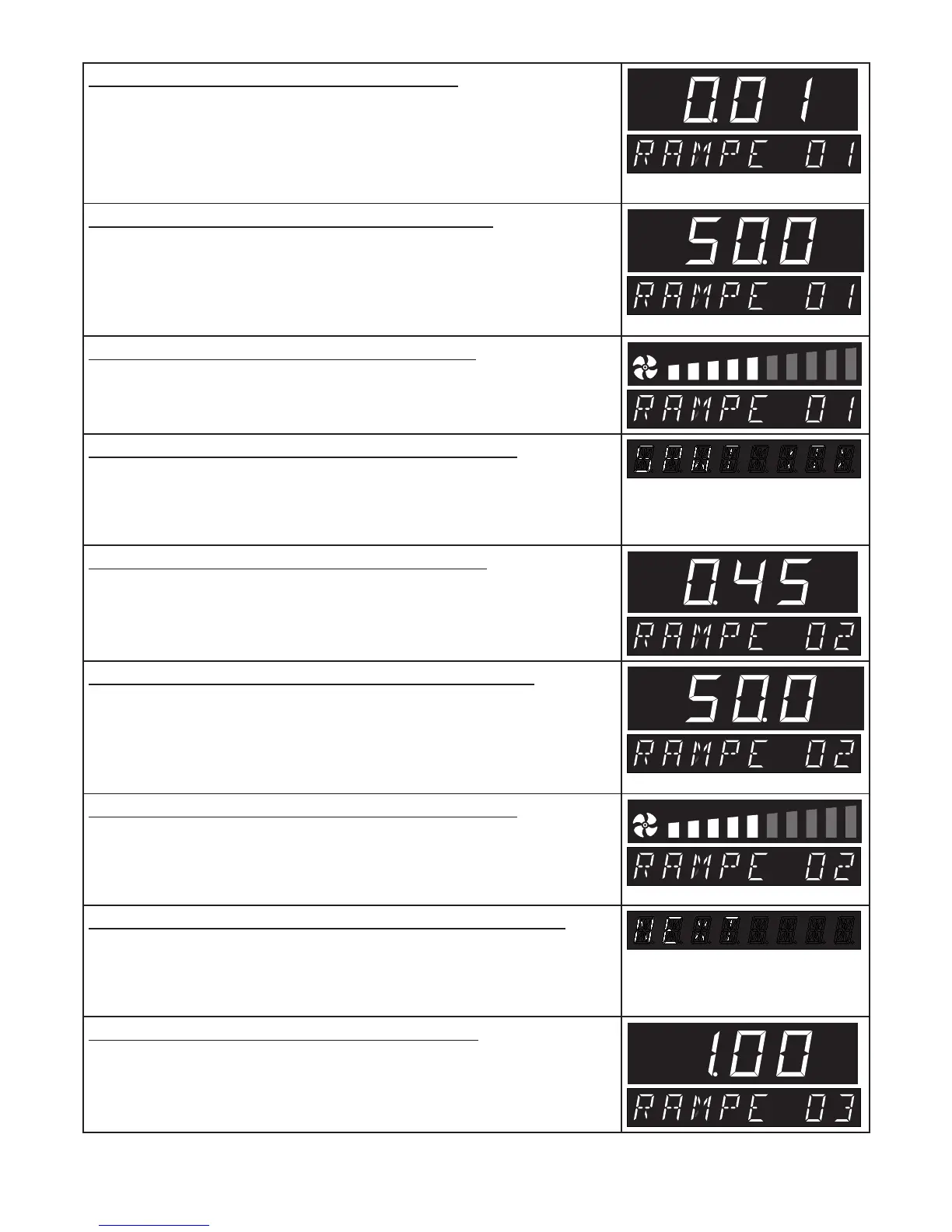
5. Select duration of first ramp segment
Turn the push/turn control further clockwise until the time of the first
ramp segment is flashing.
Hold down the SET key and set the time 00:01 using the push/turn
control.
h
6. Select temperature of first ramp segment
Turn the push/turn control clockwise until the temperature display is
flashing.
Hold down the SET key and set the required temperature setpoint of
50°C using the push/turn control.
˚C
7. Select fan speed for first ramp segment
Turn the push/turn control clockwise until the fan symbol is flashing.
Hold down the SET key and set the fan speed to 50% using the push/
turn control.
8. Set closure command of first ramp segment
Turn the push/turn control clockwise until a segment closure command
(e.g. end ) appears.
Hold down the SET key and set SPWT [T] with the push/turn control.
9. Select duration of second ramp segment
Using the push/turn control select the time indication.
Hold down the SET key and set the time 00:45 using the push/turn
control.
h
10. Select temperature of second ramp segment
Turn the push/turn control clockwise until the temperature display is
flashing.
Hold down the SET key and set the required temperature setpoint of
50°C using the push/turn control.
˚C
11. Select fan speed for second ramp segment
Turn the push/turn control clockwise until the fan symbol is flashing.
Hold down the SET key and set the fan speed to 50% using the push/
turn control.
12. Set closure command for second ramp segment
Turn the push/turn control clockwise until a segment closure command
(e.g end ) appears.
Hold down the SET key and set next with the push/turn control.
13. Select duration of third ramp segment
Mit dem Drück/Using the push/turn control select the time indication
Hold down the SET key and set the time 08:00 using the push/turn
control.
h



 To Next Page