11
• Key STOP to stop the protocol in running, or to turn off MEND IS02PROs.
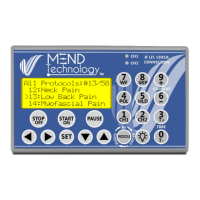
④ Arrow Keys:
• Left Arrow: Back to previous menu level; or move cursor to left.
• Right Arrow: Enter menu selection; or move cursor to right.
• Up Arrow: Move cursor up; or increase number
• Down Arrow: Move cursor down; or decrease number
⑤ “SET” key: Press this key to go into and finish the number entering
mode. In SET mode, use arrow keys or numeric keys to change the digits of the
number. Press this key again to move to next number or to finish entering
numbers.
⑥ Protocols: Press this key to cycle between “All Protocols”, “Recent
Protocols”, “History Protocols” and “Batch Protocols”.
⑦ Back Light: turn on or off the back light of the LCD display.
⑧ Function and Number Keypad
• 0~9: Number Keypad to input number or select a numbered menu item.
• Channel 1 “CH1”, Channel 2 “CH2”, Current “+”, Current “-“, Time “T+”,
Time “T-“, Waveform “WF”, Polarity “POL”: During manual operation or run
time control, use these keys to change respective parameters.
• HOLD “HLD”, SKIP “SKP”: During protocol running, use HOLD to
hold/release the timer and use SKIP to advance to next frequency pair.


 To Next Page