To switch between All Protocols, Recent Protocols, History and Batch
Protocols: press the Protocols key to cycle between the four protocol list
screens.
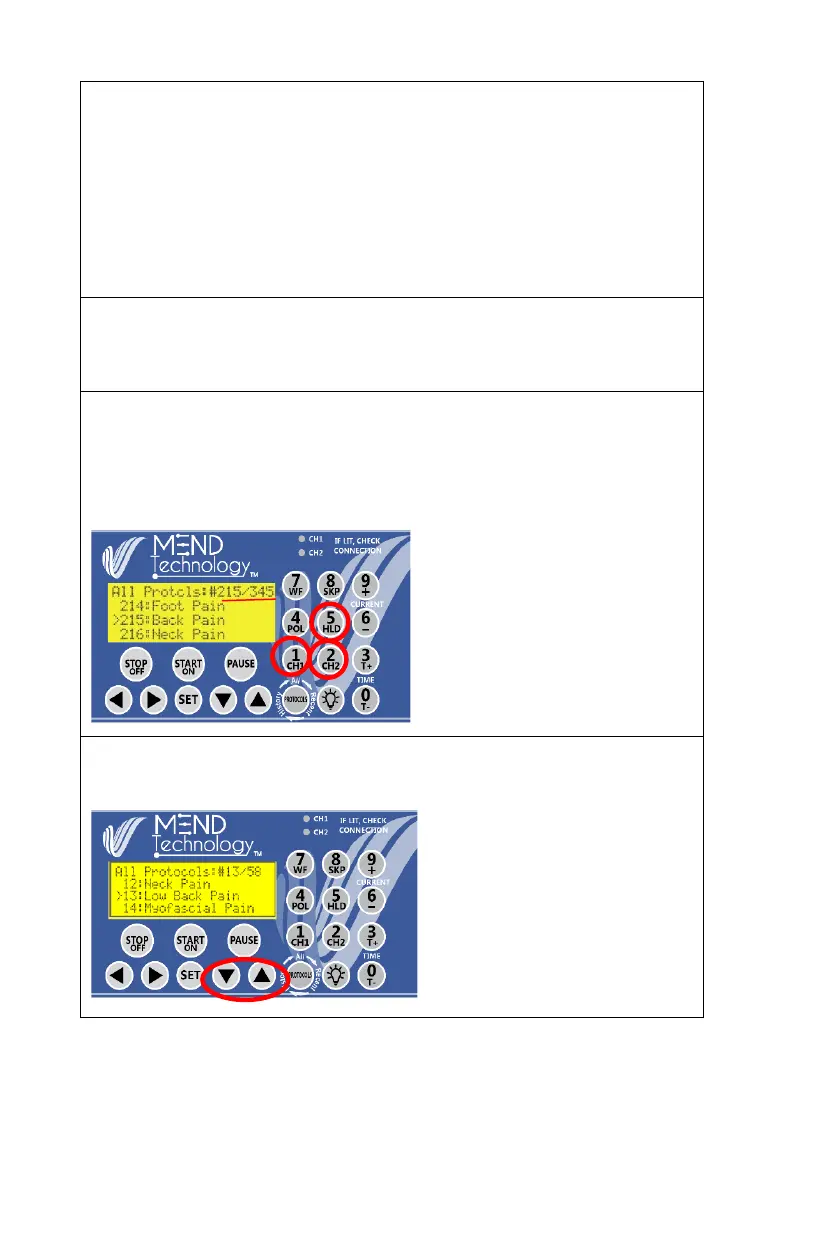
Select by protocol number: from Power-On Screen, or from All Protocols
screen, press the protocol number with the numeric keys. For example, to
select protocol number #215 of the 345 protocols, press key 2, key 1 and
key 5, protocol 215 will be selected.
Browse to select protocol: Use arrow UP/DOWN keys to browse through
the protocol list. You can hold the up/down arrows to scroll continuously.


 To Next Page