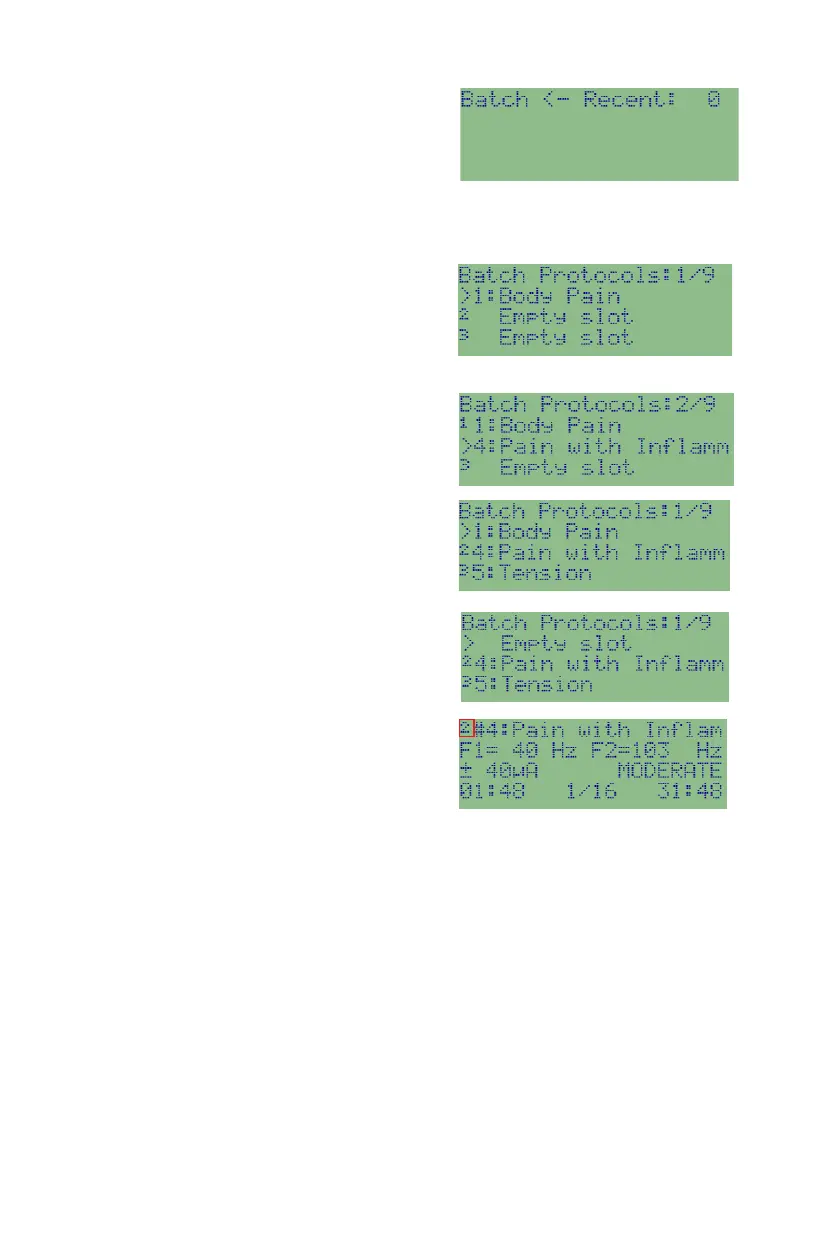
Select from other protocols: Press
Protocols key to rotate between All
Protocols, Recent Protocols and History
Protocols. Enter a protocol number using
number keys or use UP/DOWN arrows to select a protocol. See Select a
Protocol on page 18.
Assign a protocol to the slot: press START
key to assign the protocol to the slot. The
assigned protocol will be shown in the slot
in the batch.
Select protocols for other slots: repeat the
above steps for other slots.
Remove a protocol from batch: select the
batch slot and press and hold STOP key for
2 seconds until the slot is changed to
empty. You can have empty slots between
protocols in the batch. The empty slot will
be skipped during runtime.
Run a batch of protocols: move the
selection cursor “>” to the protocol to start
within the batch, and press START key to
start running the protocols. The slot
number in the batch is shown in front of
protocol number.
Skip a protocol in batch: press STOP key to skip the current protocol. The
next protocol in the batch will start.
Stop the batch: press and hold STOP key for 2 seconds to stop running the
batch of protocols.


 To Next Page