CONFIGURING THE DSP
LOUDSPEAKERS
54
Specifying information about your
system
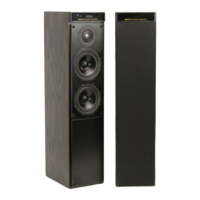
You can confi gure the operation of the DSP loudspeakers to suit the way
your system is set up, and the way in which you want to use it. These
settings are confi gured automatically to appropriate values when you
choose one of the standard Type settings, and you should not normally
need to alter them; see Choosing standard settings, page 52.
To confi gure the DSP loudspeaker
• Turn off the DSP loudspeaker, using the power switch on the back panel.
• Turn on the power again while holding down the 0 key on the remote.
The display will show the current setting of the fi rst confi guration option.
For example:
L.
• Press > or < to step between the options.
• Press A or V to change the value of the current option.
The table below shows the options you can confi gure:
Option Initial value in Type 1
Position and master/slave
L.
Compatibility (G, 500, 200 Pre, or 200 CD)*
G
Controller mode (Auto, Con, or NCon)
Auto
System address (1–8)
S.A. 1
Product address (1–8)
P.A. 1
Volume mode (1=normal, 2/3=second/
additional room)
L.E. 1
Balance control? (N or Y)
Bal. Y
Centre menus? (N or Y)
Centre N
Diagnostic displays? (N or Y)
Diag. N
* G gives 500 Comms and MSR+ sources, 500 gives 500 Comms and MSR
sources, and 200 Pre or 200 CD are legacy modes.


 To Next Page